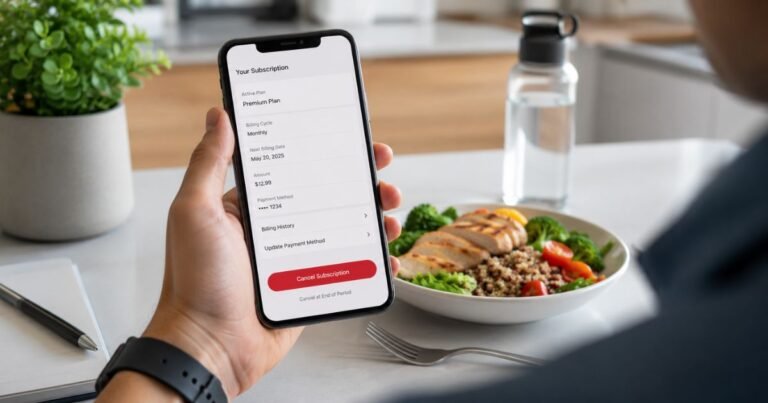
How to Cancel RedX Subscription [Step by Step]


RedX (also called RedX Apps) offers construction design tools for decks, roofs, walls, stairs, and related projects. You can create plans, framing layouts, cut lists, and blueprints on the web or mobile apps.
Subscriptions typically start around a few dollars to about $10 per month for individual apps, with annual options and higher-priced bundles available. Prices vary by plan, platform, and region. Charges usually appear on your credit or debit card statement or through your Apple or Google account.
Important: Deleting the RedX app does not cancel your subscription. The recurring charge continues until you turn off auto-renewal in the right place.
This guide walks you through the main cancellation paths so you can stop future charges quickly.
Quick answer
The fastest way is usually through the platform where you subscribed. On the website, go to your billing settings and cancel. On iPhone or Android, use the App Store or Google Play subscriptions list. You generally do not need to contact support for a standard cancel.
What Is RedX and How Billing Works
RedX Apps provides digital tools for builders and DIYers to design and plan construction projects with measurements, 3D views, and exportable plans. A free tier exists with limited features. Paid plans unlock full tools, saving, and exporting.
You can subscribe to individual apps or a bundle that covers multiple tools. Billing happens monthly or yearly depending on the option you chose. Web subscriptions typically process through Stripe. Mobile ones run through Apple or Google.
Anyone who manages the account or payment method can cancel. Look at your bank or app store receipt to confirm where the charge originates.
How to Cancel RedX from the Website
If you signed up on the web:
- Sign in at redxapps.com.
- Go to redxapps.com/build/settings/billing.
- Find your plan under Active Subscriptions.
- Press Cancel and confirm.
This turns off auto-renewal. You keep premium access until the end of the current paid period. After that your account moves to the free plan. Saved projects generally stay available.
Canceling If Billed Through Apple or Google
Many people subscribe inside the mobile apps. Manage those through the store, not the RedX website.
On iPhone or iPad
- Open Settings.
- Tap your name at the top.
- Tap Subscriptions.
- Find RedX and tap it.
- Tap Cancel Subscription and confirm.
You can also open the App Store app, tap your profile, and manage subscriptions there.
On Android
- Open the Google Play Store app.
- Tap your profile icon.
- Go to Payments & subscriptions, then Subscriptions.
- Find RedX and tap it.
- Tap Cancel Subscription and follow the prompts.
After canceling, access continues until the current billing period ends.
What Happens After You Cancel
Your premium features stay active through the end of the paid term. Then the account switches to the free plan. Projects you saved remain so you can return later if you want.
Auto-renewal stops, so you should not see new recurring charges. Refunds for the current period are not guaranteed. Apple or Google handle refund requests for their store purchases. For web charges, check the official help pages or contact support.
Tips for a Smooth Cancellation
Check your email receipts from Apple, Google, or Stripe to confirm the exact subscription name and platform.
Sign in with the same account you used to buy. Different accounts can hide the active plan.
Cancel a day or two before the renewal date if possible. This helps avoid an unexpected charge.
After you cancel, watch your next statement to confirm the recurring charge has stopped.
Common Problems and Solutions
If the subscription does not appear in your list, try restoring purchases inside the app or checking the other platforms. A purchase made on iOS will not show the same way on Android or the web.
Family Sharing can complicate things. The subscription must sit on the Apple ID signed into the app.
If billing looks wrong or you cannot find the cancel button, email support@redxapps.com with your account details. Official documentation is limited beyond the self-serve steps, so the support form or email is the practical next step.
FAQs About How to Cancel RedX Subscription
Q: Does deleting the RedX app cancel my subscription?
No. You must cancel through the website billing page, Apple subscriptions, or Google Play subscriptions. Removing the app leaves the recurring charge active.
Q: Will I get a refund after I cancel?
Access continues until the end of the current period. Refunds for time already paid are not automatic. For App Store or Google Play purchases, request a refund through those platforms. Web refunds follow the service’s policy at the time of your request.
Q: Can I cancel without contacting customer support?
Yes in most cases. Website, Apple, and Google all offer self-serve cancel buttons. Contact support only if the subscription does not appear or you need help locating it.
Q: What if I subscribed during a free trial?
Cancel before the trial converts to a paid plan. Use the same steps above. The exact trial length and conversion timing can vary, so check your original receipt or the app store listing.
Conclusion
Canceling a RedX subscription is straightforward once you know where the charge comes from. Use the website billing settings for web purchases or the App Store and Google Play tools for mobile ones. This stops the auto-renewal and prevents future recurring charges.
Double-check your next statement after canceling. If anything looks unclear, reach out through the official contact options rather than guessing at steps.
Disclaimer: This article provides general educational information based on publicly available details from RedX Apps help pages and app store listings at the time of writing. It is not financial or legal advice. Policies, prices, and processes can change. Contact RedX or your payment provider for account-specific help.