How to Cancel Audiobooks Subscription? [Step by Step]


Have you ever signed up for an audiobooks subscription, excited about all those stories at your fingertips, only to realize months later that you’re not using it as much? It’s a common story.
Many people dive into services like Audible or Scribd, but life gets busy and that monthly fee starts to feel unnecessary. If you’re wondering how to cancel audiobooks subscription, you’ve come to the right place.
Understanding Audiobook Subscriptions
Audiobook subscriptions have exploded in popularity. They let you access thousands of titles for a flat fee, often with credits or unlimited listening. But what happens when you want to unsubscribe from audiobooks? Knowing the basics can save you time and money.
Most services charge monthly, and canceling usually means losing access to borrowed titles, but you keep what you’ve bought. Let’s explore why you might cancel and how to do it right.
Why Consider Canceling Your Audiobooks Subscription?
Sometimes, it’s just time for a break. Maybe you’ve listened to everything that interests you, or your reading habits have shifted to physical books.
Other reasons include switching to free alternatives like library apps or trying a different service. Whatever your motive, stopping your audiobook membership doesn’t have to be complicated.
Just remember, some platforms offer pauses instead of full cancels, which might suit you better if you’re unsure.
Preparing to Cancel: Key Tips Before You Start
Before you hit that cancel button, gather your details. Log into your account and check your billing info. Note how you subscribed directly on the site, through Apple, or Google? This matters because the cancel process varies.
Double-check what you’ll lose. For instance, in credit-based models, unused credits might expire. Back up any downloads.
And if you’re mid-book, finish it first. These steps ensure a smooth transition when you stop your audiobooks membership.
Now, let’s dive into the specifics for popular services.
How to Cancel Popular Audiobook Subscriptions
Different platforms have unique steps, but they’re all straightforward once you know where to look. We’ll cover the big names like Audible, Scribd (now Everand), Audiobooks.com, Libro.fm, Spotify, and Downpour.
Each section includes numbered steps for easy following.
Canceling Your Audible Subscription
Audible, owned by Amazon, is the giant in the audiobook world. If you’re ready to cancel Audible subscription, start on their website, the app won’t do it.
- Sign in to your Audible or Amazon account.
- Hover over your username in the top navigation.
- Select “Account Details.”
- Click the “Cancel membership” link.
- Follow the prompts, which might ask why you’re leaving.
- Confirm the cancellation.
If you subscribed through Google Play, open the Play Store app, go to Subscriptions, select Audible, and tap Cancel. For Apple users, head to Settings, tap your name, then Subscriptions, find Audible, and cancel there.
After canceling, you keep your purchased books, but lose access to Plus Catalog titles. Your account stays active for future use.
Canceling Your Scribd (Everand) Subscription
Scribd, rebranded as Everand, offers unlimited access to books, audiobooks, and more. To unsubscribe from Scribd, use their website or app.
- Log into your account on Scribd.com or Everand.com.
- Go to your account page.
- In the Subscription & Payment Details section, click “End My Subscription” or “Cancel Subscription.”
- Review the info about what happens next.
- Confirm the cancel.
If you signed up via PayPal or a credit card, this works fine. For Apple subscriptions, cancel through your iPhone’s Settings app under Subscriptions.
You’ll retain access until the end of your billing cycle. Pausing is an option too, for up to 12 weeks.
Canceling Your Audiobooks.com Subscription
Audiobooks.com provides credits for downloads, similar to Audible. Canceling is quick via their site.
- Log in to Audiobooks.com.
- Click “My Account” in the top right.
- Under Billing Information, select “Cancel Account.”
- Follow the confirmation steps.
Note: You can’t cancel through the app, use the website. After, you keep your library, but no new credits.
This service is great for variety, but if it’s not fitting your needs, switching is easy.
Canceling Your Libro.fm Subscription
Libro.fm supports independent bookstores, making it a feel-good choice. To stop your Libro.fm membership:
- Log in at libro.fm/user.
- Look for the “Place membership on hold” or “Cancel membership” buttons.
- Click “Cancel membership.”
- Confirm your choice.
Your credits and audiobooks stay with you forever, even after canceling. Pausing is available if you just need a break.
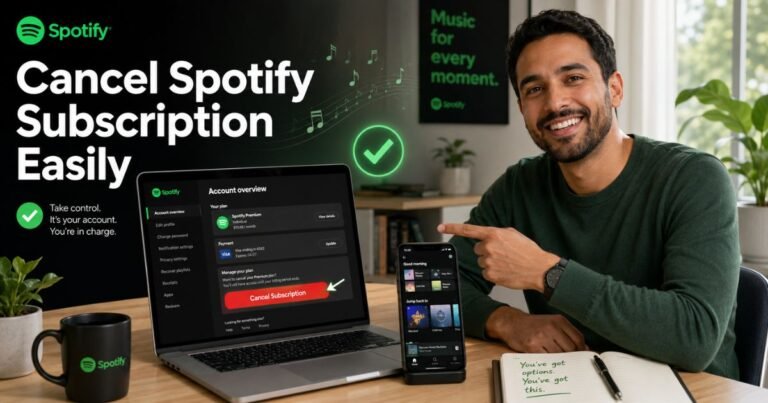
Canceling Spotify Audiobooks Access
Spotify now offers audiobooks, often bundled with Premium or as a separate Access plan. If you have the Audiobooks Access plan:
- Go to your Spotify account page.
- Select “Manage your subscription.”
- Choose “Cancel.”
Your access ends at the billing cycle’s close. For Premium, which includes limited audiobook hours, cancel via “Manage your plan” and select “Cancel subscription.”
Spotify’s integration with music is handy, but if audiobooks aren’t your focus, ditching the add-on saves cash.
Canceling Your Downpour Subscription
Downpour lets you rent or buy with a club membership. To cancel:
- Log into your account.
- Go to Account Details.
- Click “Membership” in the upper menu.
- From the management page, select cancel.
Credits last a year after unsubscribing. It’s flexible for occasional listeners.
What Happens After You Cancel?
Once you cancel your audiobooks subscription, access to subscription perks stops at the end of the current period. But don’t worry, most services let you keep owned titles.
For example, Audible and Libro.fm preserve your library. Scribd removes unlimited access, but purchases stay. Check for refunds; some offer them within days of billing.
Think about alternatives. Free options like Libby connect to libraries. Or switch to buying individual audiobooks from sites like Google Play.
Tips to Avoid Unwanted Charges
Stay vigilant with subscriptions. Set calendar reminders for trial ends. Use apps like Truebill to track them.
If you pause instead of canceling, services like Audible offer hiatus options up to three months. This way, you hold onto benefits without paying.
Question: Have you ever forgotten a subscription? It happens to the best of us. Reviewing bank statements monthly helps catch these.
Comparing Audiobook Services: A Quick Table
To help decide if canceling is right or if you should switch, here’s a simple comparison.
| Service | Monthly Cost | Cancellation Ease | Key Feature |
|---|---|---|---|
| Audible | $14.95 | Website-based | Large library |
| Scribd | $11.99 | Account page | Unlimited access |
| Libro.fm | $14.99 | User dashboard | Indie support |
This table shows basics, research more for your needs.
FAQs About How to Cancel Audiobooks Subscription
Q: Can I get a refund after canceling my audiobooks subscription?
It depends on the service. Audible might refund recent charges if you contact support soon after billing. Always check their policy first.
Q: What if I cancel mid-month?
Most platforms let you use the service until your billing cycle ends. You won’t get a partial refund, but you keep access for the paid period.
Q: How do I cancel if I subscribed through a third party?
For Apple or Google, manage in their subscription settings. Direct site cancels won’t work in these cases.
Conclusion
Canceling your audiobooks subscription is simpler than it seems. Follow the steps for your service, and you’ll free up that budget in no time. Whether pausing or switching, make choices that fit your listening habits.
For official details, visit Audible’s help page or Scribd’s support.
Disclaimer: This article provides general guidance based on publicly available information. Processes may change, so verify on official sites. We’re not affiliated with any mentioned services.