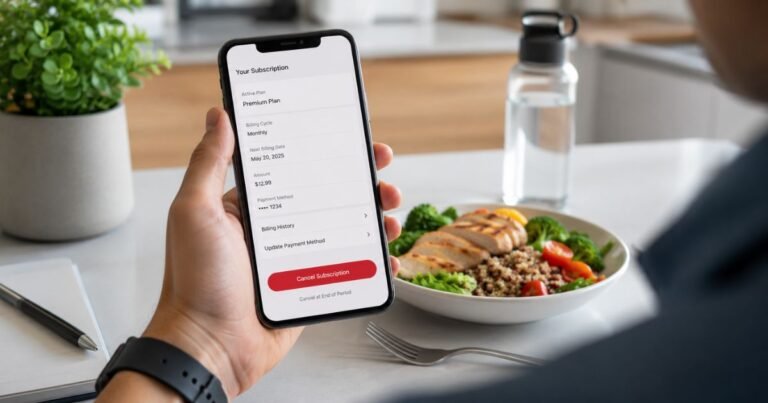
How to Cancel Factor Subscription? [Step by Step]


Have you ever jumped on a meal delivery service like Factor, excited about those ready-to-eat meals showing up at your door? But priorities shift, maybe your diet changes or the budget tightens and suddenly you’re wondering, how to cancel Factor subscription without the hassle?
Understanding Factor and Your Subscription Basics
Factor, once known as Factor75, delivers fresh, chef-prepared meals right to your doorstep. It’s all about convenience for folks who want healthy eats without the cooking fuss.
Subscriptions run weekly, with options for 4 to 18 meals per box. But life isn’t always predictable, right? That’s why knowing your options matters.
Before we dive into cancellation, let’s chat about why people pause or stop. Some folks find the meals too pricey after the intro discount. Others switch diets or just need a break.
Whatever your reason, Factor makes it straightforward, but you need to act before the weekly cutoff, usually Wednesdays at noon CST for the following week’s delivery.
What Happens If You Don’t Cancel in Time?
Miss that deadline? Your box ships anyway. But you can still manage future ones. Think of it like forgetting to skip a gym class; you pay, but next time you’re prepared.
Why Cancel Your Factor Subscription?
Let’s be real. Subscriptions sneak up on you. One month you’re loving the keto-friendly options, the next you’re back to home cooking.
Common reasons include cost, around $11 to $15 per meal after promos, or variety fatigue. Maybe you’ve hit your health goals and don’t need the structure anymore.
I’ve heard from friends who canceled after trying it for a few months. One buddy said the portions were spot on for his workouts, but travel plans messed up deliveries.
Sound familiar? Canceling frees up that cash for other things, like a new cookbook or gym membership.
But hey, cancellation isn’t goodbye forever. You can reactivate anytime. That’s a plus if you’re just testing the waters elsewhere.
Step-by-Step: How to Cancel Factor Subscription on Desktop
Ready to get hands-on? This is the meat of it. Canceling via website is quick if you’re on a computer. No long hold times or awkward chats.
First, grab your login details. Head to the official Factor site. It’s user-friendly, promise.
Here’s the breakdown:
- Log In to Your Account: Visit Factor’s website and sign in with your email and password. Forgot it? Hit reset; it’s no big deal.
- Navigate to Plan Settings: Once in, look for your profile icon or name in the top right. Click it, then select “Plan Settings” from the menu.
- Find the Status Section: Scroll down. You’ll see a box labeled “Status.” Right there is a button saying “Deactivate My Plan.”
- Choose Your Path: Factor might suggest alternatives like pausing or changing meals. If you’re set on canceling, click “Cancel Subscription.”
- Select a Reason and Confirm: Pick why you’re leaving, like “Too expensive” or “Not enough variety.” Then hit “Deactivate Now.” Boom, done.
You’ll get a confirmation email. Save it, just in case. The whole thing takes under five minutes, tops.
Tips for a Smooth Desktop Cancellation
Double-check for pending orders. If one’s processing, you might need to skip it first under “Menu” or “Upcoming Orders.” Factor won’t refund shipped boxes, so timing is key.
How to Cancel Factor Subscription Using the Mobile App
On the go? The app’s your friend. Available for iOS and Android, it’s slick for quick changes.
Steps for iOS:
- Open the App and Log In: Fire it up, enter your credentials.
- Access the Menu: Tap the three lines in the top right.
- Go to Settings: Select “Plan Settings.”
- Deactivate: Scroll to “Status,” tap “Deactivate My Plan,” follow prompts like before.
For Android, it’s similar: Menu, Settings, Deactivate.
Same deal with reasons and confirmation. App cancellations sync instantly to your account.
App-Specific Hacks
If the app glitches, try updating it or switching to Wi-Fi. Some users report easier navigation on portrait mode. And if you’re pausing instead? Same section, just choose “Pause” for up to 8 weeks.
Pausing vs. Canceling: What’s the Difference?
Not ready to fully commit to goodbye? Pausing is a smart middle ground. It stops deliveries without ending your account. Perfect for vacations or trying other services.
How to pause Factor subscription? In Plan Settings, look for “Pause Plan” instead of deactivate. Select weeks, up to two months usually. Reactivate when ready.
Canceling, though? That closes the plan. You’ll lose any promo pricing if you restart later. Pausing keeps things intact. I paused mine once during a move; saved me from wasted food.
Weigh it: Pause for short breaks, cancel for long-term stops.
| Option | Duration | Account Status | Best For |
|---|---|---|---|
| Pause | Up to 8 weeks | Active, no charges | Temporary breaks like travel |
| Cancel | Indefinite | Deactivated | Permanent stop, budget shifts |
This table sums it up nicely. Choose based on your life right now.
Common Issues When Trying to Cancel Factor Subscription
Nothing’s perfect. Some folks hit snags. Like, if your account’s new, you might need to complete the first box before canceling. Or payment issues block changes.
Reddit threads buzz with stories. One user couldn’t deactivate because of an open order. Solution? Skip all upcoming deliveries first.
If self-service fails, contact support. Email support@factor75.com or call 1-888-573-6672. Hours are Monday-Friday, 9 AM to 6 PM CST. Be polite; they’re helpful.
Pro tip: Document everything. Screenshot steps, note times. Covers you if charges slip through.
What About Refunds and Leftover Charges?
Canceled mid-cycle? Factor doesn’t refund partial weeks, but check your last bill. If overcharged, reach out.
For shipped boxes, no returns since it’s perishable food. Eat it or gift it. I’ve donated extras to neighbors; win-win.
After cancel, monitor your bank. Charges should stop immediately for future weeks.
Alternatives After You Cancel Factor Subscription
Freed up? Explore options. HelloFresh offers more variety, starting at $9 per meal. Or Blue Apron for cooking enthusiasts.
If ready-made’s your jam, try Freshly or Sunbasket. Both have similar pricing but different flavors.
Comparing Top Alternatives
Here’s a quick table:
| Service | Price Per Meal | Meal Types | Cancellation Ease |
|---|---|---|---|
| Factor | $11-15 | Ready-to-eat, keto | Easy online |
| HelloFresh | $9-12 | Kits to cook | App or web |
| Freshly | $9-13 | Heat-and-eat | Similar to Factor |
These keep your routine going without starting from scratch.
Exploring Factor Customer Support for Cancellation Help
Self-help not cutting it? Support’s there. Besides phone and email, live chat’s on the site during business hours.
Describe your issue clearly. “I need help with how to cancel Factor subscription” gets fast responses.
Some users prefer chat for records. Whatever works.
FAQs About How to Cancel Factor Subscription
Now, let’s address some burning questions.
Q: Can I Cancel Factor Subscription Anytime?
Yes, but before the weekly cutoff to avoid next delivery. If after, you’ll get that box but can cancel future ones. Always check your account for deadlines.
Q: What’s the Difference Between Skipping and Canceling?
Skipping lets you miss specific weeks without pausing the sub. Canceling ends it all. Use skipping for one-off breaks.
Q: How Do I Reactivate After Canceling?
Log back in, go to Plan Settings, and hit “Reactivate.” You’ll pick meals anew, but might lose old discounts.
Conclusion
Mastering how to cancel Factor subscription boils down to timing and a few clicks. Whether pausing or fully stopping, you’ve got options. It frees you to try new things or save bucks.
Remember, meal services evolve so revisit if needs change.
Disclaimer: This article shares general advice based on common practices. For the latest details, visit Factor’s official site or contact support. Policies can shift and individual cases vary.