
How to Cancel Spokeo Subscription? [Step by Step]

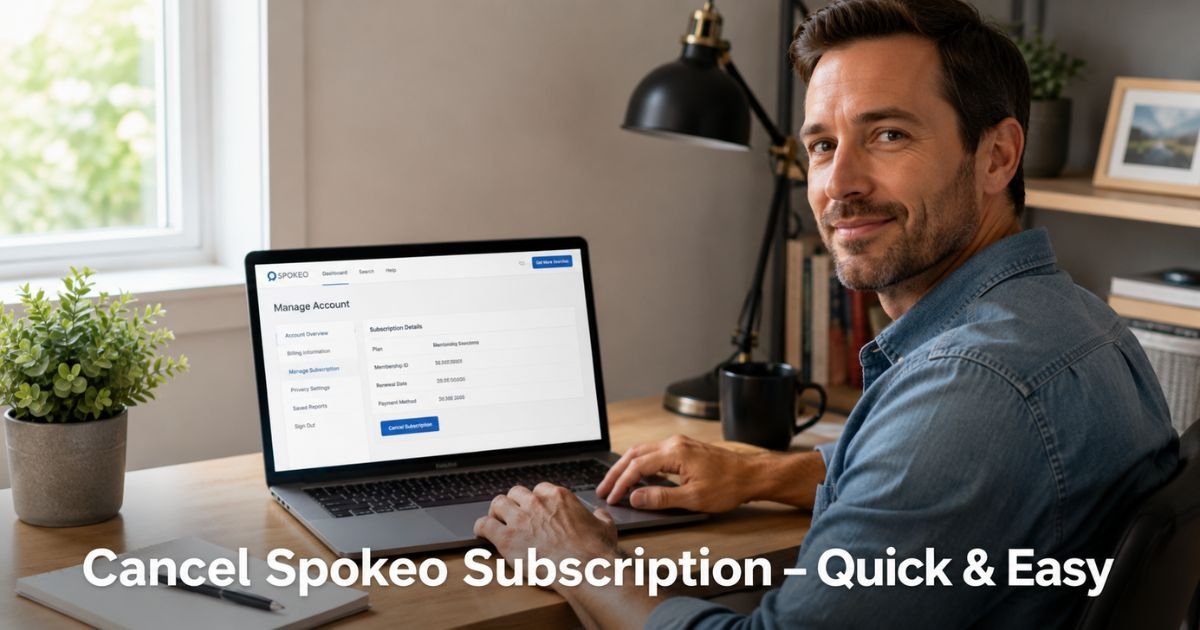
You check your credit card statement and see another charge from Spokeo. Maybe you used the service for one quick search months ago and forgot it was still active.
If you are ready to cancel Spokeo subscription, you are not alone. Many people sign up for a quick lookup and then the monthly or yearly plan keeps renewing quietly.
The good news is that canceling is straightforward when you know the official steps. Spokeo lets you stop auto-renewal directly from your account page, and there is no cancellation fee.
You will get clear, up-to-date instructions on how to cancel Spokeo subscription, what happens after you cancel, and simple tips to avoid common headaches. By the end you will feel confident and in control again.
How to Cancel Spokeo Subscription on the Website: Step-by-Step
Spokeo manages subscriptions through your online account, not through an app store in most cases. Here is the simplest way to cancel.
- Go to the Spokeo website and log in to your account. Use the email and password tied to your subscription.
- Once logged in, click your profile icon or avatar in the top right corner.
- Select Account from the menu. This takes you straight to your account settings.
- Scroll down to the Manage Account section.
- Look for the Cancel Subscription button. Click it if it appears.
- If you do not see a Cancel button, click the Contact Form link in the same section.
- In the form, choose “I would like to terminate my membership” from the dropdown.
- Select the Terminate Now option and submit.
You will receive a confirmation email at the address on file. Keep that email as proof. Your subscription will stop renewing automatically.
What Happens After You Cancel Spokeo Subscription
Canceling stops future charges right away. You keep full access to your current plan until the end of the billing period you already paid for. After that date, your account reverts to limited or free access.
Take Mike, a 35-year-old real estate agent. He subscribed to Spokeo for occasional background checks on potential clients. After a few months he realized he barely used it. He followed the steps above on a Wednesday morning and got instant confirmation.
His access stayed active until the end of that billing cycle, and the next charge never hit his card. Two months later he needed one more search and simply resubscribed for a single month. The process felt clean and simple.
Pro Tip: Cancel at least a few days before your renewal date and take a screenshot of the confirmation screen. This small habit protects you if any billing questions come up later.
Spokeo Cancellation: Key Facts at a Glance
What to Know Before You Cancel Spokeo Subscription
| What You Want to Know | The Details |
|---|---|
| Cancellation fee | None – Spokeo does not charge to cancel |
| When charges stop | No future renewals after you cancel |
| Access after canceling | Continues until end of current paid period |
| Refunds for partial periods | Rarely offered – contact support to ask |
| Confirmation | You receive an email after successful cancel |
| Account deletion | Separate step – contact support if you want it |
This quick reference helps you understand exactly what to expect.
Common Mistake: Waiting until the day before renewal to cancel. If the system processes late or you hit a weekend, you could still get charged for the next cycle. Act early and confirm everything went through.
How to Get Help or Request a Refund from Spokeo
Sometimes the Cancel button does not appear, or you have questions about billing. Here is what to do.
- Use the contact form inside your account (the same one mentioned earlier).
- Choose the right reason from the dropdown and explain your situation clearly.
- For refunds, reply to your cancellation confirmation email or start a new conversation and politely ask. Include your account email and approximate purchase date.
- Keep records of every message you send and receive.
- Response times are usually within a few business days.
Spokeo customer care can also help if you want to pause instead of fully cancel, though availability depends on your plan.
FAQs About How to Cancel Spokeo Subscription
Q: How do I cancel Spokeo subscription if I forgot my login details?
Visit the Spokeo login page and click “Forgot password?” to reset it using the email tied to your account. Once you regain access, follow the Manage Account steps above. If you no longer have access to that email, use the contact form on their help site and explain the situation with any order numbers or payment details you remember.
Q: Can I get a refund after I cancel my Spokeo subscription?
Spokeo generally does not offer automatic refunds for partial billing periods. However, you can still contact their support team through the account contact form and politely request a refund, especially if you recently started the subscription or experienced an issue. Success depends on your specific case and how quickly you reach out.
Q: Will canceling Spokeo delete my account and search history?
No. Canceling only stops the subscription and future billing. Your account and past search history usually remain. If you want to fully delete your Spokeo account, you must contact customer care separately and request account closure. They will guide you through the final steps and ask you to log out afterward.
Conclusion
You now know exactly how to cancel Spokeo subscription without stress or hidden fees. The process lives right inside your account page and usually takes just a few minutes.
Canceling gives you peace of mind when a service no longer fits your needs. You keep access until the end of what you already paid for, and you can always come back later if life changes.
Take a quick look at your other recurring charges while you are at it. Small clean-ups like this add up to real savings and a lighter mental load over time. You have got this.
Disclaimer: This content is for informational and educational purposes only and does not constitute professional, financial, legal, or medical advice. The information provided may not apply to your specific situation. Always consult a qualified professional for personalized guidance.





