
How to Cancel pdfFiller Subscription [Step by Step]

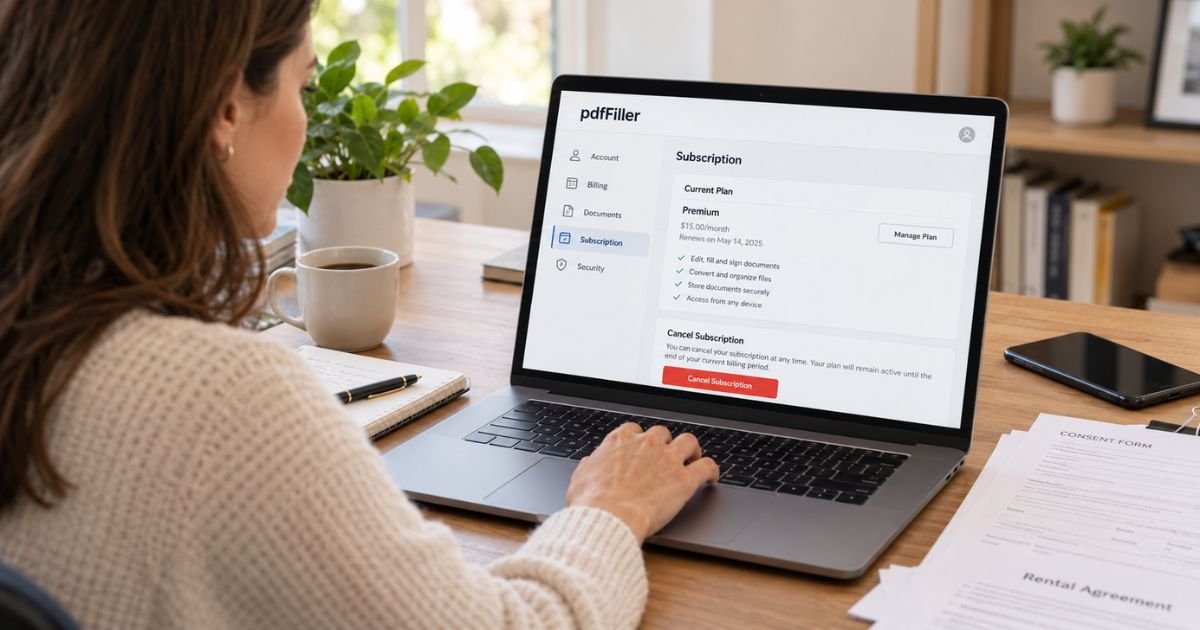
If you want to cancel pdfFiller subscription billing, use the cancellation controls for the platform that sold you the subscription. Website customers can cancel from their pdfFiller account, while Apple App Store and Google Play subscribers must cancel through those stores.
Canceling stops future automatic renewal when completed correctly. It does not automatically refund the current charge, and you should download important documents before your access period ends.
What Is pdfFiller and How Billing Works
pdfFiller is an online document platform for editing, filling, signing, sharing, and managing PDF files. It offers free trials and paid monthly or annual subscriptions.
pdfFiller states that subscriptions automatically renew at the end of each billing period unless canceled. If you start a free trial and do not cancel before it ends, the account can convert to paid billing.
The billing provider depends on where you subscribed. Website purchases are managed by pdfFiller. App Store and Google Play purchases are managed by Apple or Google.
Check your receipt before canceling so you know which provider controls the subscription.
How to Cancel pdfFiller on the Website
pdfFiller’s current support guidance provides an account-based cancellation path.
- Sign in to your pdfFiller account.
- Open My Account.
- Go to Subscription & payment.
- Select Cancel subscription.
- Follow the confirmation prompts.
- Save the cancellation confirmation.
If you have trouble, pdfFiller also provides customer support through its Help Center, live chat, and support email.
How to Cancel pdfFiller on iPhone or iPad
Use Apple subscription settings if the App Store processed the purchase.
On iPhone or iPad
- Open Settings.
- Tap your name.
- Tap Subscriptions.
- Select pdfFiller.
- Tap Cancel Subscription.
- Confirm the cancellation.
If pdfFiller is not listed, check other Apple Accounts and search your email for the Apple receipt.
How to Cancel pdfFiller on Android
Use Google Play when Google billed your subscription.
On Android
- Open Google Play.
- Tap your profile icon.
- Open Payments & subscriptions.
- Select Subscriptions.
- Choose pdfFiller.
- Tap Cancel subscription.
- Follow the confirmation steps.
Check every Google Account you use if the subscription does not appear.
What Happens to Your Documents After Cancellation
pdfFiller says paid features remain available until the end of the current paid or trial period after cancellation.
The company’s current refund and help pages warn users to export important documents before access ends. pdfFiller currently provides a 30-day period after cancellation during which you can contact support to retrieve documents before they may be deleted.
If the files are important, download them before you cancel or before the paid period expires. Do not rely on the grace period as your only backup.
Can You Get a pdfFiller Refund?
pdfFiller currently offers a broad refund policy for some first-time self-service subscribers. Its refund page says eligible customers can request a refund within 180 days of the first payment date.
However, the policy has exclusions. Refunds may not apply to subscriptions purchased through the sales team, Apple App Store, Google Play, other marketplaces, or accounts showing significant use.
App-store purchases must follow Apple or Google’s refund process. Do not ask pdfFiller to override an app-store decision it does not control.
If you believe you qualify for pdfFiller’s direct refund policy, contact support with the transaction date, amount, account email, and other information requested on the official refund page.
What If You Cancel During the Free Trial?
If you cancel during the free trial, pdfFiller says you keep access until the trial period ends and should not receive the next renewal charge.
Canceling a trial does not create a refund because there may be no paid charge to return. If a payment has already processed, review the refund policy connected with the billing provider.
What If You Are Charged After Canceling?
First, confirm the date and time of the cancellation and compare it with the renewal date. Keep your cancellation confirmation.
If pdfFiller billed the transaction directly, contact its support team with the charge details. If Apple or Google billed you, contact that store.
If you believe the charge was unauthorized, tell the billing provider clearly and ask about its dispute process. Do not rely only on blocking the card.
Common pdfFiller Cancellation Problems
A frequent problem is trying to cancel a store purchase from the pdfFiller website. App Store and Google Play subscriptions must be managed on those platforms.
Another mistake is deleting the pdfFiller account before exporting important documents. Download anything you need first.
If the cancel option is missing, verify that you are signed into the account that owns the subscription.
Tips to Prevent Future pdfFiller Charges
Save your free-trial end date and renewal date when you sign up. Cancel before renewal if you only need pdfFiller for a short project.
Keep your cancellation confirmation and review the next statement.
Download important documents before the subscription ends so your files are not dependent on continued paid access.
FAQs About How to Cancel pdfFiller Subscription
Q: Can I cancel pdfFiller online?
Yes. Website subscribers can cancel from My Account under Subscription & payment. App Store and Google Play customers must cancel through those stores.
Q: Will I lose pdfFiller access immediately after canceling?
Usually no. pdfFiller says access continues until the end of the current paid or trial period.
Q: Can I get a pdfFiller refund?
Some first-time direct self-service customers may qualify under pdfFiller’s current refund policy. App-store purchases follow Apple or Google’s separate rules.
Q: What happens to my saved documents after cancellation?
Download important files before access ends. pdfFiller currently says support may help retrieve documents for a limited 30-day period after cancellation before files may be deleted.
Conclusion
To cancel pdfFiller subscription billing, use the account or store that processed your purchase. Confirm that auto-renewal is off and save the cancellation proof.
Download important documents before your paid access ends. If you want a refund, use the refund policy for the billing provider that processed the charge.
Disclaimer: This guide provides general educational information based on publicly available details at the time of writing. Cancellation procedures and refund policies may change. Contact the service or your payment provider for account-specific assistance.




