

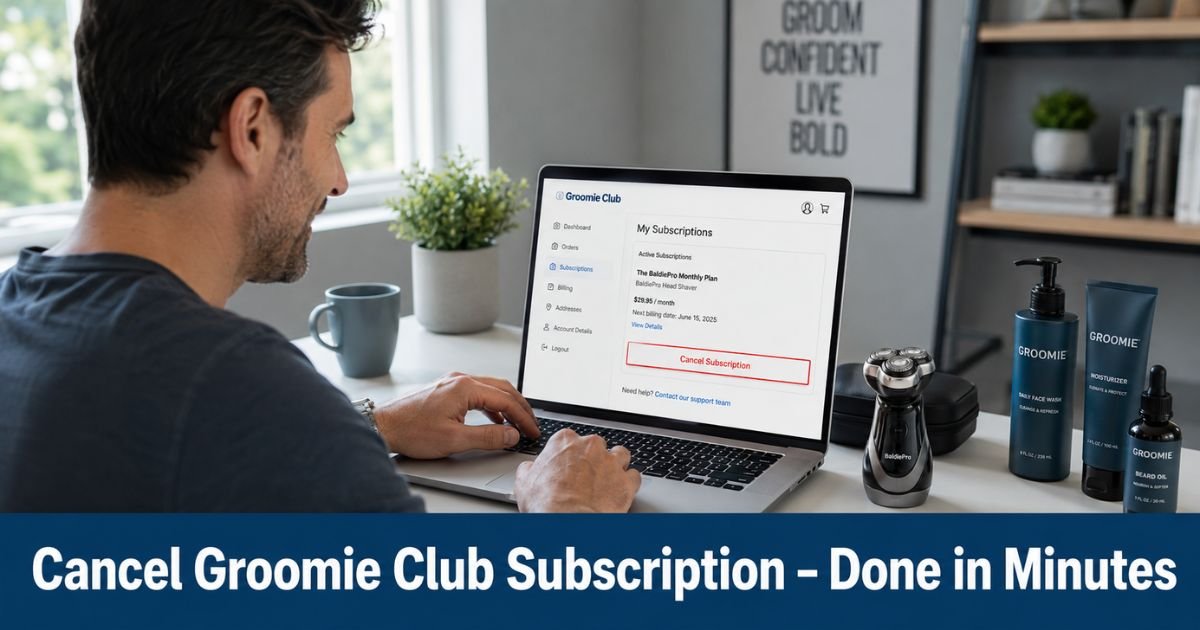
You signed up for the Groomie Club refill program because the convenience of fresh blades arriving automatically sounded perfect for your BaldiePro shaver routine.
Now those recurring charges or shipments keep coming even though your schedule or preferences have shifted. It happens to a lot of guys who value a smooth head shave but no longer want the auto-pilot deliveries.
The good news is that canceling your Groomie Club subscription is designed to be straightforward once you know where to click.
You will discover the exact steps to cancel Groomie Club subscription through your online account, along with smart alternatives like skipping or pausing.
Why Groomie Club Uses Auto-Renewing Subscriptions
Groomie Club’s blade refill program ships fresh blades every 30, 45, or 60 days so you never run out and can keep your BaldiePro shaver performing at its best.
The company sets it to auto-renew because regular blade changes are essential for hygiene and to avoid dull blades that can irritate skin or reduce performance.
While the convenience helps many users, it can lead to unexpected charges if your shaving habits change. That is why Groomie Club gives you full control to edit, skip, pause, or cancel anytime through your account.
Understanding this setup helps you make the right choice for your current routine instead of feeling stuck.
How to Cancel Groomie Club Subscription: Step-by-Step
Canceling takes just a few clicks on the website. Here is the official process.
- Go to groomie.club and log into your account using the email tied to your subscription.
- Once logged in, click on the “Subscriptions” tab or section in your account dashboard.
- Find your active Groomie Club refill subscription and select the “Edit” option.
- Look for the choice to cancel, pause, or adjust frequency. Choose cancel subscription if you want to end it permanently.
- Follow any on-screen prompts and confirm your decision.
- Check your email for a confirmation message from Groomie Club. Save or screenshot it for your records.
Take a 42-year-old who travels often for work. He originally loved the automatic refills for his head shaver but realized he preferred buying blades only when he needed them. One evening he logged into his Groomie Club account, followed the steps above, and received instant confirmation. The next scheduled charge never hit, and he felt relieved knowing his grooming expenses were now fully under his control.
Pro Tip: Before you cancel, note your next charge or shipment date inside the subscription settings. Canceling a day or two early gives the system time to process and prevents any surprise billing if timing is tight.
Other Ways to Manage Your Groomie Club Subscription
You do not always have to cancel completely. Groomie Club offers flexible options that let you stay in charge.
- Skip a shipment: Pause just the next delivery while keeping the subscription active for later.
- Pause the subscription: Temporarily stop all recurring shipments and charges for a longer break.
- Edit frequency or products: Change how often blades arrive or add or remove items without ending everything.
- Resume anytime: Restart your plan later with the same simple steps.
These choices are perfect if your needs change with seasons, travel, or new grooming habits. Many users start with a skip or pause before deciding on a full cancel.
Groomie Club Subscription Management Options
| Action | What It Does | Best For |
|---|---|---|
| Skip | Skips only the next scheduled shipment | Short-term breaks or travel |
| Pause | Temporarily stops all future shipments | Longer breaks without losing the plan |
| Edit | Changes frequency, products, or address | Fine-tuning your routine |
| Cancel | Ends the subscription permanently | No longer needing automatic refills |
What Happens After You Cancel Groomie Club Subscription
Once you cancel, future automatic charges and shipments stop. You will keep access to any blades or products you already paid for and received. Your BaldiePro shaver itself continues to work normally. You simply lose the convenience of scheduled refills.
Most cancellations take effect immediately for future billing, though any order already processed will still ship.
Groomie Club does not typically offer prorated refunds for partial periods, so timing your cancel before the next charge date saves the most money. If you ever want to restart, you can sign up again anytime.
Troubleshooting Common Issues When Canceling
Some users report extra steps or loops when trying to cancel. Here is how to handle them.
First, double-check that you are logged into the correct email address associated with the subscription. Try a different browser or device if the options do not appear. Clear your cache and cookies, then log in again.
If the cancel button is missing or you hit a confusing loop, email support@groomie.club right away. Include your account email, order number if you have it, and a clear request to cancel with written confirmation.
Many customers who contact support directly receive quick help and a confirmation email.
You can also try the phone number listed on some directories (1-844-535-3299) during business hours, but start with the website and email for the fastest official record.
Common Mistake: Assuming the subscription is canceled just because you clicked around in the account. Always wait for and save the confirmation email or screenshot the final screen. Without proof, future charges can still appear.
Quick Tips to Protect Yourself
Review your Groomie Club account every few months even if you love the service. Set a calendar reminder for your next charge date. If you ever feel unsure, reach out to support before the billing cycle rather than after. Keeping records of every change gives you peace of mind and makes any future issues easy to resolve.
FAQs About How to Cancel Groomie Club Subscription
Q: How do I cancel my Groomie Club subscription for blade refills?
Log into your account at groomie.club, go to the Subscriptions tab, click Edit on your active plan, and select the cancel option. Confirm your choice and save the email confirmation that arrives shortly after. Future shipments and charges will stop.
Q: Can I skip or pause my Groomie Club subscription instead of canceling completely?
Yes. Inside the Subscriptions tab you can choose to skip just the next shipment or pause the entire plan temporarily. These options keep your subscription on hold without ending it, so you can resume whenever you are ready.
Q: Do I get a refund if I cancel Groomie Club subscription mid-cycle?
Refunds are limited. You usually keep any products already shipped, but you will not receive a prorated refund for unused time in most cases. Cancel before your next scheduled charge date to avoid paying for another cycle.
Conclusion
Canceling your Groomie Club subscription puts you back in the driver’s seat of your grooming expenses. You stop unwanted refills and charges while keeping full use of the shaver you already own. The process is simple when you follow the account steps or reach out to support for confirmation.
Take five minutes today to log in and check your current settings. Whether you cancel, pause, or simply skip the next round, you will feel better knowing your subscription matches exactly what you need right now.
Disclaimer: This content is for informational and educational purposes only and does not constitute professional, financial, legal, or medical advice. The information provided may not apply to your specific situation. Always consult a qualified professional for personalized guidance.






