How to Cancel JustAnswer Subscription? [Step by Step]

You glance at your bank app and spot another charge from JustAnswer that you barely remember signing up for. It happens more often than you think.
Maybe you tried the service once during a stressful moment or started a trial and moved on. Now those monthly fees keep adding up quietly in the background.
If you want to cancel JustAnswer subscription and put an end to the recurring charges, this guide gives you the exact steps. You will learn how to do it on the website and through the mobile app, what to expect afterward, and how to avoid the mistakes that trip most people up.
Why Many People Decide to Cancel JustAnswer Subscription
JustAnswer offers quick expert answers, but the membership can feel unnecessary once your immediate question gets answered. Some users only need help one time. Others find the ongoing cost adds up faster than expected.
Here are common reasons people cancel:
- They asked one question and no longer need regular access
- They prefer free resources or other platforms for occasional advice
- Unexpected charges appeared after a trial period ended
- They want to simplify monthly subscriptions and cut unnecessary expenses
Whatever your reason, canceling stays simple when you follow the official steps. JustAnswer designed the process to work directly through your account so you stay in control.
How to Cancel JustAnswer Subscription on the Website
The website method works best for most people because it gives you full visibility. You can review your membership details before confirming cancellation.
Follow these steps:
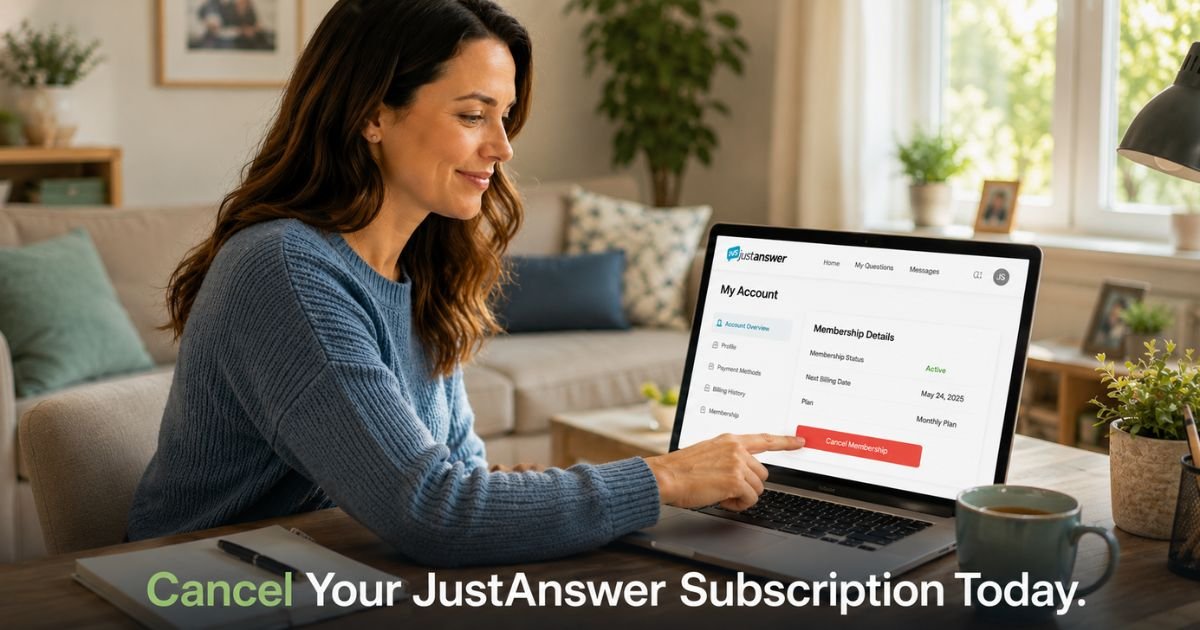
- Go to justanswer.com and log into your account
- Click “My Account” in the top right corner
- Find the Membership panel on your account page
- Click the “Cancel membership” button
- Confirm your choice when prompted
You should receive an email confirmation shortly after. Keep that email and take a quick screenshot of the confirmation screen as proof. This protects you if any billing questions come up later.
How to Cancel JustAnswer Subscription in the Mobile App
Many people manage everything from their phones these days. The JustAnswer app makes cancellation straightforward too.
Here is exactly what to do:
- Open the JustAnswer app and log in
- Tap “Account” at the bottom right of the screen
- Select “Manage Membership”
- Tap “Cancel Membership”
- Confirm the cancellation when asked
The process takes less than two minutes once you are logged in. After you finish, check your email for the confirmation message. This step matters because it creates an official record of your request.
Pro Tip: Always cancel directly through your JustAnswer account rather than trying to manage it inside your phone’s app store or Google Play subscriptions. JustAnswer handles its own billing, so changes made in the app store often do not affect your membership.
What Happens After You Cancel JustAnswer Subscription
Canceling stops future charges right away in most cases. You usually keep access to the service until the end of your current paid period. After that, your membership ends completely.
Take a 37-year-old teacher who signed up during a busy grading period. She canceled her JustAnswer subscription through the website on a Sunday evening. She received an immediate confirmation email and kept access for the rest of the month. When the next billing date arrived, no charge appeared. She felt relieved knowing she handled everything herself without any surprise fees.
Here is what you can expect:
- No more automatic monthly charges after cancellation
- Access continues until your paid period ends
- You can still log in to review past answers during that time
- You may lose access to new expert questions once the period finishes
| Platform | Main Steps | Best For | Confirmation Method |
|---|---|---|---|
| Website | Log in → My Account → Cancel membership | Most users, full details | Email + on-screen |
| Mobile App | App → Account → Manage Membership → Cancel | Quick changes on the go | Email confirmation |
| Support | Contact help if buttons do not appear | Rare technical issues | Email from support team |
Common Mistake: Many people assume they canceled successfully but skip checking their email or bank statement the following month. Always verify the cancellation email arrived and review your next statement to confirm charges stopped.
Tips to Stay in Control of Your Subscriptions
Canceling one service often makes you want to review everything else. A few simple habits can help you avoid similar situations in the future.
- Set calendar reminders a few days before any subscription renews
- Use a dedicated email folder for all subscription confirmations
- Check your bank or credit card app monthly for unfamiliar charges
- Keep screenshots of every cancellation you complete
These small steps take almost no time but save you money and stress over the long run.
What to Do If You Run Into Trouble
Sometimes the cancel button does not appear or you cannot log in. In those cases, reach out to JustAnswer support directly through their help center. Have your account email and any recent order numbers ready when you contact them.
Support can usually walk you through the process or cancel the membership for you. Just remember to ask for written confirmation by email so you have a record.
FAQs About How to Cancel JustAnswer Subscription
Q: How long does it take for JustAnswer subscription to fully cancel after I click the button?
Cancellation usually processes immediately for future billing. You keep access until the end of your current paid period. Check your email for confirmation and monitor your statement the following month to confirm no new charges appear.
Q: Will I receive a refund if I cancel JustAnswer membership in the middle of a month?
JustAnswer policies vary, and refunds are not guaranteed for partial periods. Some users receive prorated refunds while others do not. Contact support right after canceling and ask about your specific situation if you believe you qualify for a refund.
Q: Can I cancel JustAnswer subscription through Apple or Google Play instead of the website?
No, this approach usually does not work. JustAnswer manages its own billing system separately from app stores. Always cancel directly inside your JustAnswer account on the website or app to ensure the membership actually ends.
Conclusion
Canceling your JustAnswer subscription takes just a few minutes when you follow the steps on the website or in the app. Remember to confirm your cancellation by email, keep records, and check your statement the next month. These simple actions help you stop unwanted charges and feel more in control of your money.
You now have everything you need to handle this yourself. Open your account, follow the steps, and enjoy the peace of mind that comes from cleaning up subscriptions you no longer need.
Disclaimer: This content is for informational and educational purposes only and does not constitute professional, financial, legal, or medical advice. The information provided may not apply to your specific situation. Always consult a qualified professional for personalized guidance.