
How to Cancel Smartsolve AI Subscription? [Step by Step]

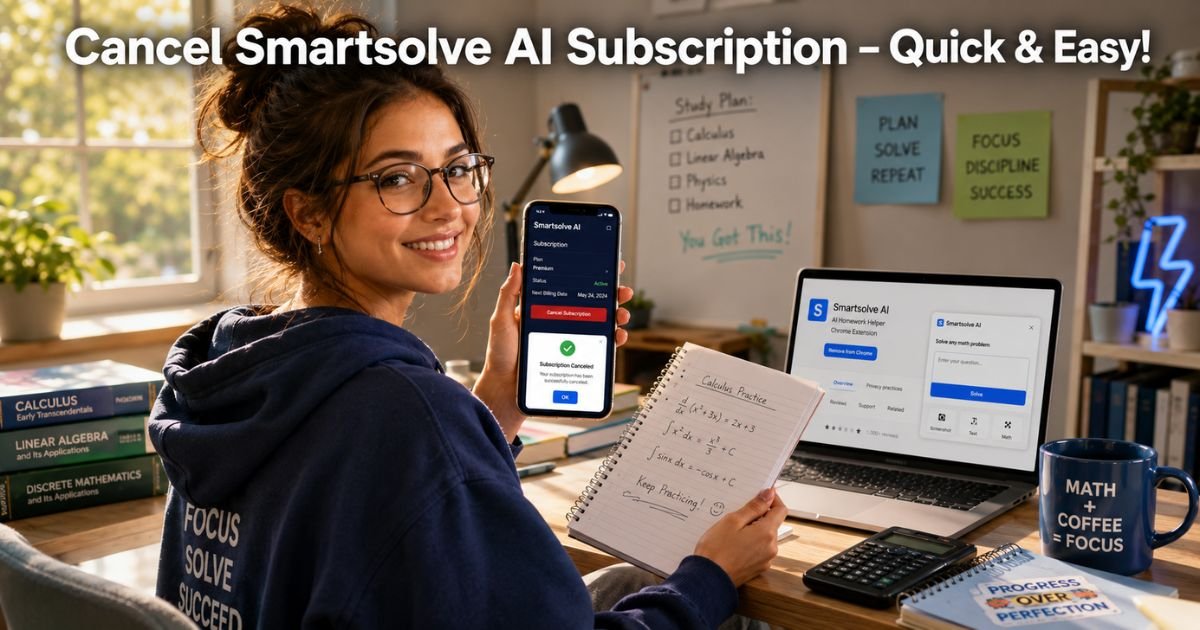
Ever scanned a tough math problem with Smartsolve AI during finals week, only to check your bank app later and see that monthly fee still hitting?
You’re definitely not alone. In 2026, students everywhere are realizing they don’t need the paid version forever and decide it’s time to cancel Smartsolve AI subscription.
Whether you aced your exams, found a free alternative, or just need to trim your budget, canceling should be straightforward. The good news? You keep full access to homework help until your current billing cycle ends, no sudden cutoff.
Here, you’ll get exact step-by-step instructions to cancel Smartsolve AI subscription on any device, plus what happens next, smart tips to avoid surprises, and better free options.
Why People Choose to Cancel Smartsolve AI Subscription
Smartsolve AI is a handy AI homework tutor that scans problems, solves math, and explains science or history in seconds. But once the semester ends or you get comfortable with free tools, that recurring charge starts to feel unnecessary. Many students cancel after a free trial, switch to built-in phone AI, or simply cut back on apps.
Whatever your reason, Smartsolve promotes “cancel anytime, no questions asked.” Knowing your options first takes the stress out of the process.
How to Cancel Smartsolve AI Subscription: Step-by-Step
Most subscriptions are handled through your phone’s app store, which makes it super simple. Here’s exactly what to do.
Cancel on iPhone (iOS)
- Open the Settings app.
- Tap your name at the top.
- Tap Subscriptions.
- Find Smartsolve or Tutor & Math Help.
- Tap Cancel Subscription at the bottom and confirm.
You’ll get a confirmation right away.
Cancel on Android
- Open the Google Play Store app.
- Tap your profile picture in the top right.
- Select Payments & subscriptions → Subscriptions.
- Tap Smartsolve.
- Choose Cancel subscription and follow the prompts.
Quick and done.
Cancel via the Smartsolve App or Web
- Open the Smartsolve app and tap your profile or settings gear.
- Look for Account or Subscription and follow any prompts (it may redirect you to your device store).
- If you use the Chrome extension or web version at smartsolve.ai, log in to your dashboard and check for a cancel option.
Note: If you signed up through the website or extension, you may need to contact support directly from the app settings.
Pro Tip: After you cancel Smartsolve AI subscription, screenshot the confirmation screen. This 10-second step protects you if any billing questions pop up later.
Real-World Example: How Mia Saved Money During Summer Break
Take Mia, a 21-year-old biology major in California who used Smartsolve AI heavily during finals. Once summer hit, she realized the $24.99 Unlimited plan wasn’t needed anymore.
One afternoon at the campus café, Mia grabbed her phone, followed the iOS steps above, and canceled Smartsolve AI subscription in under two minutes.
She still finished her last few study sessions, then switched to free AI chat tools. “It was easier than I expected,” Mia says. “I saved over $200 for the year and now use that money for actual textbooks.”
What Happens After You Cancel Smartsolve AI Subscription
You won’t lose access immediately. Keep solving homework, scanning problems, and using the Chrome extension until your current billing cycle ends. No partial refunds, but no surprise charges either.
Your account data, scan history, and preferences usually stay safe for a while in case you return.
Common Mistake: Assuming the app cancel button or logging out stops everything. Many users report you must confirm via email or go through your device’s subscription settings, or charges continue. If the button is grayed out, reach out to in-app support right away.
Canceling vs. Deleting Your Account: Quick Comparison
Not sure if you want to pause or remove everything? Here’s a simple table to help you decide:
| Action | What It Does | Best For | Data Impact |
|---|---|---|---|
| Cancel Subscription | Stops future billing only | Taking a break or switching tools | Keeps history & scans |
| Delete Account | Removes your entire profile permanently | Never returning | All data erased after notice |
Most students just cancel the subscription. If you want full deletion, check the app settings or contact support after canceling.
Smart Tips to Avoid Extra Charges
- Double-check your email (including spam) for the official confirmation.
- Review your bank statement next month just to be safe.
- Some users mention needing to click a confirmation link in an email—do it promptly.
- Set a calendar reminder every few months to review all your study apps.
These small habits keep your student budget on track.
Popular Free Alternatives to Smartsolve AI in 2026
Once you cancel Smartsolve AI subscription, you still have plenty of homework help. ChatGPT, Grok, or Google Gemini handle most questions for free. Photomath offers solid free math scanning, and Khan Academy has great video explanations. Many students mix two or three free tools and get even better results without the monthly fee.
FAQs About How to Cancel Smartsolve AI Subscription
Q: How long can I keep using Smartsolve AI after I cancel my subscription?
You’ll continue enjoying full access, including scans, explanations, and the Chrome extension—until the very end of your current billing cycle. Check your confirmation email for the exact close date.
Q: Will canceling Smartsolve AI subscription delete my scan history and saved problems?
No, your account data, scan history, and preferences usually stay intact for months. You can reactivate anytime and pick up right where you left off.
Q: Can I cancel Smartsolve AI subscription directly in the app or do I need phone settings?
Most users must cancel through iPhone Settings or Google Play Subscriptions because that’s where the purchase was made. The app may guide you there, but always confirm in your device store to fully stop billing.
Conclusion
Canceling your Smartsolve AI subscription is quick, straightforward, and gives you breathing room while you explore other options. With the simple steps we covered, you can stop those charges in minutes, keep using the tool until your cycle ends, and decide later whether to return or move on.
Remember Mia’s story, small moves like this free up real money for the things that matter most in your student life. Ready to save? Grab your phone, open Settings or the Play Store, and get it done right now.
Disclaimer: This content is for informational and educational purposes only and does not constitute professional, financial, legal, or medical advice. The information provided may not apply to your specific situation. Always consult a qualified professional for personalized guidance.


