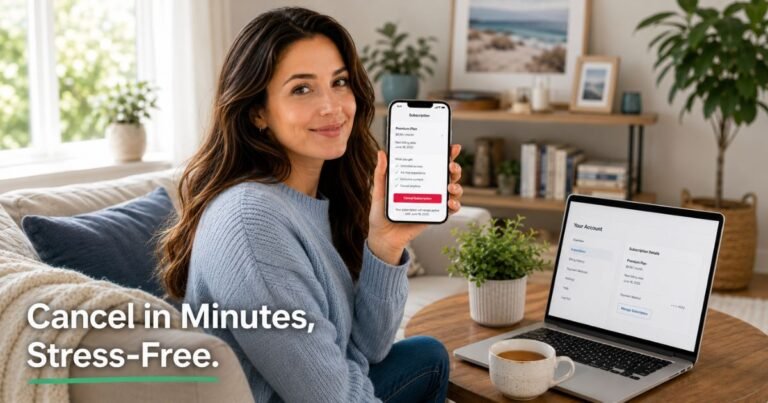
How to Cancel Continuity Subscription Merchants?


A charge labeled “Continuity Subscription Merchants” (or similar wording) on your card or bank statement usually means a recurring or continuity program billed you.
These are automatic ongoing charges for products or services that continue until you cancel subscription. Many start as free trials or one-time offers that convert to paid plans.
Deleting an app or ignoring the charge does not stop the billing. You need to cancel with the merchant or block future charges through your payment provider.
This guide shows the practical steps so you can end the recurring charge.
What Is a Continuity Subscription and How Billing Works
Continuity programs (also called negative-option or auto-renew plans) bill you regularly for merchandise shipments or ongoing services until you take action to stop them.
The charge often appears under a generic descriptor such as “Continuity Subscription Merchants” rather than a clear company name.
Pricing and billing frequency vary by the individual merchant. Charges typically post to a credit or debit card. Some use payment processors that show abbreviated or third-party names on statements. Anyone who signed up or kept a free trial past the deadline can usually cancel their own subscription.
You generally keep access or receive shipments until the end of the current paid period after a successful cancellation. Future charges should stop once the merchant confirms the cancellation.
How to Identify and Contact the Merchant
Start by looking closely at the charge on your statement. Note the exact descriptor, amount, date, and any reference number.
Search your email (including spam) for confirmation messages from around the same date. Look for the original signup or trial terms. The merchant name or support contact is often listed there.
If the statement shows only a vague label, call the customer service number on the back of your card and ask for the full merchant details tied to that transaction. Many banks can provide the actual business name or a phone number.
Once you have the merchant name, visit their website and look for an account login, subscription management page, or cancellation form. Log in with the email you used at signup if possible.
How to Cancel by Contacting Customer Care
If no online cancel option appears, contact the merchant directly.
Use any phone number, email, or support form listed on their site or in your original confirmation email. State clearly that you want to cancel the continuity subscription and stop all future charges. Provide your full name, email, the charge date and amount, and any account or reference number.
Ask for written confirmation that the subscription is canceled and the date the last charge will post. Keep a record of the date, time, and who you spoke with.
If the merchant is unresponsive, move to the next step with your bank.
Canceling Through Your Bank or Card Issuer
You have the right to stop recurring charges. Contact your credit card issuer or bank and request that they block future authorizations from that merchant.
Explain that you have attempted to cancel and provide the transaction details. Ask them to note the account so new charges from the same merchant are declined. Some issuers can also help file a billing dispute for charges that posted after a cancellation request.
This does not always cancel the underlying account with the merchant, but it stops the money from leaving your card. Follow up with the merchant in writing if needed.
What Happens After You Cancel
A confirmed cancellation typically ends future charges. You may still receive one more shipment or keep access until the current period ends, depending on the merchant’s terms.
Most continuity programs do not automatically refund unused time. Refund policies belong to the individual merchant. Request a refund in writing if you believe a charge was unauthorized or occurred after cancellation.
Save every confirmation email, chat transcript, or letter. These records help if a later charge appears or if you need to dispute it.
Tips for a Smooth Cancellation
Act quickly once you notice the charge. Continuity plans often renew on a fixed cycle.
Use the same email and payment method associated with the original signup when contacting the merchant.
Request confirmation in writing every time. A verbal “yes” is harder to prove later.
Monitor your statements for at least two billing cycles after canceling. Set a calendar reminder.
If the charge started from a free trial, note the exact conversion date for your records.
Common Problems and Solutions
The merchant name is unclear on the statement. Call your bank’s customer service line and ask for the full merchant information linked to the transaction reference.
You cannot find an online cancel button. Many continuity merchants still require a phone call or email. Use the contact details from your original signup email or the merchant’s help page.
Charges continue after you canceled. Gather your cancellation confirmation and contact the merchant again. If that fails, open a dispute with your card issuer and provide the proof.
You never signed up intentionally. Review recent emails and browser history for accidental trial sign-ups. Then cancel and request a refund or dispute the charge.
FAQs About How to Cancel Continuity Subscription Merchants
Q: Does deleting an app or ignoring the charge cancel a continuity subscription?
No. The billing continues until you cancel with the merchant or block the charges through your bank. Always complete a formal cancellation request.
Q: Will I be charged again after canceling?
Once the merchant confirms cancellation, future charges should stop. You may still see one final charge if it was already processing. Check your confirmation for the exact end date.
Q: Can I get a refund for a continuity subscription charge?
It depends on the individual merchant’s policy. Contact them directly with your cancellation details and request a refund. If they refuse and the charge was unauthorized or post-cancellation, file a dispute with your card issuer.
Q: What if the merchant never responds?
Escalate to your bank or card issuer. Request a stop-payment or block on the merchant and consider a formal billing dispute. Keep records of every attempt to contact the merchant.
Conclusion
Canceling a continuity subscription billed under a label like “Continuity Subscription Merchants” starts with identifying the actual company and submitting a clear cancellation request.
Use the merchant’s account portal if available, or contact them by phone or email and demand written confirmation. If that fails, have your bank block future charges.
Save every record and watch your next statements. These steps stop the auto-renewal and protect you from ongoing recurring charges.
Disclaimer: This article provides general educational information based on publicly available consumer guidance and regulatory information at the time of writing. It is not financial or legal advice. Individual merchant policies and billing descriptors vary. Contact the specific merchant or your payment provider for account-specific help.