How to Cancel Passion App Subscription? [Step by Step]

You signed up for Passion App to launch your own mobile app or membership community and now you’re ready to cancel the subscription. Many creators reach this point after testing the platform or deciding to pause their project.
If you want to cancel Passion App subscription and end automatic billing, this guide gives you the exact dashboard steps plus important details about refunds and what happens next. You can complete the process in just a few minutes.
What Is Passion.io?
Passion.io is a no-code platform that lets creators and coaches build their own branded mobile apps for iOS, Android, and web.
Users pay a monthly or annual subscription to access the builder tools, host content, and monetize through their own subscription plans or one-time offers.
The platform makes it easy to create recurring revenue, but there are no long-term contracts. You can cancel anytime directly from your admin account.
How to Cancel Passion App Subscription
The official and simplest way is through your Passion App admin dashboard.
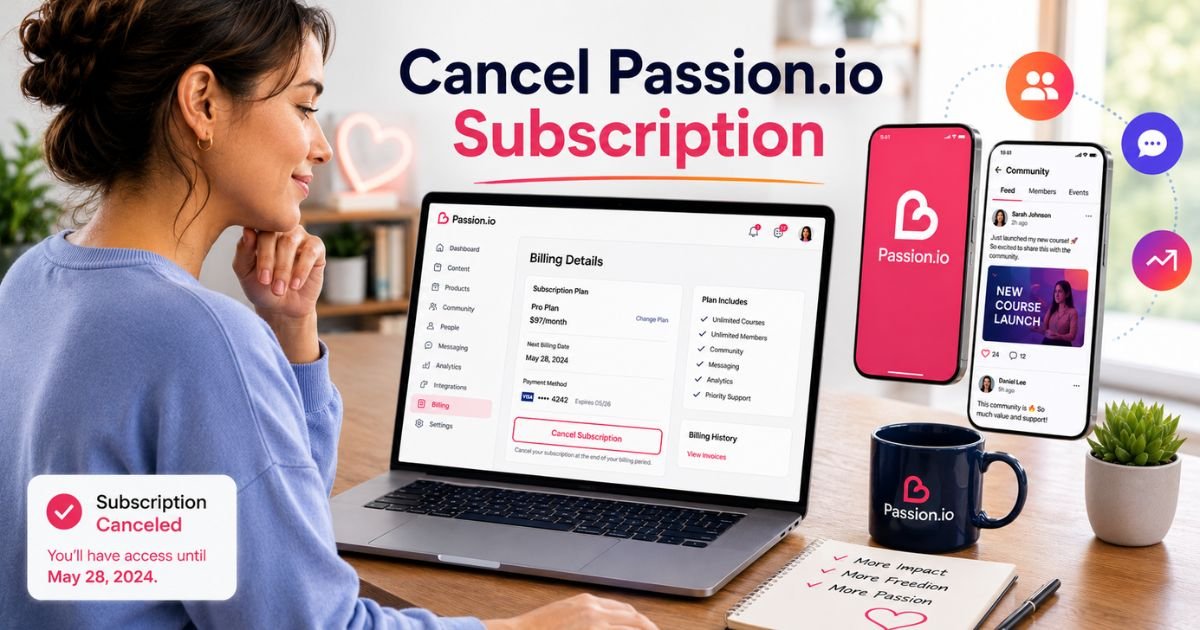
- Log in to your Passion.io account at passion.io.
- Click Admin in the main menu.
- Select More then Account Settings.
- Click Billing Details.
- Locate and click Cancel Subscription.
- Follow the on-screen prompts to confirm your cancellation.
Once completed, you will receive a confirmation email. Your access continues until the end of the current billing period you have already paid for.
30-Day Money-Back Guarantee
Passion.io offers a 30-day money-back guarantee. If you cancel your subscription within the first 30 days of signing up, you can request a full refund.
Simply cancel first using the steps above, then contact support to process the refund request. Keep your cancellation confirmation handy when reaching out.
What Happens After You Cancel Passion App
You keep full access to your admin dashboard and any apps or content you built until the end of your current paid billing period.
After that date, your subscription ends and you lose access to the builder tools and hosting features. Your created apps and member data may become unavailable or limited depending on the plan.
No further charges will occur once the cancellation processes. Many creators export their content or move members before the final date to avoid disruption.
If You Subscribed to a Creator’s App Built on Passion.io
Some people subscribe to individual apps or communities created by others using the Passion.io platform. In those cases, cancellation usually happens through:
- The specific app’s own account or billing settings (if the creator enabled self-service cancel).
- Your device’s App Store or Google Play subscription settings (for in-app purchases).
- Contacting the creator directly for support.
Check the original welcome email or your device subscription list first to identify where you purchased access.
How Maya Canceled Her Passion App Subscription
Maya Torres launched a small wellness community app on Passion.io to test an idea for her coaching business. After three months she decided to pause the project and focus on other priorities. She logged into her admin account, followed the Billing Details path, and canceled in under four minutes.
Maya received immediate confirmation and contacted support the same day to request a partial refund since she was still within her first 30 days. Support processed it quickly.
She exported her member list and content before her access ended and felt relieved that the process was straightforward with no hidden fees or long cancellation windows.
Pro Tip: Take screenshots of your Billing Details page before and after canceling. Note the exact end date of your current billing period so you can plan any content exports or member communications in advance.
What to Expect After Canceling Your Passion App Subscription
| Timing | What You Keep | What Changes | Recommended Action |
|---|---|---|---|
| Immediately after cancel | Full admin access + built apps | No new future charges | Save confirmation email |
| End of current billing period | Access ends | Builder tools and hosting stop | Export content and member data |
| After final period | No platform access | Apps and communities may go offline | Move members if needed |
Common Mistake: Thinking that deleting the Passion.io app or stopping app usage will automatically cancel billing. Subscriptions continue until you actively cancel through the admin dashboard or correct platform settings. Always complete the official cancellation steps.
FAQs About Passion App Cancel Subscription
Q: How do I cancel my Passion.io subscription if I cannot find the Billing Details option?
Make sure you are logged into the correct admin account. If the option still does not appear, reach out to Passion.io support through your account help center or ticket system. They can guide you or process the cancellation for you.
Q: Can I get a refund after canceling Passion.io?
You qualify for a full refund under the 30-day money-back guarantee if you cancel within the first 30 days of your subscription. Cancel first through the dashboard, then contact support with your confirmation details to request the refund.
Q: Will my apps and members disappear immediately after I cancel?
No. You keep access until the end of your current paid billing period. After that date your builder tools and hosting end. Plan ahead to export content and communicate with members before your access expires.
Conclusion
Canceling your Passion App subscription is quick and straightforward when you use the admin dashboard. Follow the Billing Details steps, save your confirmation, and reach out to support if you have any questions about refunds or data. Taking this action today gives you full control over your recurring expenses and lets you move forward with clarity.
Disclaimer: This content is for informational and educational purposes only and does not constitute professional, financial, legal, or medical advice. The information provided may not apply to your specific situation. Always consult a qualified professional for personalized guidance.