
How to Cancel EasyBib Subscription in 2026? [Step by Step]

Picture this: you signed up for EasyBib Plus during a late-night paper crunch, loved the citation tools for a week, and then forgot all about it. Fast-forward a month and your bank statement shows another $9.95 charge you never meant to keep. Sound familiar?
If you’re staring at recurring EasyBib bills and want to know how to cancel EasyBib subscription without the hassle, you’re in the right spot. EasyBib, now a Chegg service, makes the process straightforward once you know the exact steps.
You’ll discover every option from logging into your Chegg account to emailing support, plus what happens after you cancel and smart ways to request a refund.
What Is EasyBib and Why Cancel the Subscription
EasyBib started as a free citation generator and grew into EasyBib Plus, a paid tool offering unlimited plagiarism checks, expert writing help, and up to 30 Expert Checks per month. It’s great for students, but many sign up for the free trial and end up stuck with automatic monthly renewals.
People usually want to cancel EasyBib subscription because the charges add up, they switched to free alternatives like Google Docs built-in tools, or they simply no longer need the premium features. Whatever your reason, the good news is you can stop billing at any time.
How to Cancel EasyBib Subscription Step by Step
EasyBib subscriptions are managed through your Chegg account, and the process works best on a desktop or laptop computer. Here’s the quickest way:
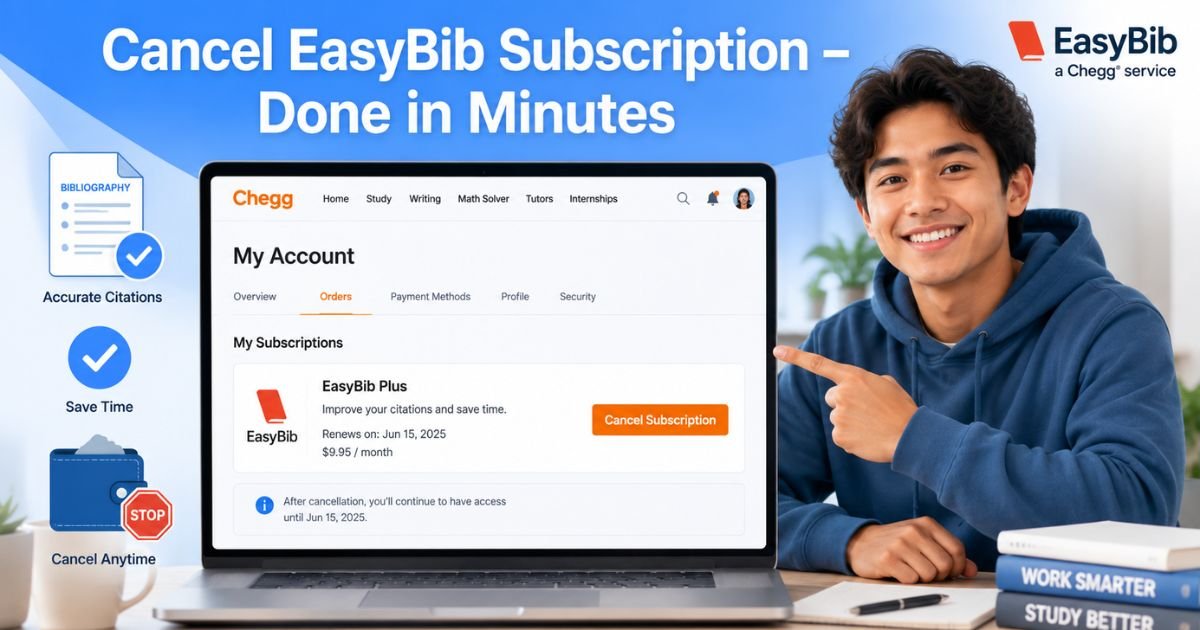
- Go to www.chegg.com and sign in with the same email and password you use for EasyBib.
- Click your profile picture or name in the top right, then select My Account.
- Click Orders in the menu.
- Scroll to your EasyBib Plus subscription and click Cancel Subscription on the right.
- You’ll land on a confirmation page. Select your reason, then click the orange Cancel Subscription button at the bottom.
That’s it! You’ll see an on-screen message confirming the change, and Chegg will email you the details right away.
Mobile Users Note
If you’re on your phone, switch to a computer for the best experience. The mobile site sometimes hides the cancel button.
Cancel EasyBib Subscription by Email or Support Page
No computer handy? You have backup options:
- Visit the official EasyBib support page at chegg.com/contactus/easybibsupport and follow the prompts.
- Or simply email wtsupport@chegg.com with your account email and a short note like “Please cancel my EasyBib Plus subscription immediately.”
Include your order number if you have it. Support usually replies within a few business days to confirm.
Pro Tip: Take a quick screenshot of your confirmation screen and the email you receive. Keep it in a folder labeled “Subscriptions” so you have proof if any billing questions pop up later.
What Happens After You Cancel EasyBib Subscription
Cancellation is simple, and you stay in control the whole time. Your subscription stops renewing automatically, but you keep full access until the end of your current billing period.
For example, if you cancel on the 15th and your cycle ends on the 28th, you can still use all the Expert Checks and plagiarism tools until then. After that date you drop back to the free version with ads and limited features. No sudden loss of access, and no more charges.
Common Mistake: A lot of people delete the bookmark or uninstall any related apps thinking that stops the billing. It doesn’t! You must officially cancel through Chegg or support, or the monthly charge keeps coming.
EasyBib Subscription Plans at a Glance
Understanding your plan helps you know exactly what you’re stopping. Here’s a quick overview of typical options:
| Plan Type | Monthly Price | Key Features | Best For |
|---|---|---|---|
| EasyBib Plus | $9.95 | 30 Expert Checks, unlimited plagiarism scans, premium citations | College students & heavy writers |
| Free Version | $0 | Basic citations only, ads | Occasional use |
Prices are standard as of 2026 and may vary slightly with taxes or promotions. Always check your Chegg Orders page for your exact rate.
Real-Life Example: How Mia Stopped Her Charges
Take Mia, a 22-year-old college junior from California. She signed up for the EasyBib free trial during finals week and loved the grammar tools. Life got busy, and two months later she noticed $19.90 missing from her checking account.
Panicking, she tried clicking around the EasyBib site with no luck. Following the steps above on her laptop, Mia canceled through Chegg Orders in under three minutes. She also emailed support the same day and received a partial refund for the most recent charge because she acted quickly.
Mia’s story proves you don’t have to stay stuck. A few clicks and one email made all the difference.
How to Request a Refund After Canceling
Canceling stops future bills, but what about money you’ve already paid? EasyBib terms say fees are generally non-refundable, but exceptions happen.
Reach out to wtsupport@chegg.com within 15 days of a charge and politely explain your situation. Many users report success with “no questions asked” refunds for recent payments, especially if usage was low.
Keep your tone friendly, include your account email and order number, and attach your cancellation confirmation. You’ll usually hear back within a few days.
Tips to Avoid Future Subscription Surprises
You never want to repeat this experience, right? Build these habits now:
- Check your Chegg or bank statements once a month.
- Set a phone reminder a day before any trial ends.
- Use a password manager to store all subscription confirmation emails in one place.
- When signing up for anything new, note the cancel date right away.
These small steps save you time, money, and headaches down the road.
FAQs About How to Cancel EasyBib Subscription
Q: How long does it take for EasyBib subscription to fully stop after I cancel?
Cancellation takes effect at the start of your next billing period. You’ll keep using all premium features until your current cycle ends, then switch to the free version automatically. Chegg sends a confirmation email with the exact end date so you know precisely when it stops.
Q: Can I cancel EasyBib subscription directly from the EasyBib website?
Not always. Most users need to log into Chegg.com because EasyBib is a Chegg service. Use My Account > Orders for the fastest route, or email wtsupport@chegg.com if the website option isn’t showing up for you.
Q: Will I get a refund if I cancel my EasyBib Plus subscription right away?
It depends on timing and your usage. While official terms say fees aren’t refundable, Chegg often issues refunds for charges within the last 15 days if you contact support@chegg.com politely with your details. Act fast and include your order number for the best chance.
Conclusion
Canceling your EasyBib subscription really is straightforward when you follow the Chegg account steps or reach out to support. You keep access until the end of your paid period, future charges stop automatically, and a quick email can sometimes get you a refund.
Take control of your budget today. Grab your laptop, log into Chegg, and knock it out in minutes. You’ll feel lighter knowing one less bill is quietly disappearing. Bookmark this guide for next time you spot an unwanted subscription, and happy citing with the free tools!
Disclaimer: This content is for informational and educational purposes only and does not constitute professional, financial, legal, or medical advice. The information provided may not apply to your specific situation. Always consult a qualified professional for personalized guidance.





