How to Cancel Paramount Plus Free Trial? [Step by Step]

Have you ever signed up for a free trial, got hooked on a few shows, and then realized you need to cancel before the charges hit? It’s a common story. We’ll walk through how to cancel Paramount Plus free trial without any hassle. You’ll learn the ins and outs, so you can manage your account and avoid unexpected fees.
Introduction to Paramount Plus and Its Free Trial
Paramount Plus offers a tempting free trial to new users. It’s usually seven days long, giving you access to tons of shows, movies, and live sports. But what happens if you decide it’s not for you?
Many people sign up through different platforms, like directly on the website or via Amazon. This affects how you cancel. Knowing this upfront saves time and frustration.
Why bother with the details? Because messing up the cancellation could lead to unwanted charges. Let’s make sure that doesn’t happen to you.
What Is the Paramount Plus Free Trial?
The free trial lets you stream content without paying upfront. It’s perfect for testing hits like “Star Trek” series or NFL games. After the trial, it auto-renews to a paid plan unless you cancel.
Plans start at about $5.99 a month for the basic version with ads. The premium ad-free option costs more, around $11.99. During the trial, you get full access, but remember, it’s not truly free if you forget to end it.
I once let a similar trial slip by, and it cost me a month’s fee. Don’t make that mistake; mark your calendar right after signing up.
Benefits of Trying Paramount Plus Before Committing
Why even start a free trial? It gives you a no-risk peek at exclusive content. Think originals like “1883” or classics from CBS.
You can watch on multiple devices, from your phone to smart TV. Plus, it’s easy to set up. But if the library doesn’t match your tastes, canceling early keeps your wallet happy.
Ever wondered if the hype is worth it? A trial answers that without commitment. Just be smart about the end date.
Step-by-Step Guide: How to Cancel Paramount Plus Free Trial Directly
If you signed up straight through Paramountplus.com, canceling is straightforward. You do it via their website. No need for apps or calls in most cases.
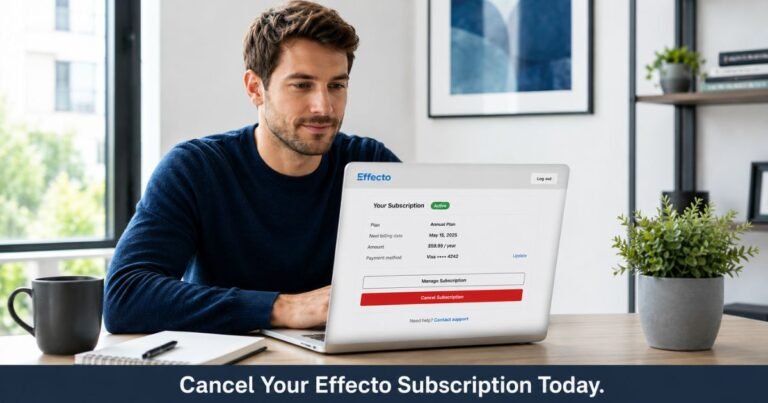
First, log in to your account. Head to the account page. Look for the subscription section.
Click on “Cancel Subscription” and follow the prompts. It’s that simple, but let’s break it down further.
Canceling on the Paramount Plus Website
Start by opening your browser and going to paramountplus.com. Sign in with your email and password. Can’t remember? Use the forgot password link.
Once in, click your profile icon in the top right. Select “Account” from the dropdown. Scroll to the subscription details.
There, you’ll see a “Cancel Subscription” button. Click it, confirm your choice, and you’re done. You’ll get an email confirmation.
Canceling via the Paramount Plus App on Mobile
On your phone? Open the app and tap your profile. Go to “Account & Billing.”
Find the subscription option and select cancel. The steps mirror the website. It’s quick for on-the-go users.
I prefer the app for this; it’s right there while I’m streaming. Have you tried it yet?
What Happens After You Cancel?
Your access doesn’t end right away. You can keep watching until the trial period finishes. No refunds needed since it’s free.
But if you’ve already been charged, contact support. They might help, though policies vary. Always check your billing date.
This way, you avoid charges on Paramount Plus and enjoy the remaining time guilt-free.
How to Cancel Paramount Plus Free Trial Through Third-Party Services
Signed up via another platform? The process changes. You can’t cancel directly on Paramount’s site. Instead, go to where you subscribed.
This is key for avoiding mix-ups. Let’s cover the main ones.
Canceling Through Amazon Prime Video
If you added it via Prime, log into Amazon.com. Go to “Accounts & Lists,” then “Memberships & Subscriptions.”
Find Paramount Plus in the list. Click “Manage Subscription” and select “Cancel Channel.” Confirm, and it’s over.
Amazon makes it easy with clear buttons. I did this once and got instant confirmation.
Canceling Through Apple App Store
For iPhone or Apple TV sign-ups, open Settings on your device. Tap your name, then “Subscriptions.”
Locate Paramount Plus. Tap it and choose “Cancel Subscription.” Done in seconds.
Apple’s system is user-friendly. Why complicate things when it’s this simple?
Canceling Through Roku or Other Devices
On Roku? Go to my.roku.com and sign in. Under “Manage Account,” select “Manage Subscriptions.”
Pick Paramount Plus and cancel. Similar for Google Play or other stores.
Each platform has its own steps, but they’re all about finding the subscriptions tab.
Table: Quick Comparison of Cancellation Methods
| Platform | Key Steps | Time Needed |
|---|---|---|
| Direct (Paramount) | Log in, go to account, cancel | 2 minutes |
| Amazon | Accounts > Subscriptions > Cancel | 1 minute |
| Apple | Settings > Subscriptions > Cancel | 1 minute |
This table shows how quick it can be. Pick your method and go.
Common Pitfalls When Trying to End Paramount Plus Trial
Even with clear steps, things can go wrong. Maybe you forget the sign-up method. Or you wait too long.
One common issue: No cancel button shows. That means it’s through a third party. Check your email for the original confirmation.
Another: Billing after cancel. This happens if you miss the deadline. Cancel at least a day before to be safe.
Have you ever faced a surprise charge? It stings, but contacting support often fixes it.
Tips to Avoid Charges on Paramount Plus
Set a reminder on your phone for the trial end date. It’s a game-changer.
Double-check your bank statement after canceling. Ensure no new charges appear.
If issues arise, use live chat on their site. They’re helpful for account management.
When to Contact Paramount Plus Support
Stuck? Their help center has chats and phone options. Call 1-888-274-5343 if needed.
For complex cases, like refunds, email works too. Be polite; it goes a long way.
I reached out once for a billing mix-up, and they sorted it fast.
Alternatives After You Stop Billing Paramount Plus
Canceled but still want shows? Try Netflix or Hulu. They have similar content at comparable prices.
Or go for free options like Tubi. No trials needed there.
Thinking of resubscribing later? Paramount often offers promo codes for returners.
What draws you to streaming? Variety? Cost? Explore options that fit.
Pros and Cons of Switching Services
- Netflix: Huge library, but pricier.
- Hulu: Live TV add-on, great for sports fans.
- Disney+: Family-friendly, bundles available.
Weigh these before jumping ship.
FAQs About How to Cancel Paramount Plus Free Trial
Q: Can I Cancel Paramount Plus Free Trial Anytime?
Yes, you can cancel whenever during the trial. You’ll keep access until the end date. Just do it before then to avoid charges.
Q: What If I Cancel After the Trial Starts Billing?
If charged, you might not get a full refund. Contact support quickly. Policies favor keeping the service until the period ends.
Q: Is There a Fee to Cancel Paramount Plus Subscription?
No, cancellation is free. No hidden costs. It’s designed to be straightforward.
Conclusion
Canceling your Paramount Plus free trial subscription doesn’t have to be stressful. With these steps, you’re set to manage it smoothly. Remember, stay on top of your subscriptions to keep things budget-friendly.
For more details, visit the official Paramount Plus help center or Amazon’s subscription management page.
Disclaimer: This article provides general guidance based on common practices. Always check the official Paramount Plus site for the latest info, as policies can change. We’re not affiliated with Paramount Plus.