
What Is 365 Market Charge on Credit Card?

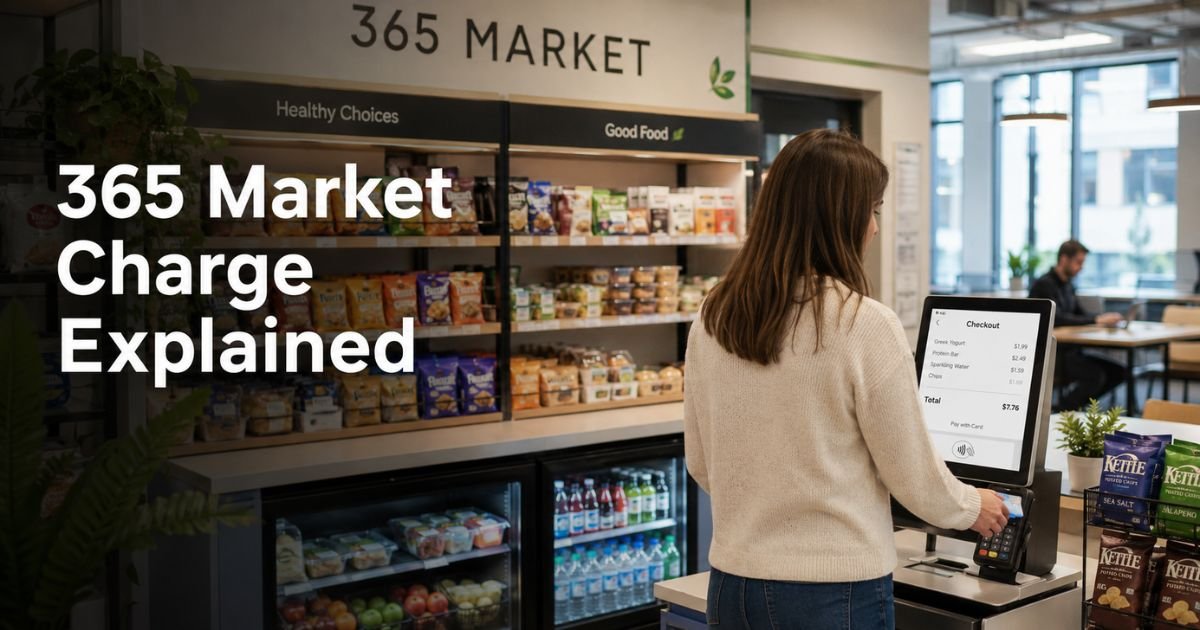
You open your credit card statement and spot a charge labeled “365 Market,” “365 Retail Markets,” or something similar with a Troy, MI location or phone number. You do not remember shopping anywhere by that name, so the first thought is often, “Is this fraud?”
That reaction is completely normal. Unfamiliar merchant names cause stress for many people. The good news is that a 365 Market charge is almost always a real purchase, not a scam.
This article explains exactly what the 365 Market charge on credit card means, where these purchases usually happen, how to confirm the charge is yours, and what steps to take if you still do not recognize it.
Quick Answer
A 365 Market charge on credit card is almost always a legitimate purchase from a self-service micro-market, vending machine, or kiosk powered by 365 Retail Markets technology.
These systems are common in offices, hospitals, factories, and other workplaces. You paid for snacks, drinks, or meals, and the payment processor’s name appears on your statement.
What Is 365 Retail Markets?
365 Retail Markets is a company based in Troy, Michigan, that provides the technology behind many unattended retail systems.
They supply the software, hardware, and payment processing for micro-markets, smart coolers, vending machines, and self-checkout kiosks.
Local operators stock the food and drinks. 365 handles the checkout technology and payment processing.
When you swipe, tap, or insert your card (or use their app), the charge shows up under their name instead of the individual workplace or vending company.
You will often see variations such as:
- 365 MARKET 888 432-3299
- 365 Market Troy MI
- 365 MARKET FP
- 365 VEND LLC
- 365 SOS AUTO APRIVA
- 5-365 FOOD SERVICE
These all point back to the same company.
Why Does the 365 Market Charge Appear on Your Statement?
The charge appears because 365 Retail Markets processes the payment. Their systems sit in high-traffic workplace locations where people grab food and drinks throughout the day.
Common places include:
- Corporate offices and business parks
- Hospitals and medical centers
- Manufacturing plants and warehouses
- Universities and large campuses
- Banks and other professional buildings
You select items from open shelves or a machine, then pay at a self-checkout kiosk. The kiosk uses 365’s technology, so the merchant name on your statement is 365 Market rather than the building name or the local food operator.
Most charges are small, typically a few dollars for a snack, drink, or meal.
How to Confirm the Charge Is Legitimate
Follow these practical steps:
- Check the amount and date. Match them against any recent workplace purchases.
- Look at the full merchant description. Phone numbers like 888-432-3299 or location references to Troy, MI are common indicators.
- Think about recent visits to offices, hospitals, or other workplaces that have self-service snack areas or vending machines.
- Review any mobile apps you may have used (such as 365Pay) that link to these markets.
- Contact your bank or card issuer if the amount or timing still looks wrong. They can provide more transaction details.
If you used a fingerprint, employee ID, or market card linked to your payment method, the charge can still appear under 365 Market.
What to Do If You Do Not Recognize the Charge
Most people eventually remember the purchase once they think about workplace snack runs. If you are certain you never made the purchase:
- Call the number on the back of your credit card and ask for more details on the transaction.
- Contact 365 Retail Markets support through their website contact form or the phone number that appears on the statement (commonly 888-432-3299 or related lines).
- Dispute the charge with your card issuer if it remains unexplained after checking. Banks generally protect consumers against unauthorized transactions.
Keep records of the dates, amounts, and any communication. Monitor your account for similar future charges so you can catch any genuine issues early.
Common Variations of the 365 Market Charge
Here is a quick reference table of how the charge may appear:
| Common Statement Name | What It Usually Means |
|---|---|
| 365 MARKET 888 432-3299 | Standard micro-market or kiosk purchase |
| 365 MARKET FP | Fingerprint or specific device payment |
| 365 MARKET J / K / D | Device or location identifier |
| 365 VEND LLC | Traditional vending machine |
| 365 SOS AUTO APRIVA | Automated payment processor variation |
| 5-365 FOOD SERVICE | Dining or cafeteria-style self-checkout |
These variations all connect to the same payment technology.
Tips to Avoid Confusion in the Future
- Take a quick photo of the kiosk or receipt when you pay at unfamiliar self-service spots.
- Check your credit card app regularly so small charges do not surprise you later.
- If your workplace uses a 365Pay app or employee market account, keep track of the balance and linked cards.
- Ask facilities or HR staff whether your building has a micro-market or smart vending system.
Small, frequent charges can add up, so awareness helps with budgeting too.
FAQs About What Is 365 Market Charge on Credit Card
Q: Is the 365 Market charge a scam or fraud?
In the vast majority of cases, no. It is a legitimate payment processor for self-service food and drink purchases. Only treat it as potential fraud if you have thoroughly ruled out any possible workplace or location-based purchase.
Q: Why does the charge say Troy, MI even if I am not there?
Troy, Michigan is the headquarters location of 365 Retail Markets. Payment processors often list their own city on statements regardless of where the actual purchase occurred.
Q: Can I get a refund for a 365 Market charge?
If the charge is legitimate, refunds usually go through the local operator who stocks the market, not directly through 365. Contact the support number on the statement or your workplace facilities team for help. For unauthorized charges, dispute them with your credit card company.
Q: How can I stop future 365 Market charges?
You cannot block the merchant entirely if you continue using the machines. The simplest approach is to avoid using those self-service kiosks or unlink any stored payment methods in the 365Pay app if you have one.
Conclusion
A 365 Market charge on credit card is typically just the payment processor name for a snack, drink, or meal you bought at a workplace micro-market, vending machine, or self-checkout kiosk. The company behind it, 365 Retail Markets, supplies the technology that makes these unattended retail systems work.
Check the amount and date against recent activity, and the charge will usually make sense. If it does not, contact your bank and the merchant for clarification. Staying aware of these common merchant names reduces unnecessary stress when reviewing statements.
Disclaimer: This article provides general information based on publicly available sources about 365 Retail Markets and common credit card statement descriptors. It is not financial, legal, or consumer protection advice. Always verify specific charges with your bank or card issuer. Transaction details can vary, and only your financial institution can confirm the exact nature of a charge on your account.


