Frontier Web Charge on Credit Card [Identified]

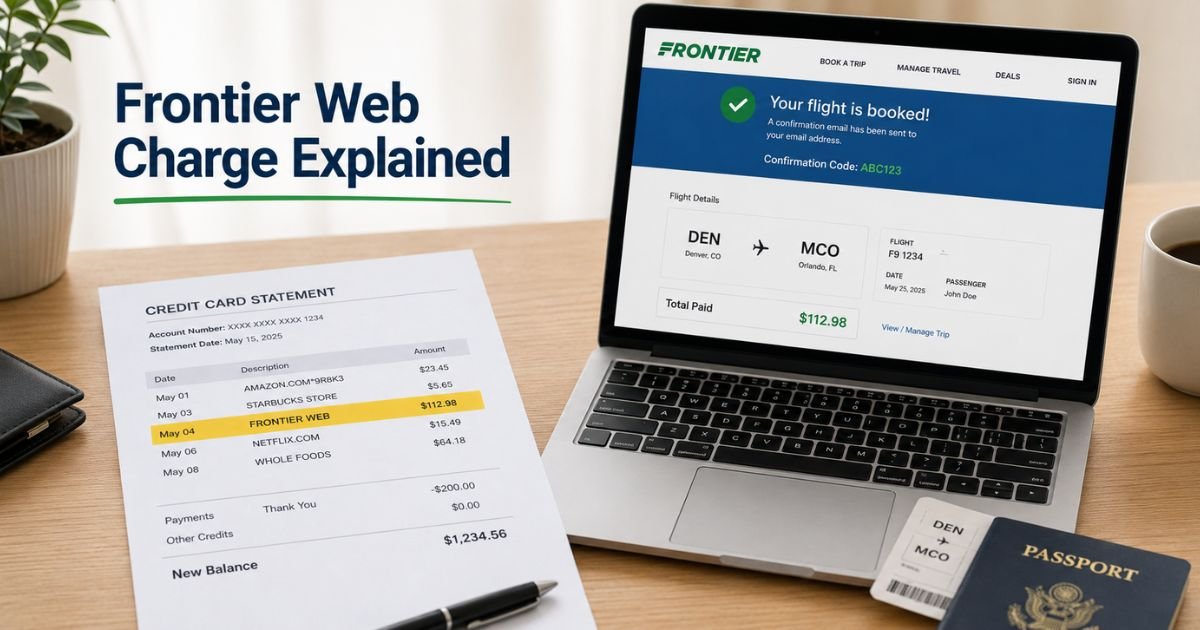
You review your credit card statement and notice a charge labeled “Frontier Web,” “FRONTIER WEB,” “FRONTIER WEB OK,” or a similar variation. You may not immediately recognize the name, which can cause concern.
Unfamiliar merchant descriptors are common with airlines and service providers. The good news is that this charge is usually easy to identify once you know the source.
This article explains what a Frontier Web charge on a credit card typically means, the most likely company behind it, how to confirm the purchase, and what steps to take if you do not recognize it.
Quick Answer
A Frontier Web charge on credit card is most often a payment to Frontier Airlines for a flight booking, seat selection, baggage fee, or related service purchased through their website.
The descriptor “FRONTIER WEB” (sometimes with numbers or “OK”) commonly appears for online airline transactions. Less frequently it may relate to Frontier Communications internet billing.
Check recent travel or service activity first. Contact the company or your card issuer if the charge remains unrecognized.
What Is Frontier Web?
“Frontier Web” is a billing descriptor used primarily by Frontier Airlines. On statements it often appears as:
- FRONTIER WEB
- FRONTIER WEB OK
- FRONTIER FRONTIER WEB OK
- FRONTIER [numbers] FRONTIER WEB, OK
These variations are documented in merchant charge databases as belonging to Frontier Airlines, the ultra-low-cost carrier based in Denver, Colorado.
Frontier Airlines sells tickets and optional services (bags, seats, etc.) through its website (flyfrontier.com). When you pay online, the merchant name on your statement frequently includes “WEB” to indicate a web-based transaction.
A smaller number of similar-looking charges can come from Frontier Communications (the internet and phone provider), which sometimes uses online payment descriptors. However, those more commonly appear as FRONTIER ONLINEPAY or with specific phone numbers.
Why Does the Frontier Web Charge Appear?
The charge appears because that is the merchant name the payment processor uses for the transaction. Common reasons include:
- Booking a flight on the Frontier Airlines website
- Paying for baggage, seat selection, or other add-ons online
- Renewing a Discount Den membership or similar program
- Processing a residual or adjusted charge related to a past trip
Amounts vary widely depending on the fare, fees, and number of passengers. Small verification or residual charges can also appear.
How to Confirm the Charge Is Yours
Follow these practical steps:
- Match the date and exact amount to any recent flight bookings or Frontier-related emails.
- Search your email inbox for confirmation codes or receipts from flyfrontier.com.
- Log into your Frontier Airlines account or use the “Manage Trip” tool with your last name and confirmation code to view payment history.
- Check whether anyone else with access to the card (family member, etc.) booked travel.
- Review the full merchant line on your statement for additional numbers or location codes that may match a known booking.
If the timing lines up with travel plans, the charge is almost certainly legitimate.
What to Do If You Do Not Recognize the Charge
If you cannot match the charge to any activity:
- Contact Frontier Airlines customer service (commonly 801-401-9000 or through faq.flyfrontier.com) and provide the charge date and amount. Ask for the associated confirmation code or booking details.
- For possible internet service charges, log into your Frontier Communications account or call their billing support.
- Call the number on the back of your credit card and request more transaction details from your issuer.
- Dispute the charge with your card issuer if it remains unexplained after checking with the merchant. Credit cards generally offer strong protections for unauthorized transactions.
Act promptly, as dispute windows are time-limited.
Common Variations of Frontier Charges
| Common Statement Name | Most Likely Source |
|---|---|
| FRONTIER WEB / FRONTIER WEB OK | Frontier Airlines web booking |
| FRONTIER FRONTIER WEB OK | Frontier Airlines online payment |
| FRONTIER ONLINEPAY or CTS*FRONTIER | Frontier Communications billing |
| FRONTIER AIRLINES or similar | Frontier Airlines general charge |
These descriptors can change slightly over time, but the core name points to the same companies.
Tips to Avoid Confusion in the Future
- Save all booking confirmation emails and receipts in a dedicated folder.
- Enable real-time transaction alerts on your credit card.
- Use a consistent payment method and note the last four digits when booking travel.
- Review statements weekly so unexpected charges stand out quickly.
- When booking through third-party sites, note that the final charge may still process under Frontier’s name.
These habits make matching charges much easier.
FAQs About Frontier Web Charge on Credit Card
Q: Is a Frontier Web charge a scam?
No. It is a standard merchant descriptor used by Frontier Airlines for website transactions. Some older user reports flagged unfamiliar versions as suspicious simply because the name looked different from “Frontier Airlines.” Always verify the date and amount against your records.
Q: Could this be from Frontier internet service instead of the airline?
It is possible but less common. Frontier Communications (internet and phone) more often uses descriptors containing ONLINEPAY or specific phone numbers. Check both your travel history and any internet billing account if the charge does not match a flight.
Q: How can I get more details about the exact charge?
Log into your Frontier Airlines account or use the Manage Trip tool with a confirmation code. You can also call Frontier Airlines support or your card issuer for the full merchant details.
Q: What if I already canceled a flight or received a credit?
Residual charges, change fees, or delayed processing of refunds/credits can still appear. Contact Frontier with your confirmation code to reconcile the amount.
Conclusion
A Frontier Web charge on credit card is most commonly a legitimate payment to Frontier Airlines for a flight or related service purchased online. The “WEB” portion of the descriptor simply indicates the transaction came through their website.
Match the date and amount to recent travel activity first. If nothing fits, contact Frontier Airlines or your card issuer for clarification and dispute the charge if necessary. Keeping booking confirmations and enabling transaction alerts reduces the chance of future surprises.
Disclaimer: This article provides general information based on publicly available merchant descriptors and company details for Frontier Airlines and related services. It is not financial, legal, or consumer protection advice. Billing descriptors can vary, and only your card issuer or the merchant can confirm the exact source of a specific charge. Always verify details directly with your bank or the company involved.