
How to Cancel Good Short Subscription? [Step by Step]

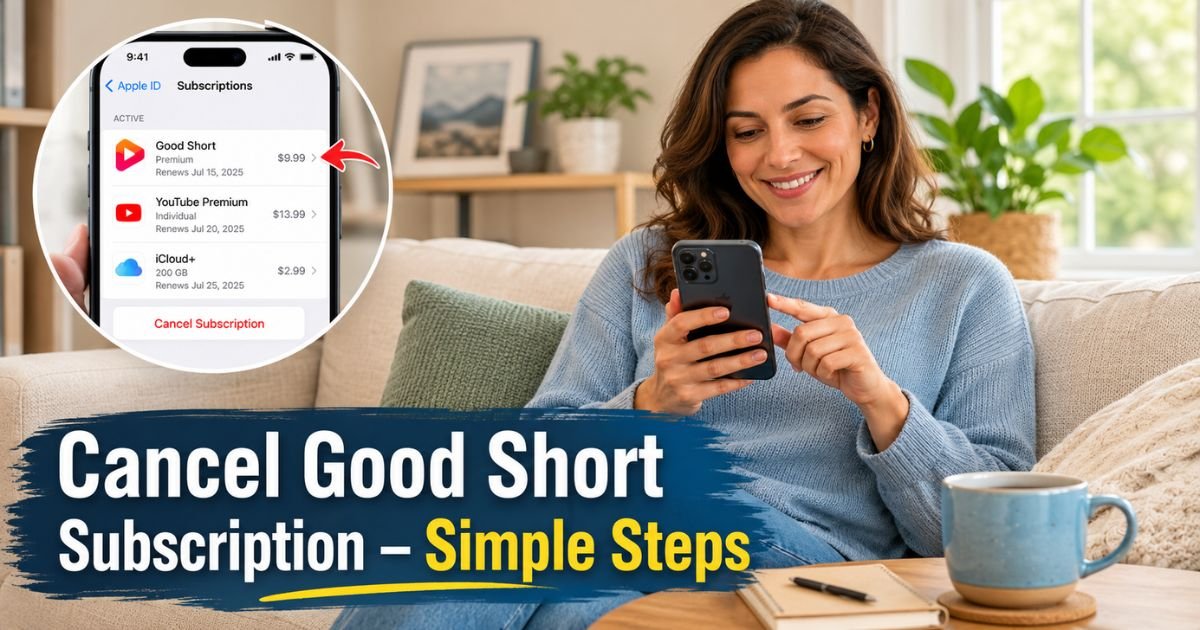
You signed up for Good Short to enjoy quick, entertaining dramas during your busy day. But those weekly subscription charges can add up faster than you expect.
If you’re ready to cancel Good Short subscription and stop automatic billing, this guide walks you through the exact steps that work. Many users get confused because the app itself usually doesn’t include a visible cancel button.
Instead, cancellations are handled through your phone’s app store, which helps keep your payment information secure.
In just a few minutes, you’ll learn how to cancel on both iPhone and Android, what happens after you cancel, and how to avoid common issues along the way.
How to Cancel Good Short Subscription
How to Cancel Good Short Subscription on iPhone
Most Good Short subscriptions on Apple devices run through the App Store’s billing system. You manage everything in one central spot rather than inside the drama app itself.
Here is exactly what to do:
- Open the Settings app on your iPhone or iPad.
- Tap your name at the very top of the screen.
- Scroll down and tap Subscriptions.
- Find Good Short (sometimes listed as GoodShort) in the list of active subscriptions and tap it.
- Tap Cancel Subscription at the bottom and confirm your choice when prompted.
After you finish, you will receive a confirmation email from Apple. Keep that email and take a quick screenshot of the screen showing the canceled status. This creates a clear record in case any questions come up later.
The process usually takes less than two minutes once you reach the Subscriptions page. You keep full access to Good Short content until the end of your current paid period, even after canceling.
How to Cancel Good Short Subscription on Android
Android users handle cancellations through the Google Play Store. The steps feel familiar if you have canceled other apps before.
Follow these steps in order:
- Open the Google Play Store app on your phone.
- Tap your profile picture in the top right corner.
- Select Payments & subscriptions from the menu.
- Tap Subscriptions to see everything active.
- Locate Good Short, tap it, then choose Cancel subscription and confirm.
Google sends a confirmation email right away. Like on iPhone, you continue watching until your current billing cycle ends. No sudden loss of access happens the moment you tap cancel.
If you used a different Google account to subscribe, switch accounts in the Play Store first so the right subscription appears.
What Happens After You Cancel
You keep watching Good Short dramas until the final day of your paid period. After that date the app reverts to the free version with limited episodes. Auto-renewal turns off immediately, so no future charges hit your card or Apple Pay.
Good Short’s terms state they do not issue partial refunds for mid-cycle cancellations in most cases. If you run into a special situation, you can still reach out to their support team for review.
An Example
A 32-year-old graphic designer in Austin, signed up for Good Short’s weekly VIP plan to unwind with short dramas after long client calls.
The small weekly fee felt harmless at first. Two months later he noticed the charges adding up faster than expected and decided it was time to stop.
He opened his iPhone Settings, followed the exact steps above, and canceled three days before the next renewal. He received instant confirmation, kept access for the rest of the week, and saved roughly $45 that month.
He still watches the free episodes occasionally and feels much better about his entertainment budget.
Pro Tip: Cancel at least 24 hours before your renewal date. Set a phone reminder two days early so you never risk an accidental extra charge while life gets busy.
Good Short Subscription Cancellation Methods Compared
| Platform | Where to Cancel | What You Need | Access After Cancel |
|---|---|---|---|
| iPhone / iPad | Settings > [Your Name] > Subscriptions | Apple ID login or Face ID | Full access until period ends |
| Android | Play Store > Profile > Payments & subs | Google account login | Full access until period ends |
| Subscription not listed | Good Short app help or email support | Account details & screenshots | Varies – confirm with support |
Common Mistake: Trying to cancel directly inside the Good Short app. Most of the time the option simply does not exist there. Always check your Apple or Google subscriptions first before contacting support.
Extra Tips to Manage Subscriptions Smoothly
- Review your bank and credit card statements every month for any surprise charges from Good Short or similar apps.
- Use a dedicated email folder for subscription receipts so confirmations never get lost in your main inbox.
- Add renewal dates to your calendar for every paid app you use.
- If Good Short does not appear in your subscriptions list, open the app, go to your profile, and use the Contact Customer Service option or email contact@goodshort.com with screenshots ready.
FAQs About How to Cancel Good Short Subscription
Q: Can I get a refund after I cancel Good Short subscription?
Most cancellations do not qualify for partial refunds because you keep access until the end of the paid period. Good Short follows standard app store policies on this. Reach out to their support team with your details if you believe your case deserves an exception.
Q: Why can’t I find Good Short in my Apple or Google subscriptions?
You may have signed up with a different Apple ID or Google account than the one you are currently checking. Switch accounts in Settings or the Play Store and look again. If it still does not appear, contact Good Short support directly through the app or at contact@goodshort.com.
Q: Will canceling stop charges right away?
Canceling turns off future renewals immediately. Your current subscription stays active until the end date shown in your account. You will receive a confirmation email, and the subscriptions list will update to show auto-renew is off.
Conclusion
Canceling your Good Short subscription takes just a few taps once you know where to look. Go through your device’s app store settings, confirm the change with a screenshot, and keep an eye on your statements for peace of mind.
You can always resubscribe later if you miss the short dramas. Take five minutes today to check your other app subscriptions too and make sure every charge still makes sense for your life.
Disclaimer: This content is for informational and educational purposes only and does not constitute professional, financial, legal, or medical advice. The information provided may not apply to your specific situation. Always consult a qualified professional for personalized guidance.






