How to Cancel AVG Subscription? [Step by Step]

You signed up for AVG antivirus thinking it would keep your devices safe, but now the auto-renewal charge keeps hitting your card and you’re ready to move on.
Sound familiar? If you’re searching for exactly how to cancel AVG subscription without the headache, you’re in the right spot.
AVG makes the process straightforward once you know where to look. Whether you bought directly through their site or via an app store, you can stop future billing in just a few clicks.
You’ll get the exact steps to cancel your AVG subscription, what happens next, refund info, and smart tips to avoid surprises.
What Is an AVG Subscription?
AVG offers popular antivirus and security software like AVG Internet Security, AVG Ultimate, and mobile protection plans. These subscriptions automatically renew each month or year so your devices stay protected without interruption.
It’s convenient when you need it, but life changes and sometimes you want to switch providers, cut costs, or simply stop the service.
The great news? There’s no long-term lock-in. You can cancel AVG subscription anytime before the next billing date.
Why People Cancel AVG Subscription
Lots of folks decide it’s time to cancel AVG subscription for good reasons. Maybe you switched to a different antivirus, your needs changed, or the renewal fee no longer fits your budget.
Common triggers include:
- Found a better or cheaper alternative
- No longer need full protection on all devices
- Unexpected charges appeared on your statement
- Just want to simplify your monthly subscriptions
Whatever your reason, AVG’s policy lets you end the service cleanly. You keep protection until the current period ends, and there are no penalties for canceling.
Take David, a 47-year-old small business owner from Seattle. After two years of using AVG Internet Security on his work laptop and family phones, he switched to a free built-in Windows tool that met his needs.
David decided to cancel AVG subscription to trim his expenses. He logged in, unsubscribed in under two minutes, and felt immediate relief knowing no more charges would hit his card.
How to Cancel AVG Subscription: Step-by-Step
Canceling is quick when you use your AVG Account. Here’s exactly what to do:
- Go to id.avg.com/sign-in and log in with your email and password.
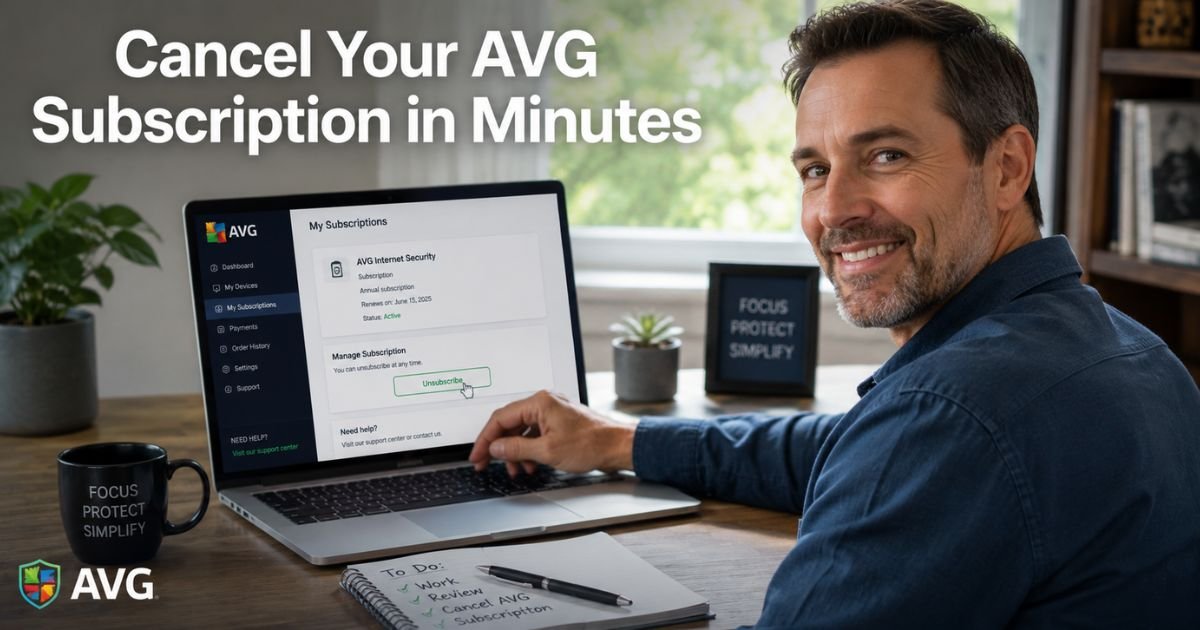
- Click Manage subscriptions on the My subscriptions tile.
- Under the subscription you want to end, click Unsubscribe (or Manage subscription then Unsubscribe).
- Follow the on-screen instructions to confirm.
That’s it. Your auto-renewal stops, and you’ll get a confirmation email.
If you bought through Google Play or the Apple App Store, cancel there too for complete coverage.
Canceling AVG Subscription on Mobile Devices
Many people subscribe directly through their phone’s app store. Here’s how to handle those:
For Android (Google Play):
- Open the Google Play Store app.
- Tap your profile picture → Payments & subscriptions → Subscriptions.
- Select your AVG plan and tap Cancel subscription.
- Follow the prompts.
For iPhone or iPad (App Store):
- Go to Settings → tap your Apple ID → Subscriptions.
- Find the AVG subscription and choose Cancel.
This stops billing at the source and works even if you can’t access your AVG Account right away.
Pro Tip: Always screenshot your confirmation page and save the email receipt. It’s quick proof if you ever need to chat with support or dispute a charge later.
What Happens After You Cancel AVG Subscription?
Once you cancel:
- Auto-renewals stop immediately
- You can keep using the software until the current subscription period ends
- No more charges hit your card or account
- Protection stays active for the paid time you already have
AVG does not refund the remaining time automatically, but you may qualify for a full refund within 30 days of purchase if you contact support.
AVG Cancellation and Refund Options at a Glance
| Method | Time Required | Best For | Refund Window |
|---|---|---|---|
| AVG Account online | 2 minutes | Direct website purchases | Request within 30 days |
| Google Play Store | 1 minute | Android app purchases | Check store policy |
| Apple App Store | 1 minute | iOS app purchases | Check Apple policy |
| Contact AVG Support | 5–10 minutes | Refund requests or issues | 30 days from purchase |
This table helps you pick the fastest route based on how you originally signed up.
Some users run into trouble when they delete the AVG app without canceling the subscription first. Charges can still come through because billing is tied to your account, not the app itself.
Common Mistake: Assuming cancellation happens automatically when you uninstall the software. Always go through the official unsubscribe steps and confirm with an email before you relax.
Another frequent slip is waiting past the 30-day window and missing out on a possible refund. Act early if you’re not satisfied.
Tips for a Smooth Cancellation Experience
Double-check your bank or credit card statement a week after canceling to make sure the recurring charge is gone. If you don’t get a confirmation email within a few minutes, log back in and verify the status.
Reach out to AVG support through their website if anything feels off. They have clear refund instructions and are there to help.
Many people use this moment to review all their software subscriptions and clean up a few more at the same time.
Alternatives After Canceling AVG Subscription
Once you cancel AVG subscription, you have plenty of solid options. Built-in Windows Defender or macOS security tools work great for basic protection at no extra cost. Or try other trusted antivirus brands with free tiers or different pricing.
The key is picking what matches your current devices and security needs without overpaying.
FAQs About How to Cancel AVG Subscription
Q: How long does it take to cancel AVG subscription completely?
You can cancel AVG subscription in under two minutes by logging into your AVG Account at id.avg.com/sign-in and clicking Unsubscribe. Mobile app store cancellations take even less time. You’ll get an instant confirmation, and future billing stops right away with no penalties.
Q: Can I get a refund after canceling my AVG subscription?
Yes, if you contact AVG within 30 days of purchase for most direct buys. Cancel first through your account, then submit a refund request via their support page. Refunds are not automatic after the 30-day window, so act quickly if you qualify.
Q: What if I subscribed to AVG through the Google Play or Apple App Store?
Cancel directly in the store: Google Play users go to Subscriptions in their profile, while iOS users check Settings → Apple ID → Subscriptions. This stops billing even if you also manage it through your AVG Account for full coverage.
Conclusion
Canceling your AVG subscription is simple, fast, and puts you back in control of your tech spending. With clear online steps, app store options, and a fair 30-day refund policy, you can stop the service confidently and move forward without stress.
Remember David? He handled everything in minutes and felt lighter knowing his budget was back on track. You can do the same right now.
Take a quick moment, log into your account, and give yourself credit for making a smart choice that fits your life today. Your devices will stay safe until the current plan ends, and you’ll enjoy one less monthly bill.
Disclaimer: This content is for informational and educational purposes only and does not constitute professional, financial, legal, or medical advice. The information provided may not apply to your specific situation. Always consult a qualified professional for personalized guidance.