You signed up for The Atlantic because you value thoughtful journalism, in-depth reporting, and sharp cultural commentary. Now your reading habits or budget have shifted, and you want to stop the recurring charges.
Many subscribers find themselves in this exact situation after a year or two of enjoying the publication. Canceling your The Atlantic subscription is designed to be simple and can be done at any time.
You will discover exactly how to cancel The Atlantic subscription using your online account, what to expect after you cancel, and how to handle gift subscriptions or third-party purchases.
How to Cancel The Atlantic Subscription Through Your Account
The easiest way for most people is to manage everything directly through The Atlantic’s account portal.
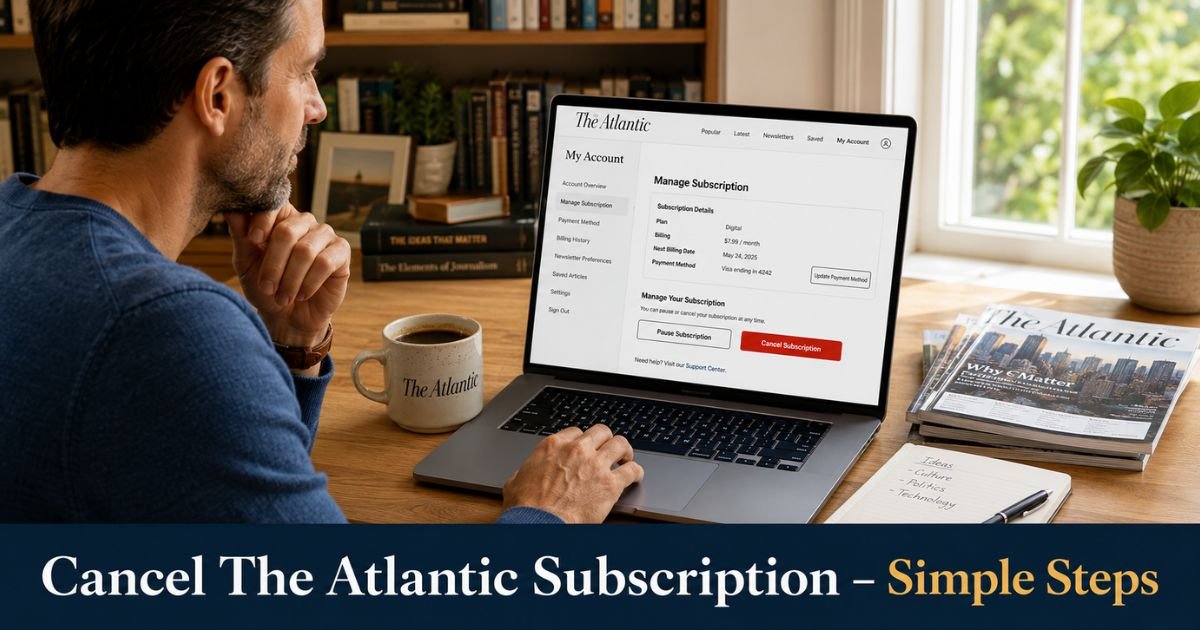
- Go to accounts.theatlantic.com and sign in to your account. If you do not have an online account yet, create one using the same email tied to your subscription.
- Once signed in, go to your account homepage.
- On the left menu, select Subscription.
- Click Manage Subscription.
- Choose the Cancel Subscription option and follow the prompts.
- Complete any short survey about your reason for canceling.
- Finish the process and look for a confirmation on screen.
You will also receive a confirmation email. Keep this email as your official record that the subscription has been canceled.
If your subscription does not appear after signing in, use the help article on linking your subscription to your account or contact customer care for assistance.
Pro Tip: Cancel at least a few days before your renewal date. This gives the system time to process and prevents any accidental charge for the next term.
Cancel by Contacting Customer Care
If you prefer speaking with someone or run into any issues online, you can cancel by reaching out to The Atlantic’s Customer Care team.
Submit a request through their help center at support.theatlantic.com. Provide your account details and clearly state that you want to cancel your subscription. A representative will assist you and send confirmation once it is processed.
This option works well for gift subscriptions or situations where the online portal does not show your subscription right away.
Take a longtime reader who enjoyed The Atlantic for its political analysis but decided to cut back on subscriptions after a job change. He created an account, went to Manage Subscription, and completed the cancel process in under five minutes. He received an immediate confirmation email and continued to have full access until the end of his current billing period. He appreciated how smooth and respectful the entire experience felt.
What Happens After You Cancel The Atlantic Subscription
You can cancel at any time. Your subscription will not renew, and you will not be charged again at the end of your current term. You will keep full digital access (and print delivery if applicable) until that term ends.
The Atlantic does not offer refunds on canceled subscriptions. All purchases are generally non-refundable, but you receive the full remaining value of your current term.
Your account stays active, so you can easily restart the subscription later if you decide to return. Gift subscriptions require contacting customer care to cancel.
The Atlantic Subscription Cancellation Options
| Method | Best For | Steps Involved | Confirmation | Notes |
|---|---|---|---|---|
| Online Account Portal | Most digital subscribers | Account → Subscription → Manage → Cancel | On-screen + email | Fastest for standard subscriptions |
| Customer Care Request | Gift subscriptions or issues | Submit request via support.theatlantic.com | Email from support team | Helpful when portal does not show subscription |
| Third-Party (Apple/Google) | App store purchases | Cancel through Apple or Google settings | Platform confirmation | The Atlantic cannot cancel these for you |
Important Notes for App Store or Gift Subscriptions
If you originally purchased through the Apple App Store or Google Play Store, you must cancel directly through those platforms’ subscription settings. The Atlantic cannot cancel or manage third-party subscriptions on your behalf.
For gift subscriptions, the recipient or giver should contact Customer Care to cancel. Turning off auto-renewal in the account settings can also stop future charges on some gift plans.
Always double-check your original receipt or email to confirm how and where you subscribed before starting the cancellation process.
Common Mistake: Assuming your subscription is fully canceled after clicking the button without checking for the confirmation email. Always wait for and save the email as proof.
Extra Tips for Managing Your The Atlantic Subscription
Review your account settings every few months to stay aware of your renewal date and current plan. You can also upgrade, downgrade, or update payment information in the same Manage Subscription area.
If you ever want to return, simply sign back in and reactivate your subscription. Many readers pause and restart based on their current interests or schedule.
Keeping your account email and login details up to date makes future changes much easier.
FAQs About How to Cancel Atlantic Subscription
Q: How do I cancel my The Atlantic subscription online?
Sign in at accounts.theatlantic.com, go to Subscription on the left menu, click Manage Subscription, and select Cancel. Follow the prompts to complete the process and save your confirmation email.
Q: Can I get a refund when I cancel The Atlantic subscription?
No. The Atlantic does not provide refunds for canceled subscriptions. However, you will keep full access until the end of your current paid term, and you will not be charged again after that.
Q: What if I subscribed to The Atlantic through the Apple App Store or Google Play?
You must cancel directly through Apple or Google subscription settings. The Atlantic cannot cancel or manage these third-party subscriptions for you. Log into your device’s subscription management area to stop future charges.
Conclusion
Canceling your The Atlantic subscription gives you control over your reading budget while you enjoyed the journalism you valued. The process is simple whether you use the online account portal or reach out to customer care.
Take a few minutes today to sign in and check your Manage Subscription section. Completing the cancellation now means no more automatic renewals and the peace of mind that comes from having your subscriptions exactly where you want them.
You can always return to The Atlantic whenever it fits your life again.
Disclaimer: This content is for informational and educational purposes only and does not constitute professional, financial, legal, or medical advice. The information provided may not apply to your specific situation. Always consult a qualified professional for personalized guidance.