How to Cancel DAZN Subscription [Step by Step]

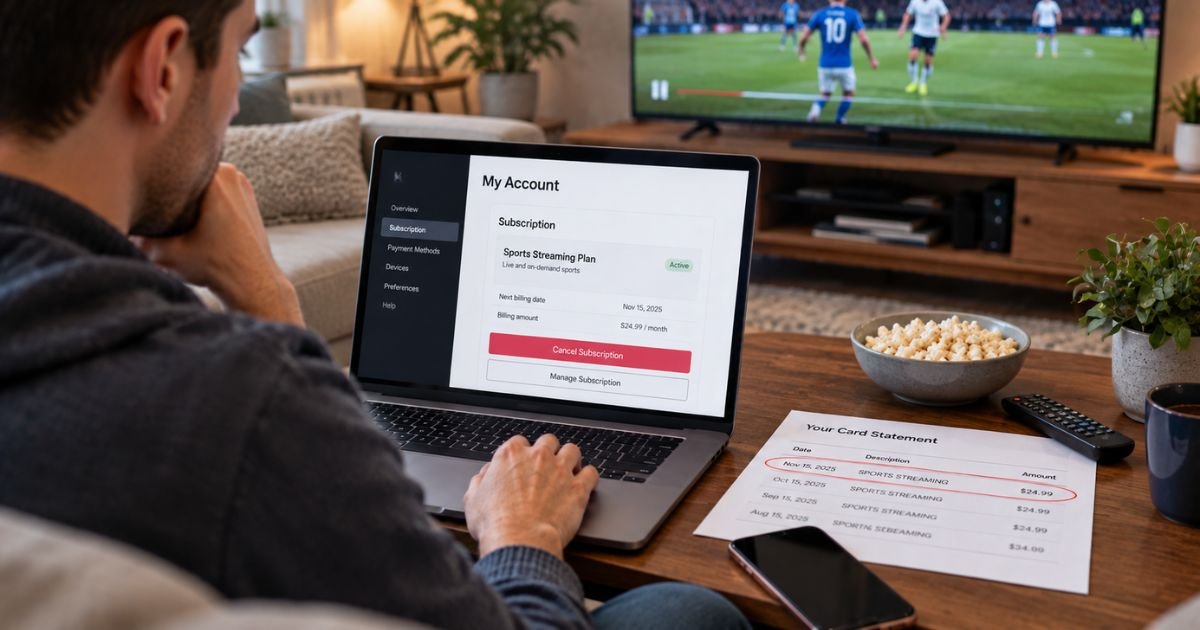
DAZN is a sports streaming service. In the U.S. it is best known for boxing and other live events.
Plans vary by country. Public U.S. prices in late 2026 often show Monthly Flex around $34.99, an annual plan around $24.99 a month for 12 months or about $249.99 paid up front, and Ultimate around $44.99 a month on a year term or about $449.99 up front.
The charge may hit a card or PayPal through DAZN. It can also hit Apple, Google, Amazon, or Roku. Deleting the DAZN app does not cancel the subscription. Cancel where you signed up, then save the confirmation.
What Is DAZN and How Billing Works
DAZN bills as an ongoing paid subscription. Monthly Flex typically renews each month until you cancel. Annual plans usually lock in a 12-month term. Official help in several markets says an annual cancel still runs to the end of that year. You keep watching until that date.
Who can cancel? The account that pays. If DAZN bills you directly, use My Account. Official help says DAZN cannot cancel a plan bought through Apple, Google, Roku, or Amazon. You must turn off auto-renewal on that store.
Pay-per-view fights and add-ons can be separate. Some event passes cannot be canceled after purchase. Check the order page before you assume a membership cancel covers a PPV.
Google Play help also lists carrier billing in some regions. If DAZN is on your phone bill, that is a different payer than the DAZN website.
How to Cancel From My Account
Use this path if you signed up on dazn.com, a smart TV, or a console and DAZN charges your card or PayPal.
- Open DAZN in a web browser or the app.
- Select the profile icon, then My Account.
- Open Subscription.
- Scroll to Cancel subscription and continue.
- Decline pause or discount offers if you want a full cancel.
- Choose a reason if asked, enter your password if asked, and confirm.
Official help says some accounts see a “Proceed to Cancel” or “I still want to cancel” button after offers. Keep going until the confirmation screen. DAZN typically emails a cancel notice. Watch through the current paid period.
If My Account sends you to Apple, Google, Amazon, or Roku, stop there. Finish the cancel on that platform.
How to Cancel by Contacting Customer Care
If the cancel button is missing or a charge posted after you confirmed, use the Help Center at help.dazn.com. Official pages point to the on-site chat. Type that you need to talk to someone if the bot cannot finish the request.
Have your account email and the last four digits of the card ready. Ask the agent to confirm the end date and that auto-renewal is off.
DAZN does not publish a widely used U.S. consumer cancel phone. Older numbers on random blogs are not official help-center paths. Use chat, then check spam for mail from dazn.com or service-mail.dazn.com.
If Apple, Google, Amazon, or Roku billed you, contact that store. DAZN cannot flip those switches.
Canceling If Billed Through Apple or Google
Official help is clear. Store plans cancel in the store.
On iPhone or iPad
- Open Settings.
- Tap your name.
- Tap Subscriptions.
- Tap DAZN.
- Tap Cancel Subscription and confirm.
You can also use account.apple.com. Family purchases cancel on the Apple ID that paid. For an Apple refund request, use reportaproblem.apple.com.
On Android
- Open the Google Play Store app.
- Tap your profile icon.
- Tap Payments & subscriptions, then Subscriptions.
- Tap DAZN.
- Tap Cancel subscription and confirm.
On the web, use play.google.com/store/account/subscriptions. Official Google Play help for DAZN says access lasts through the current period.
Canceling Through Amazon or Roku
If you started DAZN inside Fire TV, an Amazon app, or Roku Pay, cancel there.
Amazon in-app official steps: on an Amazon device, open App Library, open Subscriptions, find DAZN, select Manage, and turn off auto-renew.
On the web, use Amazon account subscriptions and turn off auto-renew for DAZN. Official Amazon help for DAZN notes Fire TV itself may not complete the toggle. Use the site or a Fire tablet if the TV screen lacks the switch.
Roku: on the device, highlight the DAZN app, press the Star button, choose Manage subscription, then Turn off auto-renew. Or sign in at my.roku.com and turn off auto-renew there. Removing the Roku channel does not cancel.
Prime Video Channel listings, if you have one, cancel in Amazon’s channel manager, not only in the DAZN app.
Canceling If Charged to Your Mobile Phone Bill
Official Google Play billing help lists direct carrier billing as a possible method in some places. Include this path only if your wireless bill shows DAZN.
Open your carrier’s subscription page or call the number on that bill. Canceling inside DAZN or Apple will not stop a carrier charge. Deleting the app will not stop it either.
What Happens After You Cancel
Monthly Flex typically keeps working until the current month ends. Then the recurring charge should stop. Annual plans often keep access until the selected end date, which may be the end of the 12-month term.
Some markets use a 30-day notice on monthly plans. U.S. Flex pages usually describe cancel-anytime access through the paid month. Read the date on your confirmation email.
Pause is not cancel. Official monthly flows may let you pick a restart date. Pause can still lead to a later bill. If you want to unsubscribe, confirm cancellation, not pause.
A free DAZN tier exists in some countries after a paid plan ends. You may still see the app login without live paid events.
Requesting a Refund After Cancellation
DAZN generally does not refund unused days on a month or year you already paid. Annual up-front plans are the largest example. Canceling stops the next term. It does not usually cash out the months left.
Apple and Google handle store refunds under their rules. Amazon and Roku follow theirs. If a charge posted after a confirmed cancel, send chat the confirmation and the transaction ID.
PPV and weekly event passes may be final at purchase. Official product notes in some regions say those cannot be canceled. Do not expect a fight-night refund because you later canceled the monthly plan.
Common Problems and Solutions
My Account has no cancel link. You are probably on Apple, Google, Amazon, or Roku. Open that store list.
You paused and still got billed later. Pause is temporary. Complete Cancel subscription.
You canceled an annual monthly-pay plan and bills continued. Official annual help in several regions says the year still runs. Check the cancellation date on the account.
The TV app still works. That is normal until the paid period ends.
A PPV still billed after membership cancel. Event buys are separate. Review Amazon, Apple, or DAZN order history for that title.
Tips for a Smooth Cancellation
Match the cancel path to the receipt. DAZN.com charges cancel in My Account. App Store charges cancel in Apple.
Decline pause and “check out this offer” screens if you want a full stop.
Cancel before the renewal date, not after a big fight weekend if you want to avoid the next cycle.
Screenshot Subscription and save the email.
Do not wait on an app delete to stop a recurring charge.
FAQs About How to Cancel DAZN Subscription
Q: Does deleting the DAZN app cancel my subscription?
No. Official help says you cancel in My Account or in the store that billed you. Removing the app does not stop auto-renewal.
Q: Will I get a refund when I cancel DAZN?
Usually no. Access typically lasts through the current month or the rest of an annual term. Store refunds go through Apple, Google, Amazon, or Roku.
Q: Can DAZN cancel an Apple, Google, Amazon, or Roku plan for me?
No. Official help says those plans must be canceled on that platform. DAZN cannot turn them off.
Q: What is the difference between pause and cancel?
Pause delays billing and can restart later. Cancel turns off auto-renewal. Use Cancel subscription if you want to unsubscribe.
Conclusion
To cancel a DAZN subscription, open My Account if DAZN bills you. Use Apple, Google, Amazon, or Roku if that store billed you. Confirm the email and the end date so you stop auto-renewal.
That is how you unsubscribe before the next recurring charge. You can generally keep watching until the paid period ends.
Disclaimer: This is general educational information based on publicly available DAZN help pages and U.S. plan listings at the time of writing. It is not financial or legal advice. Plans, prices, notice periods, menus, and refund rules vary by country, plan, and payer. Contact DAZN or the store that billed you for help with your charge.