How to Cancel AMC Plus Subscription in 2026? [Step by Step]

You signed up for AMC Plus to catch the latest episodes of your favorite shows, but now you are ready to cancel. Whether you subscribed directly or through Apple or Amazon, the process is straightforward once you know where to go.
Many people get stuck because they try to cancel in the wrong place. This guide shows you exactly how to cancel AMC Plus subscription depending on how you signed up. You will find simple steps for the most common methods, plus tips to avoid extra charges.
Why People Cancel Their AMC Plus Subscription
AMC Plus gives you access to popular series, movies, and live channels from AMC, Shudder, and Sundance Now. Some viewers finish a show and no longer need it. Others want to cut costs or switch to a different streaming service.
Whatever your reason, you can cancel anytime. Your access continues until the end of the current billing period, and no further charges will occur after that.
First: Check Where You Subscribed to AMC Plus
This is the most important step. AMC+ can be billed in several places, and you must cancel at the source.
Check your email for the original welcome or receipt. It usually says “AMC+ via Apple,” “AMC+ on Amazon Prime Video,” or “AMC+ direct.”
You can also look at your recent bank or credit card statement for the charge description.
Once you know the source, follow the matching instructions below.
How to Cancel AMC Plus Subscription Directly on amcplus.com
If you signed up on the AMC+ website:
- Open a web browser on your phone or computer and go to amcplus.com.
- Log in to your account.
- Click Account (usually in the top menu or profile area).
- Select Subscription.
- Click Cancel and follow the prompts to confirm.
You will receive an email confirmation. Save it for your records.
Note: Do not try to cancel inside the AMC+ mobile app. It does not have the full account management tools.
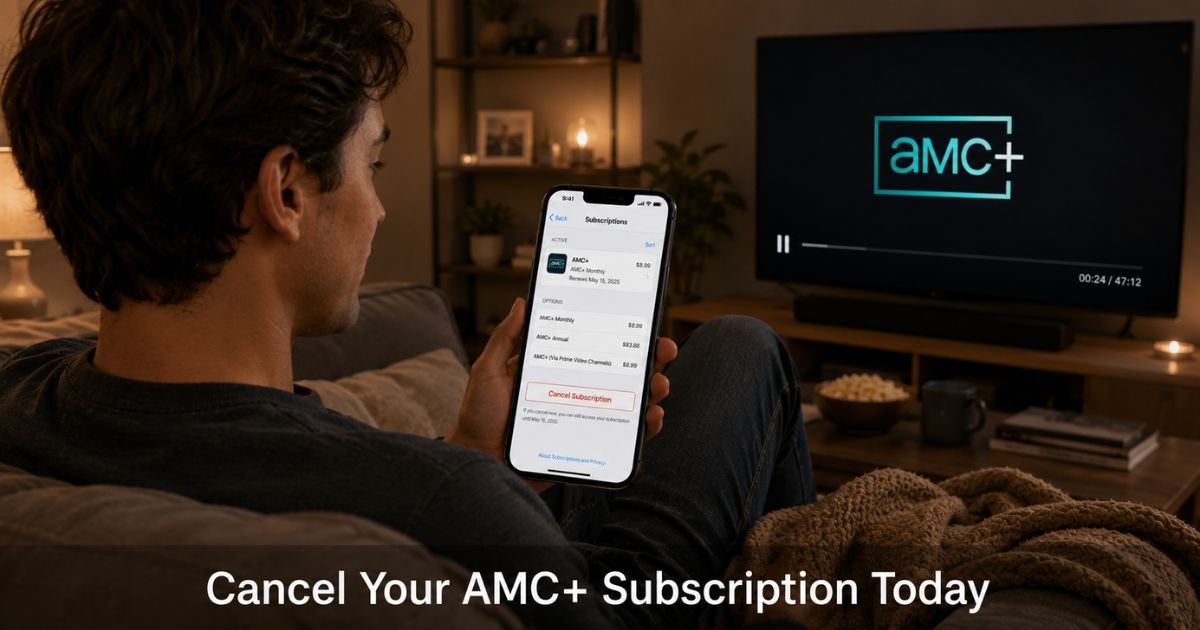
How to Cancel AMC Plus Subscription on iPhone or iPad (Apple)
Many people add AMC+ through Apple TV Channels or the App Store.
- Open the Settings app on your iPhone or iPad.
- Tap your name at the top.
- Tap Subscriptions.
- Tap AMC+.
- Tap Cancel Subscription and confirm.
If you see an expiration date instead of a cancel button, it is already set to end.
How to Cancel AMC Plus Subscription on Amazon Prime Video
If you added AMC+ as a channel through Amazon:
- Go to Amazon.com and sign in.
- Click Account & Lists (top right) and choose Memberships & Subscriptions.
- Find AMC+ in your list of subscriptions.
- Click Cancel Subscription or Unsubscribe.
- Choose the option to turn off auto-renewal and confirm.
Your access continues until the end of the paid period.
How to Cancel AMC Plus on Other Platforms
Google Play: Open the Google Play Store app > Profile icon > Payments & subscriptions > Subscriptions > Select AMC+ > Cancel subscription.
Roku: Go to my.roku.com on a web browser > Sign in > Manage your subscriptions > Find AMC+ > Cancel.
Samsung TV or other smart TVs: Check your TV’s subscription or account settings menu, or visit the provider’s website.
If none of these match, check your TV provider (Verizon, Spectrum, etc.) because some offer AMC+ as an add-on.
Real-Life Example
A fan of crime dramas in Chicago, added AMC+ through his Amazon Prime Video account to watch the latest season of a popular series. After finishing the show, he wanted to cancel before the next month’s charge.
He first tried logging into the AMC+ website but kept getting a message that his account was managed elsewhere. He checked his email, saw it was billed through Amazon, and followed the steps above in his Amazon account.
He canceled in under five minutes and received confirmation that his access would end at the close of the current period. No extra charges appeared on his card.
Pro Tip: Take a quick screenshot of your cancellation confirmation screen no matter which method you use. It serves as proof if a charge ever appears later and makes any refund request much easier.
What Happens After You Cancel AMC Plus Subscription
Your streaming access continues until the end of the current billing cycle. After that date, you lose access to AMC+ content. You can resubscribe anytime in the future if you change your mind.
No early termination fees apply when you cancel AMC+ subscription.
AMC Plus Cancellation Methods at a Glance
Use this table to pick the right path quickly
| Where You Subscribed to AMC+ | How to Cancel | Where to Go |
|---|---|---|
| Direct on amcplus.com | Log in on website > Account > Subscription > Cancel | amcplus.com/account (web browser) |
| Apple (iPhone/iPad) | Settings > Your Name > Subscriptions > AMC+ > Cancel | iPhone Settings app |
| Amazon Prime Video | Account & Lists > Memberships & Subscriptions > AMC+ > Cancel | Amazon.com |
| Google Play | Play Store > Profile > Payments & subscriptions > Subscriptions > Cancel | Google Play app |
| Roku or other devices | Check the device’s subscription settings or provider website | Device settings or provider site |
Common Mistake: Trying to cancel AMC+ inside the AMC+ app or on the website when the subscription is actually billed through Apple or Amazon. This leads to frustration and sometimes another month of charges. Always cancel at the original source (Apple Settings, Amazon account, etc.).
How to Request a Refund for AMC Plus (If Needed)
Refunds are not guaranteed but are sometimes possible for recent charges.
- For Apple or Amazon subscriptions, contact their support directly through the same subscription screen or help pages.
- For direct AMC+ subscriptions, reach out to AMC+ support through their help center.
- Act quickly. The sooner you request a refund after noticing the charge, the better your chances.
Protecting Yourself from Future Streaming Charges
After you cancel AMC+ subscription, do these two things:
- Check your credit card or bank statement for the next 30 days.
- Review your other streaming subscriptions once a quarter so nothing sneaks up on you.
These habits help you stay in control of your monthly entertainment spending.
FAQs About How to Cancel AMC Plus Subscription
Q: How do I cancel my AMC Plus subscription if I can’t find the option on the website?
You are probably subscribed through Apple, Amazon, or another third party. Check your email receipt or bank statement, then cancel through that company’s account settings instead of the AMC+ site.
Q: Will I get a refund if I cancel AMC Plus mid-month?
It depends on the platform and how recently you were charged. Apple and Amazon sometimes offer refunds for recent accidental subscriptions. Contact their support right after canceling for the best chance.
Q: Can I still watch AMC+ shows after I cancel?
Yes, until the end of your current paid billing period. After that date, you will lose access unless you resubscribe.
Conclusion
Canceling your AMC Plus subscription is simple once you identify where it is billed. Start by checking your email or recent charges, then follow the exact steps for that platform. Whether it is direct on amcplus.com, through Apple Settings, or Amazon, the process takes just a few minutes.
You will keep access until the end of the current period and avoid any future charges. Many viewers successfully cancel this way every month. You can too, starting with the method that matches how you originally signed up.
Disclaimer: This content is for informational and educational purposes only and does not constitute professional, financial, legal, or medical advice. The information provided may not apply to your specific situation. Always consult a qualified professional for personalized guidance.