How to Cancel Burnbox Fasting Subscription? [Step by Step]


If you’re looking to cancel your Burnbox fasting subscription, you’re likely dealing with recurring shipments or charges you no longer want.
Many subscribers sign up for the discounted multi-kit plans and later decide to stop, only to find the cancellation process isn’t immediately obvious.
This guide gives you the exact steps to cancel your Burnbox fasting subscription through your account, what to expect afterward, and how to handle common problems like unexpected charges.
Quick Answer
To cancel your Burnbox fasting subscription, log into your account at the Burnbox portal (usually through quiz.burnbox.health or shop.burnbox.health), go to your subscription or account settings, select the option to cancel, and confirm.
Save the confirmation email or screenshot. You can cancel at any time according to their policy, though some users report needing to follow up if additional charges appear after cancellation.
What Is the Burnbox Fasting Subscription?
Burnbox offers 3-day fasting kits with supplements designed to support intermittent fasting, hydration, energy, and recovery. Customers can buy one-time kits or subscribe for recurring deliveries (such as every 4 months for multiple fasts) at a discounted rate.
Subscription plans often provide significant savings compared to one-time purchases, with the option to “cancel anytime.” However, some longer-term or discounted plans have led to user confusion around renewal timing and final charges.
How to Cancel Burnbox Fasting Subscription
The primary way to cancel is through your online account. Here’s how:
Log into your Burnbox account
Go to the Burnbox login page (commonly quiz.burnbox.health/account or through shop.burnbox.health). Use the email address you used when signing up. If you haven’t created an account yet, register first using the same email.
Find your subscription details
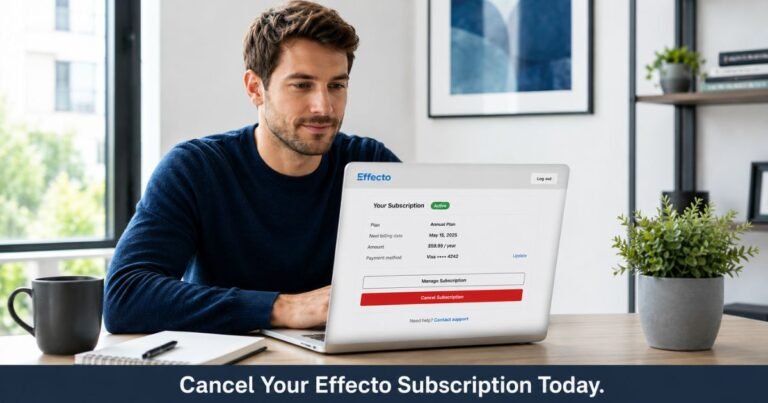
Once logged in, look for “Manage Subscription,” “Subscription Settings,” “My Account,” or a similar section. Your active plan and next delivery or billing date should be visible.
Initiate cancellation
Select “Cancel My Subscription” or the equivalent option. Follow any on-screen prompts. The site may ask for a reason for canceling.
Confirm the cancellation
Complete the process until you receive confirmation that your subscription has been canceled. Note the date and any final shipment information.
Save proof immediately
Take a screenshot of the confirmation screen and check your email for a cancellation confirmation message. Keep both in a safe folder.
Expert tip: Cancel at least a few days before your next scheduled renewal or shipment to give the system time to process and avoid any last-minute charges.
Canceling If You Subscribed Through Amazon
If you purchased the Burnbox fasting kit through Amazon’s Subscribe & Save program:
- Log into your Amazon account.
- Go to “Your Account” → “Memberships & Subscriptions” (or search for “Subscribe & Save”).
- Find the Burnbox item and select “Cancel subscription” or “Skip delivery.”
- Confirm the change.
Amazon subscriptions are managed separately from the Burnbox website account.
What Happens After You Cancel?
- No further shipments will be sent after your current paid period ends.
- You keep any kits or supplements you already received.
- Recurring charges should stop (verify on your next statement).
- Access to any associated app benefits (such as the mentioned DoFasting trial) may end depending on the original offer.
Their policy states you can cancel at any time, and subscriptions are set up with this flexibility in mind.
Refunds and Money-Back Guarantee
Burnbox advertises a 30-day money-back guarantee on some product pages. If you’re within the window and unhappy with the product, contact support for a potential refund.
They generally do not offer prorated refunds for partial periods on subscriptions. If you cancel mid-cycle, you typically keep access or products until the end of the paid term.
Troubleshooting Common Cancellation Problems
Some Burnbox subscribers have reported challenges, including:
- Difficulty locating the cancel button after logging in.
- Additional charges appearing even after cancellation (especially with heavily discounted multi-kit plans).
- Confusion about whether canceling early affects previously received discounts.
What to do if this happens to you:
- Double-check your confirmation email and screenshots.
- Contact Burnbox support right away with your account email, cancellation date, and proof.
- Monitor your credit card or bank statements for the next 30–60 days.
- If a charge posts after cancellation and support doesn’t resolve it, dispute it with your payment provider and provide your documentation.
How to Contact Burnbox Support
If you can’t log in, can’t find the cancel option, or need help with post-cancellation issues:
- Email: hello@burnbox.health (most commonly referenced support address)
- Include your account email, order number or subscription details, and screenshots of any confirmation or charges.
- Some users also submit requests through the help center at help.burnbox.health.
Response times vary; keep records of all communication.
Tips to Successfully Cancel and Protect Yourself
- Act as soon as you decide to cancel — don’t wait until the day before renewal.
- Use the same email and device you originally signed up with.
- Take screenshots at every step of the cancellation process.
- Check both your Burnbox account and Amazon (if applicable) for active subscriptions.
- Review your bank or credit card statements regularly after canceling.
- If you received a big discount for a multi-kit commitment, understand that canceling early may affect how the discount is applied (per some user experiences).
Checklist: What to Save When Canceling Burnbox
| Item | Why It’s Important |
|---|---|
| Cancellation confirmation | Proof that you requested to stop the subscription |
| Screenshot of subscription page | Shows your plan status and cancellation date |
| Original order/receipt emails | Documents start date, pricing, and terms |
| Bank or card statements | Evidence of any unexpected charges |
| Support email threads | Record of communication if issues arise |
Common Mistakes to Avoid
- Assuming the subscription ends just because you delete the app or stop using the products.
- Forgetting to save the confirmation screen or email.
- Canceling only on Amazon when the main subscription is through the Burnbox website (or vice versa).
- Ignoring statements in the weeks after cancellation.
FAQs About Burnbox Fasting Cancel Subscription
Q: Can I cancel my Burnbox fasting subscription at any time?
Yes. Burnbox states that you can cancel your subscription at any time. Log into your account and follow the cancellation flow, or contact support if needed.
Q: Will I lose the supplements or kits I already received?
No. You keep any products already delivered. Cancellation stops future shipments and recurring billing.
Q: What should I do if I’m still being charged after canceling?
Contact Burnbox support immediately at hello@burnbox.health with your cancellation proof and account details. If the charge isn’t reversed, dispute it with your credit card company or bank and provide documentation of your cancellation.
Q: Does canceling affect any discounts I received?
In some cases, especially with multi-kit discounted subscriptions, early cancellation may impact how the original discount is calculated. Review your original terms or contact support for clarification on your specific plan.
Conclusion
Canceling your Burnbox fasting subscription is straightforward once you log into your account and use the built-in cancellation tools. The process lets you stop future shipments and charges, and you keep any kits you’ve already received.
The most important steps are saving clear proof of cancellation and checking your statements afterward. If you run into any trouble or see unexpected charges, reach out to hello@burnbox.health promptly with your documentation.
By following these steps, you can end the subscription on your terms and move forward without ongoing billing concerns. Always verify the latest details directly in your Burnbox account, as policies can be updated.
Disclaimer: This content is for informational and educational purposes only and does not constitute professional, financial, legal, or medical advice. The information provided may not apply to your specific situation. Always consult a qualified professional for personalized guidance.