How to Cancel Steam Subscription in 2026? [Step by Step]

You open your bank app and spot another charge labeled something like “STEAMGAMES” or “VALVE”. You do not remember signing up for anything new, yet the amount hits every month or year. It happens more often than you think.
If you have a recurring subscription purchased through Steam, whether it is EA Play, a game subscription, or another service, you can cancel it yourself in just a few minutes.
This guide walks you through the official steps to cancel Steam subscription, explains what happens to your access afterward, and shows you how to clean up your payment methods so the charges truly stop.
Why Steam Subscriptions Keep Charging You
Steam makes it simple to buy games and add-ons, but some titles and services use recurring billing. Once you subscribe, Steam automatically charges your saved payment method unless you turn it off.
You might have started a subscription during a sale, for a multiplayer game, or through a bundle like EA Play on Steam. Life gets busy, you stop playing, and the renewal still goes through.
The good news is you stay in control. Steam lets you cancel any time through your account page.
How to Cancel Steam Subscription in Your Account
Most subscriptions bought on Steam are managed in one central spot. You can do this on your computer through the Steam app or any web browser.
Here is the exact process:
- Open the Steam app on your computer or visit store.steampowered.com in your browser and sign in.
- Click your username in the top right corner.
- Select Account details from the dropdown menu.
- Scroll down to the Store & Purchase History section and click Manage subscriptions.
- Find the active subscription you want to end.
- Click Cancel Subscription or Edit next to it, then confirm your choice.
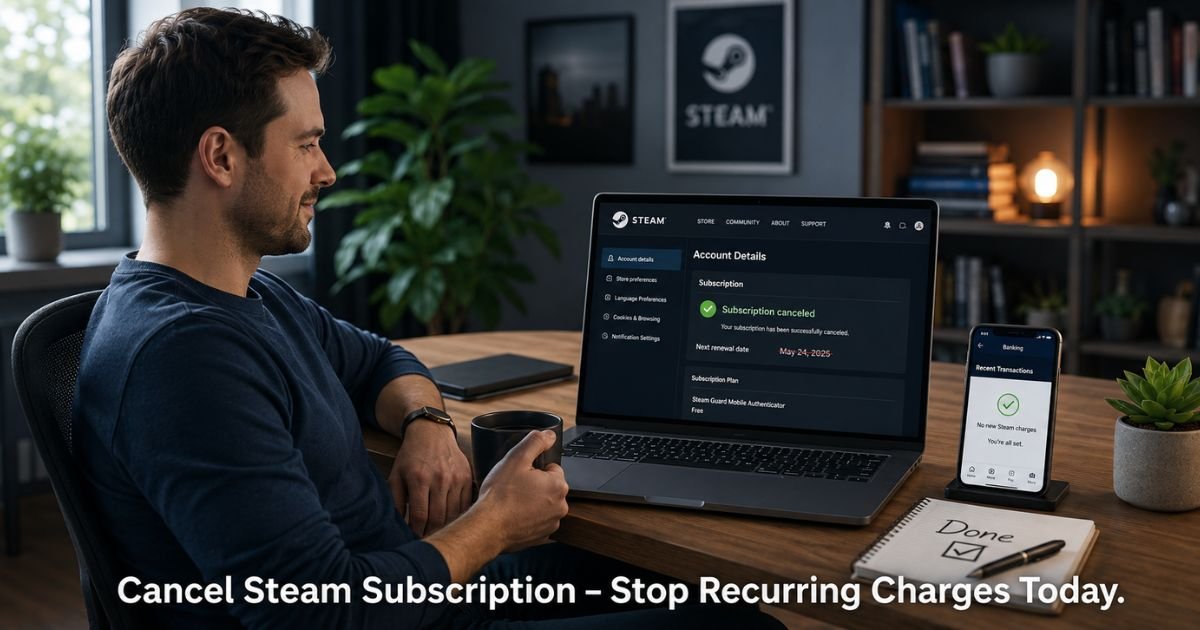
Steam will show you the exact date your current paid period ends. After you cancel, you will receive a confirmation email.
Pro Tip: Cancel at least two or three days before your renewal date. This gives Steam time to process everything and helps you avoid any last-minute glitches with payment processors.
Canceling Popular Subscriptions Like EA Play on Steam
Some services have their own quick links but still route through your Steam account.
For EA Play on Steam, log in, go to your Account details, then look for the Recurring Subscriptions area. Click the cancel option and confirm. You keep full access, including game trials and discounts, until the current billing cycle finishes.
The same account details page works for most other game subscriptions sold directly on Steam.
If the subscription came from a third-party game launcher even though you bought it on Steam, the cancel button may direct you to that game’s website. In almost every case, though, starting at your Steam Account details page gets you where you need to go.
What Happens After You Cancel a Steam Subscription
Your access does not disappear the second you click cancel. Steam keeps your subscription active until the end of the paid period you already paid for. You can keep playing, using any benefits, and downloading updates right up until that date.
After the period ends, the subscription simply stops. No more charges appear. If you ever want to restart, you can resubscribe anytime from the Steam Store.
Here is a clear breakdown of what to expect:
Steam Subscription Cancellation Timeline
| Stage | What You Keep | Future Charges | How to Restart |
|---|---|---|---|
| Right after canceling | Full access until paid period ends | None | Resubscribe in Steam Store |
| End of current period | Access ends | None | Start new subscription anytime |
| 30+ days later | No lingering charges or obligations | None | Fresh start if you return |
Take Taylor, a parent in Chicago who grabbed an EA Play subscription on Steam during a holiday sale for some family gaming time. After a few months the kids moved on to other games. Taylor followed the steps above, canceled through Account details, and kept playing until the month ran out. No surprise charge hit the card the next cycle, and the whole process took less than five minutes.
Update or Remove Your Payment Method on Steam
Canceling the subscription stops future billing for that item. To be extra safe, especially if you have multiple subs or use PayPal, take one more step.
Go back to Account details and look for the payment methods section. You can edit, remove, or replace the card or PayPal account on file.
If you used PayPal for the original purchase, you may also need to cancel the recurring agreement inside your PayPal account for complete peace of mind.
Common Mistake: Many users assume canceling inside the game itself or through a launcher will stop Steam billing. In most cases it will not. Always return to your Steam Account details page to cancel at the platform level. Otherwise the charge can still process through Steam even if the game shows the sub as canceled.
Troubleshooting: What If You Cannot Find the Cancel Option?
Sometimes the Manage subscriptions link does not appear or the button is grayed out. Try these quick fixes:
- Make sure you are logged into the correct Steam account (the one that made the purchase).
- Check whether the subscription was bought with PayPal. In that case, cancel the agreement directly in PayPal first, then return to Steam.
- Clear your browser cache or try the Steam desktop app instead of the website.
- If nothing works, use the Steam Support help wizard under Purchases and request assistance. Steam support can locate the subscription and walk you through cancellation.
Most people resolve the issue in under ten minutes once they reach the right page.
FAQs About How to Cancel Steam Subscription
Q: Does canceling my Steam subscription end my access immediately?
No. Your current paid period continues until its normal end date. You keep full access, game time, and any perks until then. Only future renewals stop.
Q: Can I get a refund after I cancel a Steam subscription?
Steam’s standard refund window is usually 14 days or limited playtime, whichever comes first. After you cancel, you can still request a refund for the current period through Steam Support if you qualify. Success depends on timing and your account history.
Q: What shows up on my bank statement for a Steam subscription?
Charges typically appear as STEAMGAMES.COM, VALVE, or STEAM POWERED. The exact name can vary slightly depending on your bank and the payment processor used at purchase.
Conclusion
You now know exactly how to cancel Steam subscription charges and protect your wallet going forward. The whole process lives in one easy-to-reach spot inside your Steam account.
Take two minutes today, open your Account details page, and check what subscriptions are active. Cancel anything you no longer use. You will feel the relief the next time you review your statements and see those charges gone for good.
Disclaimer: This content is for informational and educational purposes only and does not constitute professional, financial, legal, or medical advice. The information provided may not apply to your specific situation. Always consult a qualified professional for personalized guidance.