How to Cancel TheBestPDF Subscription and Stop Charges?

You tried TheBestPDF for a quick document edit or conversion and paid a small initial fee. Then a much larger charge appeared on your statement a week later. Sound familiar?
If you want to cancel TheBestPDF subscription and put an end to those recurring charges, you have come to the right place. Many people run into the same situation because the trial converts to a paid plan automatically.
The good news is you can stop the billing. This guide walks you through the simplest and most effective ways to cancel, request a refund if possible, and protect your finances going forward.
Why TheBestPDF Subscriptions Often Lead to Unwanted Charges
TheBestPDF offers online PDF editing and conversion tools. Many people sign up thinking they are paying for a one-time task.
What actually happens for a lot of users is this:
- A small trial or one-time fee appears first (often under $2).
- Seven days later the account switches to a recurring monthly plan around $39.95.
- The cancel option can be hard to locate in the dashboard.
That is why so many people search for how to cancel TheBestPDF subscription after seeing the larger charge. Understanding the pattern helps you act quickly and avoid extra bills.
How to Cancel TheBestPDF Subscription Step by Step
Start with the easiest method first. Most people can handle this in under ten minutes.
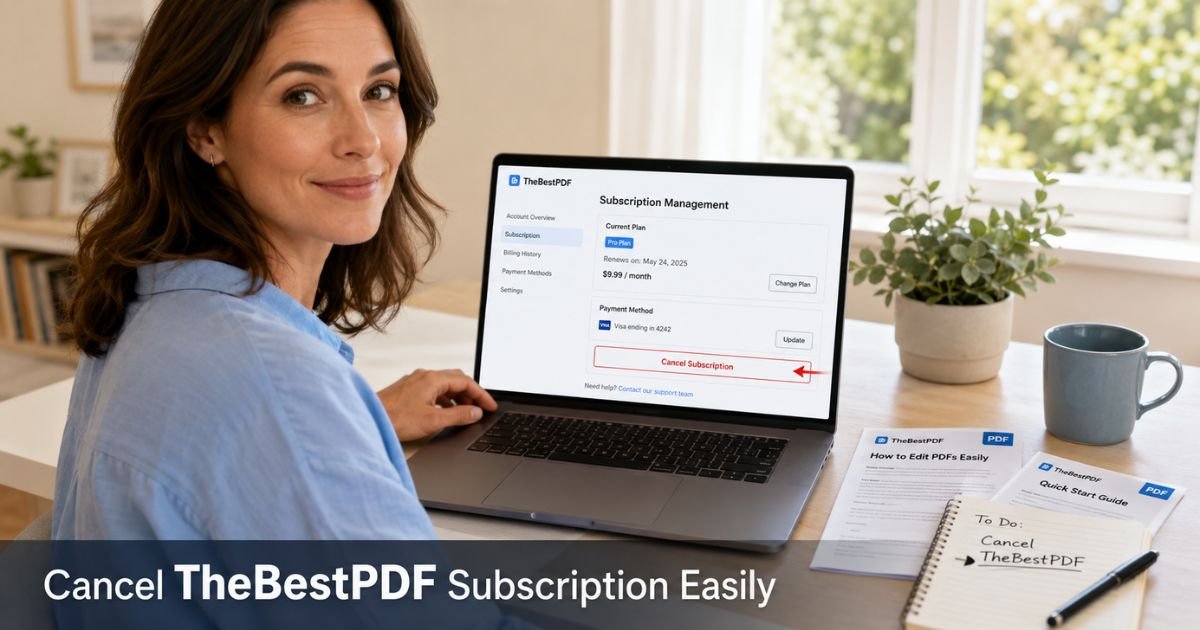
- Go to thebestpdf.com and log into your account using the email tied to the subscription.
- Look for Account, Settings, Profile, or My Subscriptions in the menu or dashboard.
- Find your active plan and click Manage or any button that mentions billing or subscription.
- Select the option to cancel subscription and follow the on-screen prompts.
- Take screenshots of every screen, especially the confirmation page.
If you do not see a clear cancel button, move straight to the next section. Do not wait until the day before renewal. The company requires cancellation at least 24 hours before the next billing date.
What to Do When the Cancel Button Is Missing or Not Working
A lot of users report the same issue. The dashboard does not always show an obvious way to cancel. In that case, contact support directly.
Email support@thebestpdf.com with a clear subject line such as “Request to Cancel TheBestPDF Subscription Immediately.”
In the body include:
- The email address on your account
- The last four digits of the card used (if known)
- The date you want the cancellation to take effect
- A polite but firm request for written confirmation within 24 hours
Save every email and any reply you receive. If you do not hear back within one business day, send a short follow-up. Many people succeed once they have a written confirmation from support.
Pro Tip: Set a calendar reminder for the day after you request cancellation. Check your email and bank app that morning. Quick follow-up often prevents the next charge from processing.
Real-Life Example: How Rachel Stopped Her TheBestPDF Charges
Rachel, a freelance writer in Portland, needed to compress a client PDF one afternoon. She paid the small $0.95 fee shown at checkout. Seven days later she noticed a $39.95 charge on her card.
She logged into her account but could not find any cancel button in the settings. She emailed support@thebestpdf.com the same evening with screenshots and her account details.
Support replied the next day confirming the cancellation. Rachel also called her credit card company to dispute the recent charge as services not as described.
Within two weeks the refund appeared and no further charges hit her card. She kept every email and screenshot just in case.
What Happens After You Cancel TheBestPDF Subscription
Cancellation stops future billing once processed. You may still see one final charge if it was already in progress.
Here is a quick reference table to help you stay organized:
TheBestPDF Cancellation Quick Reference
| Phase | What to Do | Expected Timeframe | Why It Matters |
|---|---|---|---|
| Immediate | Log in, cancel if possible, or email support | Same day | Starts the official process |
| Within 24 hours | Save all screenshots and confirmation emails | Right after request | Creates proof for disputes |
| 3–7 business days | Check bank or card statements | After confirmation | Catch any pending charges early |
| 7–10 business days | Watch for refund if one was approved | After cancellation | Refunds are not automatic |
| If charges continue | Contact your bank for a dispute | As soon as you notice | Protects you from repeated billing |
Common Mistake: Waiting until the last day of the trial or billing cycle to cancel. Processing can take time, and you may still get charged for the next period. Always cancel at least 48 hours early and confirm you received written approval.
Another frequent slip is assuming the job is done after one email. Without a clear confirmation and continued monitoring, charges can slip through.
How to Protect Yourself from Future TheBestPDF Billing Issues
Once you cancel TheBestPDF subscription, take these extra steps to stay safe:
- Check your statements for the next two billing cycles.
- Consider using a virtual card number for any future online tools.
- Review the full terms before trying any new PDF or document service.
- Keep a simple folder on your computer with cancellation emails from every subscription.
These small habits make a big difference when dealing with automatic renewals.
FAQs About TheBestPDF Cancel Subscription
Q: How do I cancel my TheBestPDF subscription?
Log into your account at thebestpdf.com and check the settings or subscription section for a cancel option. If nothing appears, email support@thebestpdf.com immediately with your account details and request written confirmation. Act at least 24 hours before your next billing date.
Q: Can I get a refund after canceling TheBestPDF?
Many users receive refunds when they cancel quickly and keep good records. Refunds are not guaranteed and depend on the company’s review of your account. The sooner you request it and follow up, the better your chances.
Q: What should I do if TheBestPDF keeps charging me after I cancel?
Follow up with support@thebestpdf.com and attach your cancellation confirmation. If charges continue, contact your bank or credit card issuer right away to dispute them as recurring billing after cancellation. You can also ask for a stop payment on that merchant.
Conclusion
You now have a clear plan to cancel TheBestPDF subscription and stop unwanted charges. Start by logging into your account today. If the cancel option is not obvious, email support right away and keep every confirmation. Monitor your statements closely for the next couple of cycles and dispute anything that should not be there.
Taking these steps puts you back in control of your money. Many people have successfully ended their TheBestPDF billing this way. You can too.
Disclaimer: This content is for informational and educational purposes only and does not constitute professional, financial, legal, or medical advice. The information provided may not apply to your specific situation. Always consult a qualified professional for personalized guidance.