How to Cancel Artlist Subscription? [Step by Step]

You signed up for Artlist because the royalty-free music and footage library made your video projects faster and better. Now the annual renewal is approaching and you are wondering if you still need it. Many creators reach this point and want a straightforward way to stop the next charge.
If you are searching for how to cancel Artlist subscription without any runaround, you are in the right place. This guide gives you the exact steps from Artlist’s own help center, explains what happens to your access and licenses afterward, and shows you how to handle any hiccups.
Why Creators Cancel Their Artlist Subscription
Creative needs change over time. Some people finish big projects and take a break. Others find free alternatives or switch to different stock libraries. Here are common reasons people choose to cancel:
- The yearly cost no longer fits their current workflow or budget.
- They finished a major client project and do not have new videos planned right away.
- They want to test other platforms or go back to creating without stock assets for a while.
- They simply want to reduce the number of recurring subscriptions.
Whatever your situation, Artlist makes it possible to cancel the renewal at any time through your account.
How to Cancel Artlist Subscription in Your Account Dashboard
Artlist designed the process to be self-service so you can handle everything yourself in just a few minutes. Here are the official steps:
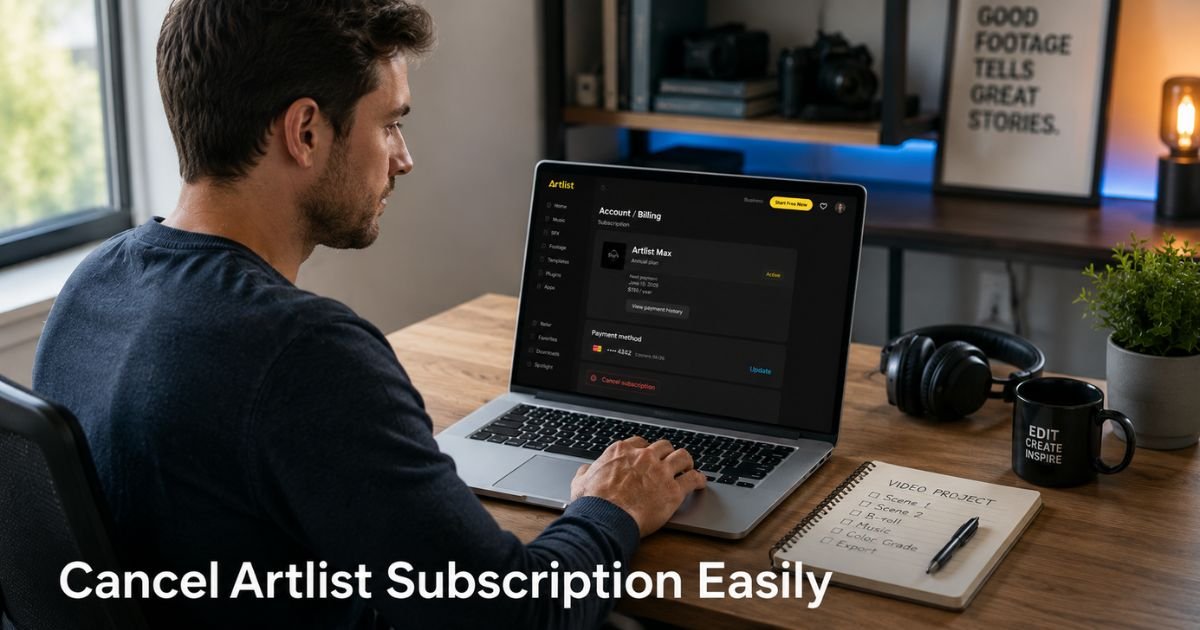
- Log into your Artlist account at artlist.io.
- On the homepage, click the Toolkit area and then select the Avatar icon in the top right.
- In the dropdown menu, choose My Account.
- Click on the Billing tab.
- Scroll to the payments section, click the more icon (three dots), and select Subscription details.
- In the window that opens, click Cancel renewal.
- Choose your reason for canceling and follow the prompts to confirm.
Once you complete these steps, you will see a confirmation that your renewal has been canceled. Your plan stays active until the end of the current billing period, and you will not be charged again.
Pro Tip: Take a screenshot of the confirmation screen and save the email Artlist sends you. Having proof makes it easy to resolve any billing questions later.
What Happens After You Cancel Your Artlist Subscription
Canceling stops future renewals. You keep full access to the library and can still download assets until your current paid period ends. After that date, two important things change.
First, no new charges appear on your card or PayPal. Second, your license to use previously downloaded assets in new projects ends when the plan expires. Projects you already published while the subscription was active usually remain covered.
Artlist Cancellation Timeline and What to Expect
| Stage | What Happens | Timeframe |
|---|---|---|
| Cancel Renewal | Future billing stops | Immediate |
| Current Access | Full access to download and use assets | Until end of paid period |
| New Projects | License no longer covers new projects | After subscription expires |
| Existing Published Work | Usually stays protected (check Clearlist) | Ongoing |
| Refunds | Only possible within 14 days if no assets used | Strict 14-day window |
Artlist’s policy is clear: refunds are available only for payments made in the last 14 days and only if you have not downloaded, generated, or used any assets.
If you are outside that window, you generally will not receive a refund, but you can still use the service until the end of the period you paid for.
A Real-Life Example
Take Jordan, a freelance video editor who runs a small YouTube channel about travel. He signed up for the annual Artlist plan during a busy season of client work. Six months later his schedule slowed down and he realized he would not use the library much for the rest of the year.
Jordan followed the dashboard steps on a Tuesday morning, canceled the renewal, and received instant confirmation. He continued downloading music for one final client video before his access ended. When the year was up, he simply did not get charged again.
The process took less than five minutes once he found the right menu.
Common Mistake: Many creators assume that canceling the renewal immediately cuts off access. In reality, you keep everything until the end of your current billing cycle. Always note your exact expiration date so you can plan your final downloads.
What to Do If the Dashboard Gives You Trouble
Sometimes the interface can feel glitchy or the buttons do not respond right away. If that happens, try these steps:
- Log out completely, clear your browser cache, and log back in.
- Try a different browser or switch between desktop and mobile.
- Search your email for “Artlist” and look for any recent billing or account emails that contain a direct link to your subscription.
If nothing works, email Artlist support at support@artlist.io. Include your account email, the last four digits of your payment method, and a short note that you want to cancel renewal. They usually respond quickly and can process it for you.
FAQs About How to Cancel Artlist Subscription
Q: Can I get a refund if I cancel my Artlist subscription?
Artlist offers refunds only within 14 days of a payment and only if you have not downloaded or used any assets. If you are past the 14-day window or have already used the library, refunds are generally not available. You can still cancel the renewal at any time and keep access until the end of your current billing period.
Q: What happens to my downloaded Artlist files after I cancel?
You can continue using assets you downloaded while your subscription was active in projects you publish before the plan expires. Once your subscription ends, the license no longer covers those assets in any new projects. Make sure important projects are added to your Clearlist while the plan is still active.
Q: Can I resubscribe to Artlist later if I change my mind?
Yes. You can sign up again anytime after your current plan ends. Your previous downloads and projects will still be in your account history, but you will need an active subscription to download new assets or maintain licensing for new work.
Conclusion
Canceling a subscription you no longer need is one of the simplest ways to take control of your creative business finances. Artlist made the process straightforward through the account dashboard, and you now have every step plus backup options if anything feels off.
Take a few minutes today, follow the steps, and get that confirmation. You will feel lighter knowing exactly where you stand with your tools and your budget.
Disclaimer: This content is for informational and educational purposes only and does not constitute professional, financial, legal, or medical advice. The information provided may not apply to your specific situation. Always consult a qualified professional for personalized guidance.