

You signed up for Primal Queen hoping the beef organ supplements would give you more energy or better balance. A few months later the recurring shipments and charges no longer fit your routine or budget.
Many women find themselves in the same spot and simply want an easy way to stop the auto-ship. If you are looking for how to cancel Primal Queen subscription without frustration, this guide has you covered.
We walk through the official online portal, the reliable email method, what happens after you cancel, and how to protect yourself with their 365-day guarantee.
Why Many Women Choose to Cancel Primal Queen
Subscriptions make life convenient at first, but needs change. Here are common reasons readers decide to end their Primal Queen auto-ship:
- The cost adds up over time, especially with every-1-month or every-3-month deliveries.
- They no longer notice the benefits they expected or prefer other wellness approaches.
- Life got busy and the unopened bags started piling up.
- They want to pause spending while they reassess their supplement routine.
Whatever your reason, you have full control. Primal Queen makes it possible to cancel, pause, or skip shipments through their online tools.
How to Cancel Primal Queen Subscription Online
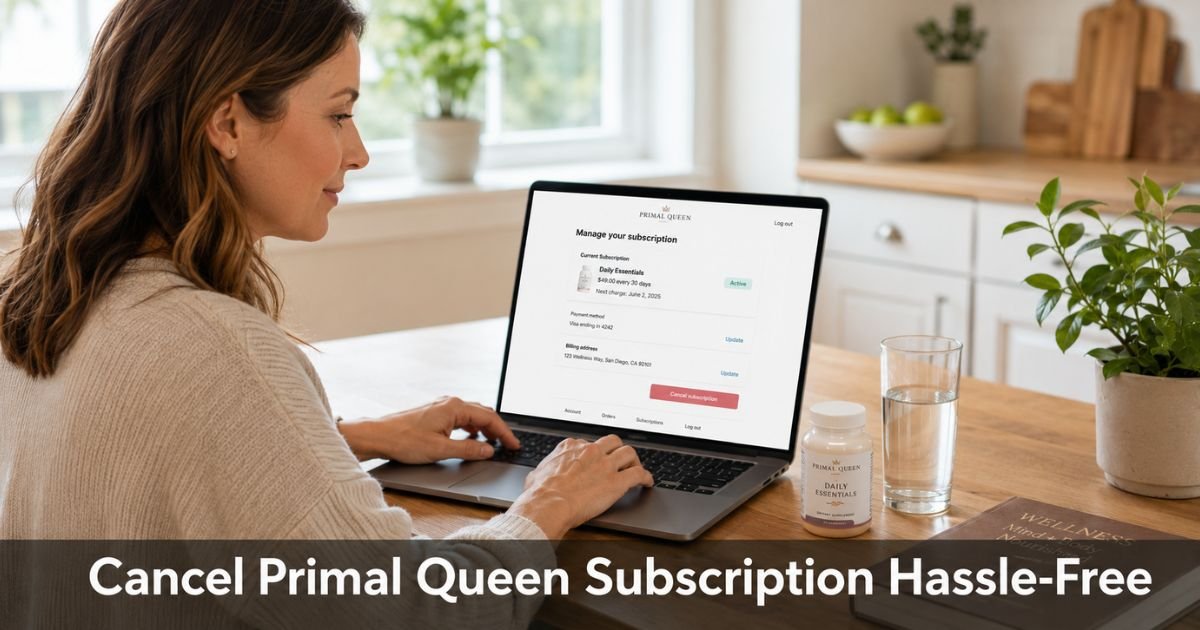
The company promotes an easy online portal for managing your subscription. Most people can cancel, pause, or skip a shipment in just a few clicks once they reach the right page.
Follow these steps:
- Check your email inbox (and spam folder) for any order confirmation or shipping notice from Primal Queen. Look for a link that says “Manage Subscription,” “Manage My Account,” or similar.
- Click the link. It should take you directly to your subscriber portal.
- Log in with the email address you used when you placed the order.
- Locate your active subscription and select the option to cancel subscription (or pause/skip if you want to keep the door open for later).
- Follow the prompts and confirm your choice. You should receive an immediate confirmation email.
If the link in your email does not work or you cannot find it, go to primalqueen.com and look for account or subscription management options near the bottom of the page or in the footer.
Some users report the portal link can occasionally appear blank, so do not worry. The next method always works.
Cancel Primal Queen Subscription by Email
When the portal gives you trouble or you simply prefer written records, email is fast and effective. Many customers report quick, friendly responses.
Send a message to support@primalqueen.com with these details:
- Your full name and the email tied to the subscription
- Your most recent order number
- A clear request: “Please cancel my Primal Queen subscription effective immediately and confirm in writing that no further shipments or charges will occur.”
You can also ask them to pause instead of fully cancel if you might want to restart later. Keep a copy of the email you send and the reply you receive.
Pro Tip: Before you contact support or use the portal, have your order number handy and know which plan you are on (1-month or 3-month). This helps the team locate your account instantly and reduces back-and-forth.
What Happens After You Cancel Your Primal Queen Subscription
Once cancellation goes through, future auto-shipments and charges stop. You keep any product you already received. Primal Queen advertises a 365-day money-back guarantee, which many customers use successfully for returns even after canceling.
Primal Queen Cancellation Timeline and What to Expect
| Stage | What Usually Happens | Typical Timeframe |
|---|---|---|
| Cancellation Request | Confirmation email arrives | Same day or within 24 hours |
| Future Shipments | No more automatic deliveries | Immediately stops |
| Billing | Recurring charges end | Next scheduled date |
| Returns & Guarantee | You may return product under 365-day policy | Up to 365 days from receipt |
| Final Confirmation | Written proof that subscription is closed | Usually within 1–2 days |
Always double-check your next credit card statement to confirm billing has truly stopped.
Common Mistake: Some readers assume the portal link will work perfectly every time or that requesting cancellation ends everything instantly. Always ask for written confirmation and check your statement the following month. A quick verification saves headaches later.
Quick Tips for a Smooth Experience
- Search your email for “Primal Queen” and “manage subscription” if you cannot remember the exact link.
- You can often pause or skip one shipment instead of canceling completely if you just need a break.
- Keep screenshots of the confirmation page or email in case any issue arises.
- Review the current 365-day guarantee details when you contact support, because return windows and conditions can have specific rules.
FAQs About How to Cancel Primal Queen Subscription
Q: Can I pause my Primal Queen subscription instead of canceling it completely?
Yes. The online portal usually lets you pause or skip upcoming shipments without ending the subscription. This keeps your account active so you can restart later with one click. If the portal option does not appear, simply email support@primalqueen.com and request a pause. Many women use this flexible option when life gets hectic.
Q: Will I still get charged after I cancel my Primal Queen subscription?
No. Once your cancellation is processed, future recurring charges stop. You will not be billed for shipments that have not yet been sent. Always save the confirmation email and check your statement the next month to be sure everything updated correctly on their end.
Q: Can I get a refund after canceling under the 365-day guarantee?
Primal Queen advertises a 365-day money-back guarantee. You can typically request a return or refund for product received within that window, even after canceling the subscription. Contact support@primalqueen.com with your order details and ask about the current return process. Policies can have specific conditions, so confirm the details directly with them before shipping anything back.
Conclusion
Canceling a subscription that no longer serves you is a simple act of taking back control of your time and money. Whether you use the online portal or send a quick email to support@primalqueen.com, you now have a clear path forward. Grab your order number, follow the steps that feel easiest, and get that confirmation in writing.
You deserve subscriptions that actually fit your life. Once this one is handled, you can focus on the wellness habits that truly support you right now.
Disclaimer: This content is for informational and educational purposes only and does not constitute professional, financial, legal, or medical advice. The information provided may not apply to your specific situation. Always consult a qualified professional for personalized guidance.





