
How to Cancel Pawfy Subscription? [Step by Step]

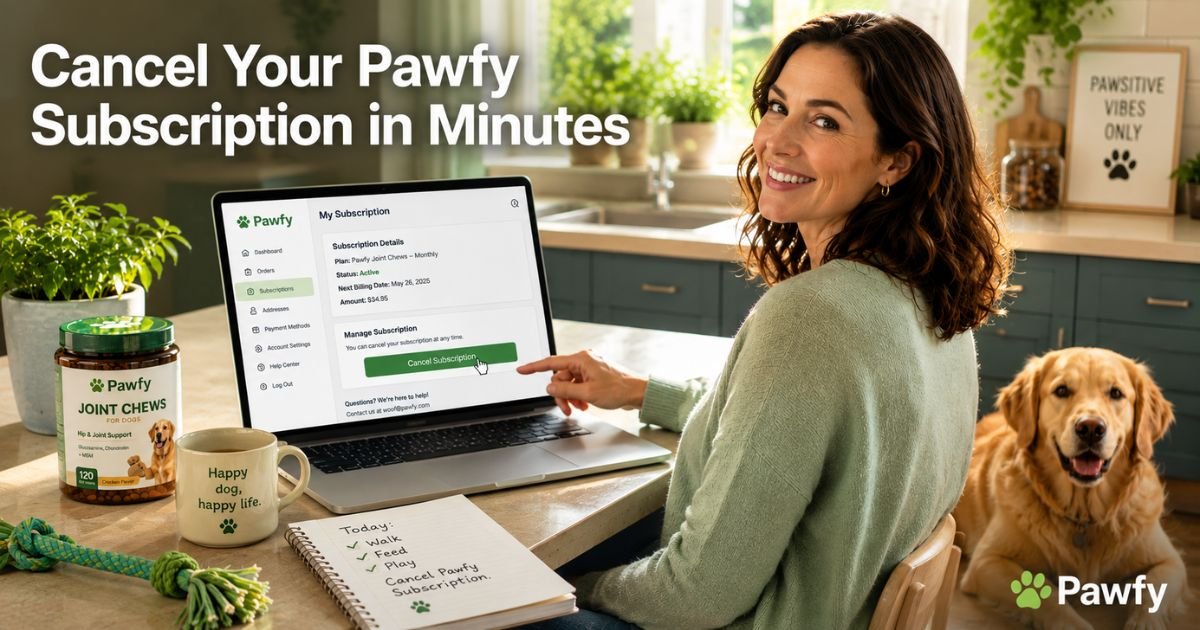
You grabbed Pawfy chews for your dog’s joints or allergies thinking they’d be a game-changer, but now the auto-refills keep arriving and the charges are stacking up. If you’re wondering exactly how to cancel Pawfy subscription without the stress, you’re in the right place.
The good news is Pawfy makes it possible to stop anytime with no long contracts. You can handle most of it yourself through their simple portal or a quick message to support.
You’ll get clear click-by-click steps, what happens after you cancel, refund options, and practical tips to make the process smooth.
What Is a Pawfy Subscription?
Pawfy offers tasty, vet-formulated chews for dogs covering joint support, allergies, probiotics, and more. Their subscription model automatically ships fresh jars on your schedule so your pup never runs out.
It’s super convenient when the supplements work well, but sometimes life changes and you want to pause or stop completely.
The best part? There’s no long-term commitment locking you in. You can cancel Pawfy subscription whenever it no longer fits your dog’s needs or your monthly budget.
Why People Cancel Pawfy Subscription
Dog owners cancel Pawfy subscription for all kinds of valid reasons. Maybe your pup finished the recommended course, you switched to a different brand, or the cost no longer fits the household budget.
Common reasons include:
- Your dog’s symptoms improved and ongoing refills aren’t needed
- You found a cheaper or local alternative
- The chews didn’t deliver the results you hoped for
- You simply want to cut back on recurring pet expenses
Whatever your reason, Pawfy lets you end service easily without penalties. Many customers just outgrow the need or try something new.
Take a 36-year-old graphic designer and proud mom to a 7-year-old labrador named Max. After four months of Pawfy joint chews, Max’s mobility improved but the extra jars were piling up in the pantry.
She decided it was time to cancel Pawfy subscription to free up her budget for his annual vet check-up instead. She used the portal and felt instant relief knowing future shipments were stopped.
How to Cancel Pawfy Subscription: Step-by-Step
Canceling takes just a couple of minutes when you use the official subscription tool. Here’s exactly what to do:
- Grab the original order confirmation email from Pawfy.
- Go to the subscription access page here: https://pawfy.com/tools/recurring/get-subscription-access.
- Enter the email address you used when you placed the order.
- Click the link they send you (or log in if you already have an account).
- Find and click the “Cancel Subscription” option.
- Confirm your choice and you’re done.
If you prefer, head to the Contact Us page at pawfy.com/pages/contact-us, select “Cancel Subscription” from the form, pick your reason, and submit. Or simply email care@pawfy.com with your order number and a clear request to cancel.
You can also reply to any reminder texts with commands like “Modify Order” to skip just the next delivery without fully canceling.
Canceling Through Your Account or App
If you have a Pawfy account:
- Visit pawfy.com and log in at the top right.
- Go to your account dashboard.
- Look for “Subscriptions,” “Orders,” or “Manage Subscriptions.”
- Select the one you want to end and follow the prompts to cancel.
This works great for anyone who created an account during checkout.
Pro Tip: Screenshot the confirmation page and save the email receipt right away. Store them in a folder called “Pawfy” so you have quick proof if any questions pop up later.
What Happens After You Cancel Pawfy Subscription?
Once you cancel:
- Future automatic shipments stop right away
- You keep any unshipped or already-paid jars you have on hand
- Your subscription status changes to inactive
- No more charges hit your card unless you restart later
If you ordered recently and want a refund, you have up to 60 days from purchase to return unopened items. Just reach out to support and they’ll guide you through the return process.
Pawfy Cancellation Options at a Glance
| Method | Time Required | Best For | What You Need |
|---|---|---|---|
| Subscription access portal | 2 minutes | Fastest and most direct | Order email address |
| Contact Us form | 3–5 minutes | When portal link is missing | Order number + email |
| Email care@pawfy.com | 5 minutes | Detailed requests | Order details |
| Account dashboard | 2 minutes | Logged-in users | Your Pawfy login |
| Text reply to reminders | Instant | Skipping one shipment | Phone number on file |
This table helps you pick the quickest route based on your situation.
Some customers mention slower email replies or needing to provide a reason for canceling. That’s why having your order email ready makes everything faster.
Common Mistake: Deleting the reminder texts or ignoring the portal link without actually canceling through the official tool. Charges can continue because the subscription stays active in their system. Always confirm in writing and save the proof.
Another easy slip is waiting past the 60-day return window and missing out on a possible refund. Act early so you don’t miss any options.
Tips for a Smooth Cancellation Experience
Double-check your bank or credit card statement a few days after canceling to confirm the recurring charge is gone. If you don’t hear back from support within a couple of business days, send one polite follow-up email to care@pawfy.com.
Many pet parents also take this moment to review their dog’s overall wellness routine. You might decide to try whole-food toppers or a different supplement brand that better matches your pup’s current needs.
Keep any remaining chews and finish them safely before starting something new.
Alternatives After Canceling Pawfy Subscription
Once you cancel Pawfy subscription, you have lots of choices. Some owners switch to single-purchase jars from the site, while others explore vet-recommended foods or over-the-counter options at the pet store. Whatever path you pick, the important thing is choosing what feels right for your dog and your wallet.
FAQs About How to Cancel Pawfy Subscription
Q: How long does it take to cancel Pawfy subscription?
You can cancel Pawfy subscription in under two minutes using the portal at pawfy.com/tools/recurring/get-subscription-access. Just enter your order email, follow the link, and click cancel. The contact form or email to care@pawfy.com works too, though it may take a day or two for full confirmation.
Q: Can I get a refund after canceling my Pawfy subscription?
Yes, you qualify for a refund if you return unopened items within 60 days of purchase. Contact support via the form or care@pawfy.com with your order number for help. Canceled subscriptions stop future charges right away, but the current paid period is usually non-refundable unless you meet the return window.
Q: What if I only want to pause or skip one Pawfy order instead of fully canceling?
Use the subscription portal to change your delivery frequency or reply “Modify Order” to any reminder text. This keeps your subscription active for later while giving you breathing room without a full cancellation.
Conclusion
Canceling your Pawfy subscription puts you back in charge of your pet spending and gives you the freedom to choose what works best for your dog right now.
With the straightforward portal, helpful contact form, and 60-day return policy, you can stop shipments confidently and without stress.
Take a deep breath, grab that order email, and click through the portal.
Disclaimer: This content is for informational and educational purposes only and does not constitute professional, financial, legal, or medical advice. The information provided may not apply to your specific situation. Always consult a qualified professional for personalized guidance.





