Unknown Amazon Charge on Debit Card [How to Stop It]


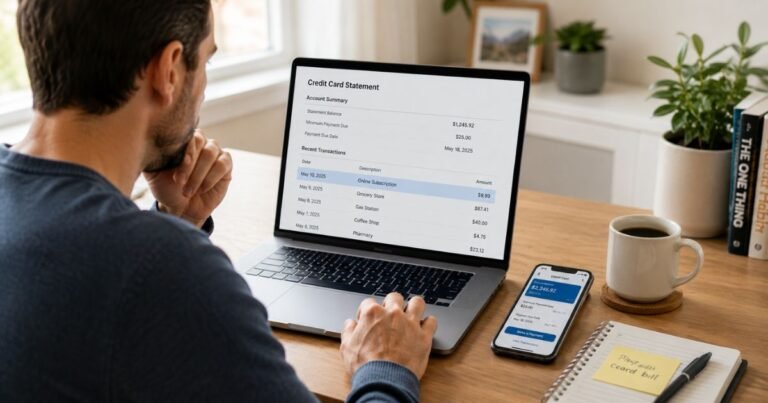
Opening your banking app and seeing an unfamiliar Amazon charge on debit card can feel alarming. Because debit cards pull money straight from your account, these charges have an immediate impact, unlike credit cards.
The good news is that most “unknown” Amazon charges have straightforward explanations. They’re often subscriptions you forgot about, digital purchases, family member activity, or temporary authorization holds.
In some cases, they result from unauthorized use of your card details. This guide walks you through exactly how to investigate the charge, what the common descriptors mean, and the fastest way to resolve it.
Quick Answer
An unknown Amazon charge on debit card is usually tied to a Prime subscription, digital content (Kindle, video, music), a past or split order, an Amazon Pay purchase on another site, or a temporary authorization hold.
Log into Amazon.com right away and check Your Orders, Digital Orders, Memberships & Subscriptions, and Your Transactions. If nothing matches, contact Amazon support immediately. For confirmed fraud on a debit card, notify your bank the same day.
What Does an Amazon Charge on Debit Card Usually Mean?
Amazon uses many different descriptors on bank statements because purchases can come from Amazon.com itself, third-party Marketplace sellers, digital services, Amazon Pay on other websites, or subscriptions.
The charge might appear days or even weeks after the actual activity, especially with split shipments or digital renewals.
Common Amazon Descriptors on Bank Statements
Here are the most frequent ways Amazon charges show up (based on Amazon’s own help documentation):
| Descriptor Example | What It Typically Means |
|---|---|
| AMZ*Prime or AMAZON PRIME | Amazon Prime membership (monthly or yearly) |
| AMZN.COM/BILL or Amazon.com | Regular Amazon.com purchase |
| AMAZON MKTPLACE PMTS or AMZN Mktp US *code | Third-party seller purchase on Amazon Marketplace |
| Amazon Digital Svcs | Digital items (Kindle books, Prime Video, music, apps, games) |
| Amazon.com*PMT SVC | Amazon Pay purchase made on a third-party website |
| AmazonFresh | Amazon Fresh grocery order |
| Amazon Retail LLC | Amazon Books or certain retail purchases |
Some banks also show partial codes or “amzn.com/bill” after the name.
Why You Might See an Unknown Amazon Charge
Common reasons include:
- Auto-renewing subscriptions: Prime, Kindle Unlimited, Audible, or add-on channels you signed up for and forgot.
- Digital purchases: Someone bought a book, movie, game, or app using a saved payment method.
- Authorization holds: Amazon checks with your bank before shipping. These can appear as pending charges and later drop off or convert to the real charge.
- Split or delayed shipments: One order ships in multiple parts on different days.
- Amazon Pay on other sites: You (or someone with your card) used Amazon login to pay elsewhere.
- Family or shared access: Household members, Amazon Household sharing, or saved card details used by others.
- Unauthorized or fraudulent use: Someone obtained your card number and placed an order (they can create an Amazon account with it even if you don’t have one).
How to Investigate the Charge: Step-by-Step
Follow these steps in order:
- Log into your Amazon account at Amazon.com (use the same email you normally use).
- Go to Your Orders and search by date and amount.
- Click Digital Orders (or filter for digital) to check Kindle, video, music, or app purchases.
- Go to Memberships & Subscriptions and review all active services.
- Visit Your Transactions (under Payments) for a full list of charges tied to your saved payment methods.
- Check every saved payment method in Your Account → Payment options.
If the charge matches any activity, note the order number or subscription name. Most issues end here.
What to Do If You Don’t Recognize the Charge
If nothing appears in your Amazon account:
- Use Amazon’s Help & Contact page (while logged in) or call 1-888-280-4331. Ask specifically for the billing or “unknown charges” team. Have the exact date, amount, and descriptor ready.
- Amazon can often locate charges even when they don’t immediately show in your visible order history.
- If the charge is clearly fraudulent (you have no Amazon account or never authorized it), request they close any associated account and refund the amount.
- For debit card charges, contact your bank or credit union the same day you confirm it’s unauthorized. Under U.S. Regulation E, reporting quickly limits your liability (often $0–$50 if reported within two business days).
Important for debit cards: The money is already gone from your account. The sooner you report it to both Amazon and your bank, the faster you can get it back and stop further attempts.
Special Considerations for Debit Card Charges
- Debit card disputes follow different rules than credit cards. Act fast.
- Your bank may issue a provisional credit while investigating, but you’ll need to provide details.
- Consider asking your bank to block future Amazon transactions temporarily or issue a new card number while you sort it out.
- Amazon generally handles legitimate billing issues well when you contact them first through official channels.
How to Prevent Future Unknown Amazon Charges
- Enable two-step verification (2FA) on your Amazon account immediately.
- Review and remove any saved payment methods you don’t use regularly.
- Check Memberships & Subscriptions every few months.
- Use virtual card numbers or single-use cards for online shopping when possible.
- Turn on transaction alerts in your banking app for any Amazon activity.
- If you share Prime or devices with family, set up proper Amazon Household sharing instead of sharing login details.
Common Mistakes to Avoid
Many people panic and dispute the charge with their bank before checking their Amazon account. This can create extra work if the charge is legitimate.
Others ignore small recurring charges until they add up. A forgotten $14.99 monthly subscription or digital channel can quietly drain an account over months.
Waiting even a few days on a debit card charge can slow down the refund process.
FAQs About Unknown Amazon Charge on Debit Card
Q: Why is Amazon charging my debit card if I don’t have an Amazon account?
Fraudsters sometimes use stolen card details to create new Amazon accounts. Amazon support can usually trace these and help reverse the charges when you report them promptly.
Q: Is an Amazon authorization hold the same as a real charge?
No. Authorizations are temporary holds Amazon places to verify your card. They often appear as pending and may drop off completely or convert to the actual charge once the order ships.
Q: How long do I have to dispute an unknown Amazon charge on a debit card?
Report it to your bank as soon as possible. Under federal rules, you generally have up to 60 days from the statement date, but acting within 2 business days gives you the strongest protection and fastest resolution.
Q: Can I get a refund if the charge doesn’t show in my Amazon orders?
Yes. Contact Amazon support with the charge details. They can investigate across their systems and often issue refunds for unauthorized activity even if it doesn’t appear in your normal order history.
Conclusion
An unknown Amazon charge on debit card statements is frustrating but usually explainable once you check your Amazon account thoroughly. Start with Your Orders, Digital Orders, and Subscriptions, most charges match something there.
If nothing appears, reach out to Amazon support right away, then contact your bank the same day for debit card protection. Taking these steps quickly resolves the vast majority of cases and helps prevent repeat issues.
Disclaimer: This article is for informational purposes only and is not affiliated with Amazon or any bank. Always verify transactions through official Amazon and banking channels. Dispute processes and timelines can vary by financial institution and location. Information is current as of July 2026.