
PMUSA Charge on Credit Card [What It Means]

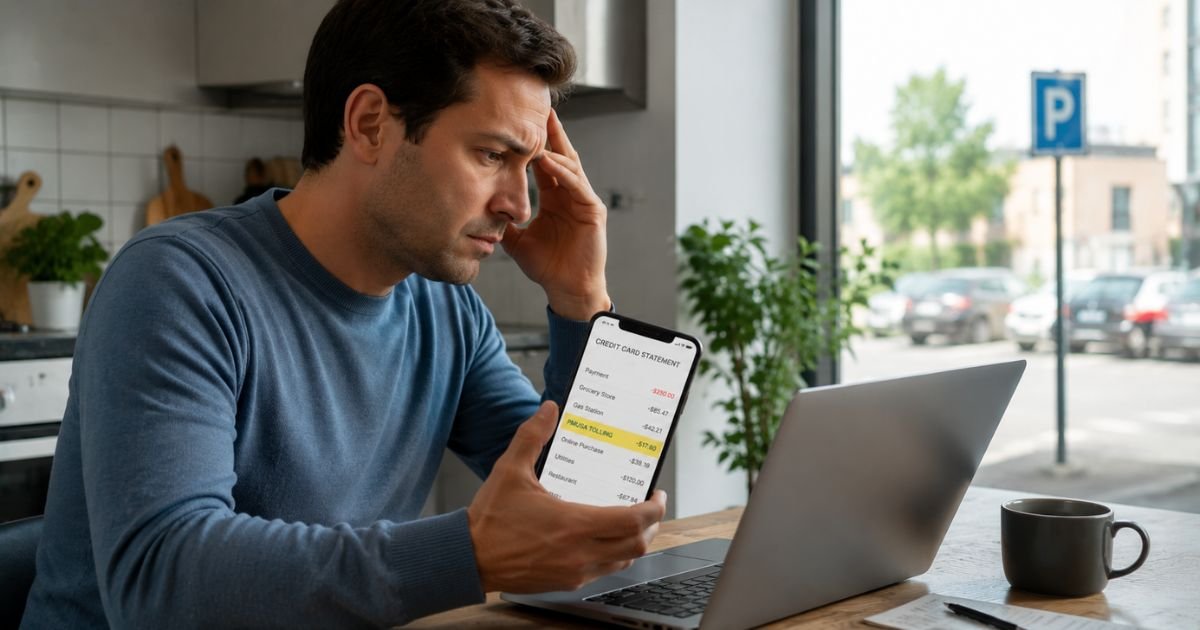
Spotting an unfamiliar charge labeled “PMUSA” on your credit card statement can be unsettling. You might wonder if it’s a mistake, a subscription you forgot about, or something more serious.
In most cases, a PMUSA charge on credit card statements comes from ParkMobile USA, a widely used mobile app that lets people pay for parking and some tolls without using meters or coins.
The abbreviation is simply how the payment processor shortens the company name on statements.
This guide explains exactly what triggers these charges, how to check whether the transaction is legitimate, and what to do if you don’t recognize it.
Quick Answer
A PMUSA charge on credit card is typically a legitimate payment to ParkMobile USA for parking sessions, session extensions, toll payments, wallet auto-reloads, or monthly membership fees. The descriptor often includes “TOLLING,” “ATLANTA GA,” or “PARKING.”
Verify the charge in the ParkMobile app or account first. Contact their support at 877-727-5457 if anything looks wrong.
What Is a PMUSA Charge on Credit Card?
ParkMobile is a mobile parking platform used in more than 600 cities, airports, universities, stadiums, and private garages across the United States.
Instead of feeding coins into a meter, you use the app to start a parking session, extend time remotely, or pay for certain tolls.
The company processes payments centrally, which is why the descriptor on your statement usually shows “PMUSA” plus a location or type, even if you parked in a completely different city.
Common Variations of the PMUSA Descriptor
Banks and processors shorten merchant names, so the same company can appear in several ways:
| Descriptor | What It Usually Means | Typical Amount Range |
|---|---|---|
| PMUSA | General ParkMobile parking or wallet activity | $2 – $50 |
| PMUSA TOLLING | Electronic toll payment (often delayed) | $1 – $30 + small fee |
| PMUSA ATLANTA GA | Processed through ParkMobile’s Atlanta HQ | Varies |
| PMUSA PARKING | Standard zone or garage parking session | $5 – $40 |
| PMUSA PHILADELPHIA | Processed through secondary facility | Varies |
These are all the same legitimate merchant.
Why Did You Get a PMUSA Charge?
Most PMUSA charges appear for one of these reasons:
- You (or someone with access to your card) used the ParkMobile app to pay for parking.
- You extended a parking session from your phone.
- Your ParkMobile Wallet auto-reloaded.
- You have a paid membership (ParkMobile Go at $3.99/month or ParkMobile for Business at $8.99 per vehicle/month).
- You drove on a toll road that partners with ParkMobile (tolls can post 1–4 weeks later).
- A family member or authorized user parked using the app.
Small temporary holds (sometimes $0 or a few dollars) can also appear when you start a session. These usually drop off or convert to the final charge.
How to Verify If the PMUSA Charge Is Legitimate
Follow these steps in order:
- Open the ParkMobile app on your phone (or go to parkmobile.io and sign in).
- Tap the menu or go to “History,” “Activity,” or “Transactions.”
- Look for a session that matches the date and amount on your credit card statement.
- Check your email for any ParkMobile receipts around that date.
- Note the exact location and time shown in the app.
If the details line up with a parking session you or a family member took, the charge is legitimate. Most people simply forgot about a short stop or an extension.
What to Do If You Don’t Recognize the Charge
If nothing matches in your ParkMobile account:
- Contact ParkMobile support first. They can often look up transactions using the last four digits of your card.
Phone: 877-727-5457 (available for customer care)
Email: support@parkmobile.io
Help Center: support.parkmobile.io (submit a ticket) - Explain the date and amount. Ask them to confirm whether the charge came from your account or was processed another way.
- If ParkMobile cannot explain it or refuses a reasonable resolution, dispute the charge with your credit card issuer. Credit card disputes must usually be filed within 60 days of the statement date under the Fair Credit Billing Act.
- For confirmed fraud (no ParkMobile account exists or you never used the service), request a new card number from your bank and monitor your account closely.
How to Prevent Unexpected PMUSA Charges in the Future
- Open the ParkMobile app and turn off auto-reload for your wallet.
- Cancel any active memberships or permits you no longer need (Classic tier is free).
- Remove your card from the app if you rarely use ParkMobile.
- Enable push notifications in the app so every session or charge sends an alert.
- Review your ParkMobile activity and credit card statements weekly, especially after travel.
Common Mistakes to Avoid
Many people jump straight to calling their bank without checking the app first. This creates unnecessary disputes and extra work.
Others ignore small recurring charges until they add up. A $3.99 monthly membership or repeated auto-reloads can quietly increase over months.
Waiting too long to dispute a charge can also limit your options, act within your card issuer’s timeframe (usually 60 days for credit cards).
FAQs About PMUSA Charge on Credit Card
Q: What does PMUSA stand for on a credit card statement?
PMUSA stands for ParkMobile USA, the U.S. company behind the popular ParkMobile parking payment app.
Q: Is a PMUSA charge legitimate or a scam?
In the vast majority of cases it is legitimate. ParkMobile is a real company used by millions of drivers. Confusion usually comes from the shortened descriptor or forgotten parking sessions.
Q: Why did I get charged by PMUSA without parking recently?
Possible reasons include an auto-reload of your ParkMobile wallet, a recurring membership fee, a delayed toll charge, or someone else using your saved payment method in the app.
Q: How do I cancel or get a refund for a PMUSA charge?
First contact ParkMobile support at 877-727-5457 or through their Help Center. They can often cancel memberships or investigate charges. For used parking sessions, refunds are limited. If support cannot resolve it, dispute the charge with your credit card issuer.
Conclusion
A PMUSA charge on credit card statements almost always points to ParkMobile, a convenient service for paying parking and some tolls by phone. In most situations the charge is legitimate and easy to verify by logging into the ParkMobile app and checking your transaction history.
If the charge doesn’t match any activity, reach out to ParkMobile support first, then dispute it with your card issuer if needed. Taking these simple steps gives you peace of mind and protects your account without unnecessary stress.
Disclaimer: This article is for informational purposes only and is not affiliated with ParkMobile, any bank, or credit card issuer. Always verify transactions directly through official channels and contact your financial institution for disputes or account-specific advice. Information is current as of July 2026 and may change.


