Mpress Charge on Credit Card [Identified]


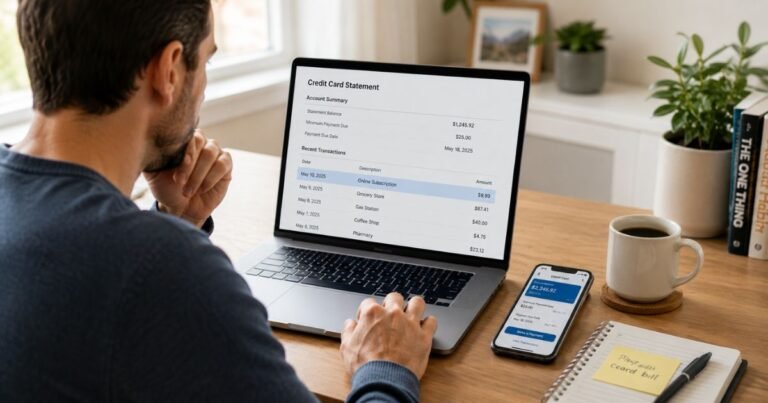
An Mpress charge on credit card can feel confusing if you don’t recall the purchase. Unfamiliar merchant names like this often turn out to be legitimate but abbreviated descriptors from a printer, app, or payment processor.
This guide explains the most common explanations, how to match the charge to your records, and the practical next steps if you still don’t recognize it.
What Is the Mpress Charge on Credit Card?
The Mpress charge on credit card is a statement descriptor that does not point to one single well-known company in every case. Consumer-help sites that track unfamiliar charges note that “Mpress” (or MPRESS) can appear for different merchants depending on the transaction.
No single business has been verified as the source of every Mpress listing.
Possible sources reported across charge-tracking pages include:
- Commercial printing or custom-print orders.
- Marketing materials, promotional products, or heat-press equipment.
- An app or digital service (one example is MPress Network, which has offered in-app subscriptions).
- A third-party payment processor used by a smaller online store or freelancer.
- Local or regional printing firms that operate under variations of the MPress name.
Because the descriptor is short, your card issuer may also display it with extra numbers, a city, or a phone-style string. The exact wording can change slightly from one statement to the next.
Unlike some subscription services that generate many public complaints, Mpress does not currently show a large volume of consistent scam reports on major review platforms.
That does not mean every charge is authorized. It simply means you need to match the date, amount, and any order confirmation before deciding what to do.
Possible Legitimate Sources
One established commercial printer operates as MPress in New Orleans (mpressnow.com).
The company offers offset, digital, and full-color printing plus mailing services. Its listed phone is (504) 524-8248. If you recently ordered business cards, marketing pieces, or similar materials, this is one place to check.
Another possibility is an app called MPress Network.
Public listings describe NFC and digital-profile features with optional auto-renewing plans (examples of pricing that have appeared include a monthly plan around $4.99 and an annual plan around $44.99).
Subscriptions of this type are managed through the Apple or Google account used for the purchase.
Other printing and marketing firms have used similar names in different states. A Missouri Press Association / Foundation payment authorization form also exists, though that uses “MPF” more often than “Mpress.”
In many cases the name is simply the descriptor chosen by a payment processor rather than the public brand of the store you visited.
How to Verify an Mpress Charge
Start with records you already control. Do not call unknown numbers that appear only on the statement until you confirm they belong to the merchant.
- Search your email (including spam and promotions folders) for receipts that match the exact date and amount. Look for words such as print, order, subscription, or MPress.
- Check your Apple App Store, Google Play, or PayPal transaction history for any recent digital purchases or trials.
- Ask any joint account holders or authorized users if they made a purchase.
- Contact your card issuer and request the full merchant details. Banks can often supply the complete name, city, and phone number that the processor provided.
| Step | What to Check | Why It Helps |
|---|---|---|
| 1 | Email receipts matching date and amount | Confirms a real order |
| 2 | App store and PayPal history | Catches digital subscriptions |
| 3 | Other card users | Rules out household purchases |
| 4 | Full merchant data from your bank | Reveals the real company name |
Keep screenshots of everything you find. Those records become useful if you later need to contact the merchant or open a dispute.
What to Do If You Recognize the Charge
If the charge matches a printing order or app subscription you authorized, contact that company directly for any questions about the amount or delivery.
For an app subscription, cancel through the same store account (Apple or Google) that processed the original purchase. Most app stores let you manage or turn off auto-renewal in the subscriptions section of your account settings.
If the charge is from a commercial printer and you need a refund or order change, use the contact information on the official website or the confirmation email you received. Policies on returns and cancellations vary by company and are not the same for every Mpress-style descriptor.
What to Do If You Do Not Recognize the Charge
Treat an unrecognized Mpress charge the same way you would treat any unfamiliar transaction.
Contact your credit-card or debit-card issuer first. Explain that you do not recognize the merchant name and ask them to open an investigation or dispute.
U.S. cardholders generally have 60 days from the statement date to dispute billing errors under federal rules, though exact windows can vary by issuer. Provide the date, amount, and any screenshots of your search efforts.
You can also ask the issuer to block future charges from that merchant descriptor while the review is underway. In some cases the bank can supply a more complete merchant name that makes the source clearer.
Do not assume the charge is fraud solely because the name looks unfamiliar. At the same time, do not ignore it. Prompt action protects your account and preserves your dispute rights.
Pro Tip: When you call your bank, have the exact statement wording, the transaction date, and the amount ready. The more precise the information, the faster the issuer can pull the full merchant record.
Common Mistakes to Avoid
Waiting too long is the most frequent problem. Dispute windows are limited, so act within a few weeks of noticing the charge. Another common error is calling a phone number that appears only on the statement without first confirming it belongs to the merchant.
Scammers sometimes place numbers that look official. Rely on the contact details your bank provides or on a verified company website.
Deleting emails before you finish investigating can also remove useful proof. Keep any order confirmations until the matter is fully resolved.
FAQs About Mpress Charge on Credit Card
Q: Is every Mpress charge on credit card fraudulent?
No. Many appear to come from legitimate printing orders, apps, or payment processors. The descriptor itself is simply hard to recognize at a glance. Match the charge to your own records before deciding it is unauthorized.
Q: Can an Mpress charge appear on a debit card?
Yes. The same merchant descriptors can show up on debit cards or prepaid cards. The verification steps are the same: check receipts, app histories, and ask the bank for full merchant details.
Q: How do I cancel a possible Mpress subscription?
First identify the exact source. If it is an app subscription, cancel through the Apple or Google account that was charged. If it is a service from a printer or other company, use the contact information on the official site or confirmation email. Your bank can sometimes supply the correct merchant phone or email once they retrieve the full record.
Q: Should I dispute the Mpress charge right away?
Search your records and request full merchant details from your issuer first. Dispute the charge if no authorized purchase or subscription can be found and the company cannot be reached or will not resolve the issue. Keep written notes of every conversation and the dates you contacted the bank.
Conclusion
An Mpress charge on credit card is most often an abbreviated or processor-chosen name rather than a clear brand. By matching the date and amount to your emails and app histories, requesting the complete merchant record from your card issuer, and disputing only after those steps, you can usually identify the source or stop an unauthorized charge.
Review statements regularly so unfamiliar descriptors surface while the evidence is still fresh.
Disclaimer: This article is for informational purposes only and does not constitute financial, legal, or professional advice. Merchant descriptors, refund policies, and dispute rights can vary by company, card issuer, and individual account. Always verify details directly with your bank or the merchant for your specific situation.