How to Cancel Tucker Carlson Subscription? [Step by Step]

Ever opened your bank statement and spotted that recurring Tucker Carlson Network charge you no longer want? You’re not alone. Thousands of subscribers decide it’s time to move on, whether the content no longer fits their schedule or they simply want to cut monthly expenses.
The good news? Canceling your Tucker Carlson subscription is straightforward once you know exactly where to look. You’ll discover the quickest ways to cancel Tucker Carlson subscription through the official website, mobile apps, and third-party platforms.
Why People Choose to Cancel Their Tucker Carlson Subscription
Life changes fast. Maybe you signed up during a promotion and now the $9 monthly or $72 yearly fee feels unnecessary. Or perhaps you’ve watched enough episodes and want to explore other news sources.
Whatever your reason, canceling Tucker Carlson subscription is your right, and the process protects you from surprise renewals.
Many members appreciate the exclusive interviews and documentaries but decide the value no longer matches their budget or interests.
Others simply want to test the waters with a free trial and then move on cleanly. Understanding your options makes the whole experience stress-free.
How to Cancel Tucker Carlson Subscription on the Official Website
The easiest and most direct method is through your TCN account at tuckercarlson.com. Here’s exactly what to do:
- Visit tuckercarlson.com/account and sign in with the email you used to subscribe.
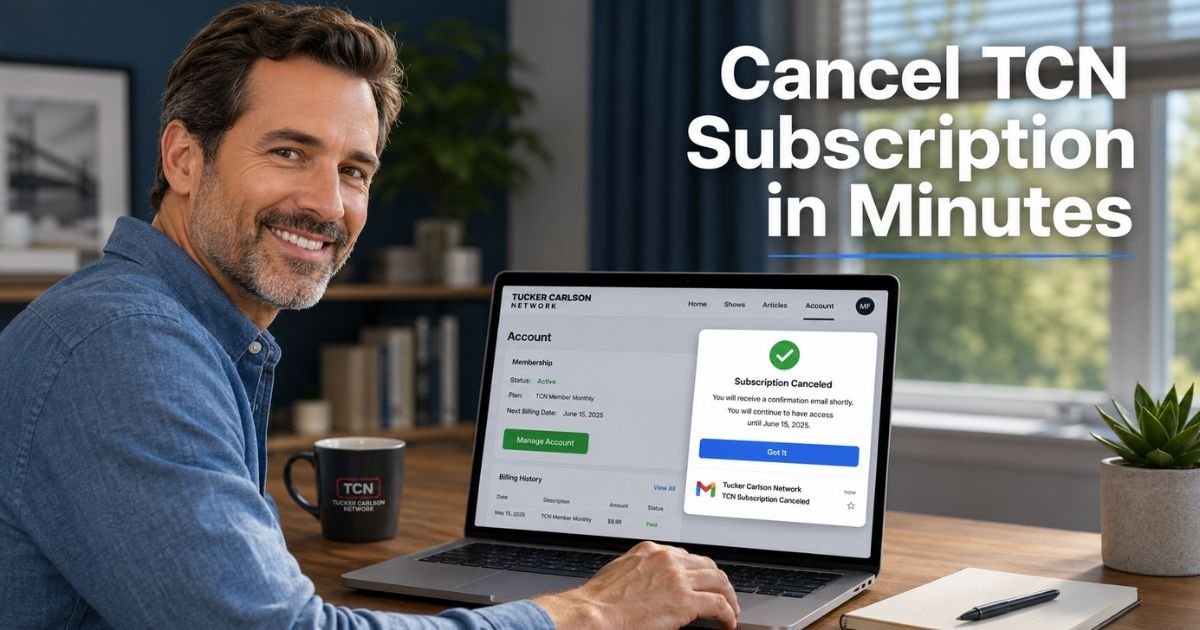
- Click the Manage Account button.
- Check your inbox (including spam) for a secure email from TCN containing a special link.
- Click the link and follow the prompts to cancel your membership.
Your subscription will stay active until the end of your current billing period. After that, access to premium content ends automatically.
Pro Tip: Always screenshot or save the confirmation email you receive after canceling. It serves as proof if any questions pop up later with your bank or credit card.
Canceling Through Mobile Apps or Third-Party Stores
Sometimes you subscribed straight from the Apple App Store, Google Play, or even Amazon. In those cases, you handle cancellation inside the store’s settings instead of the TCN website.
- Apple devices: Open Settings > tap your name > Subscriptions > select Tucker Carlson Network > choose Cancel Subscription.
- Google Play: Open the Play Store app > tap your profile > Payments & subscriptions > Subscriptions > find TCN > Cancel.
- Amazon: Go to Your Account > Manage Your Subscriptions > locate the TCN add-on > Unsubscribe.
If you’re unsure how you originally signed up, check your credit card statement for the merchant name (often “TCNetwork” or similar) or review your email receipts.
Common Mistake: Forgetting to cancel through the original store and only using the website. This leaves the auto-renewal running and you still get charged.
Real-World Example
Take a 36-year-old teacher from Texas. She signed up for the annual plan during a busy election season because she loved the in-depth interviews. Six months later, her schedule got hectic and the monthly value just wasn’t there anymore.
She went to tuckercarlson.com/account, clicked Manage Account, and received the email link within seconds. She canceled on a Tuesday afternoon and kept access through the rest of her paid year.
“It was way simpler than I expected,” she told her friends. “I just wish I’d known about the email link sooner.” Her story shows that even first-timers can handle this in under five minutes.
Cancellation Methods at a Glance
Here’s a handy table comparing the different ways to cancel Tucker Carlson subscription:
| Subscription Method | Where to Cancel | Time to Process | Notes |
|---|---|---|---|
| Direct on tuckercarlson.com | Account > Manage Account | Instant email link | Works for most web sign-ups |
| Apple App Store | iPhone Settings > Subscriptions | Immediate | No refund for current period |
| Google Play Store | Play Store > Subscriptions | Immediate | Check your Google account email |
| Amazon | Your Account > Subscriptions | Immediate | Good for Fire TV or tablet users |
This quick reference helps you pick the right path based on how you joined.
What Happens After You Cancel Your Tucker Carlson Subscription?
Once you complete the steps, your membership remains active until the current billing cycle ends. You can still watch everything you paid for during that time. After the period expires, you’ll drop back to free content only.
No refunds are issued for partial months or years, per TCN’s terms. That’s why it pays to cancel a few days before renewal if you want to avoid the next charge. You’ll also stop receiving members-only emails and live show invites.
Troubleshooting Common Cancellation Issues
Sometimes the Manage Account button doesn’t appear or the email link doesn’t arrive. First, try a different browser or clear your cache. Still stuck? Email support@TCNetwork.com with your account details. They usually respond quickly.
If you see continued charges after canceling, double-check your confirmation email and contact your bank right away. Keeping records makes disputes simple.
How to Cancel Tucker Carlson Subscription and Switch to Free Options
Good news: TCN still offers plenty of free videos, podcasts, and clips on their site and apps. After you cancel Tucker Carlson subscription, you can continue enjoying public content without paying a dime. Many people do exactly that and feel great about saving money while staying informed.
FAQs About How to Cancel Tucker Carlson Subscription
Q: How long does it take to cancel Tucker Carlson Network subscription?
Cancellation usually processes instantly once you click the link in your email. Your paid access continues until the end of the current billing cycle, whether monthly or annual. You’ll receive a confirmation email, and billing stops automatically after that date.
Q: Can I get a refund after I cancel my Tucker Carlson subscription?
Unfortunately, TCN does not offer refunds for partial periods. All sales are final according to their terms. However, you keep full access for the time you already paid for, and future charges stop right away.
Q: What if I subscribed through the TCN app on my phone?
No problem. Head to your phone’s app store settings (Apple or Google) and cancel through the Subscriptions menu. The website method won’t work for in-app purchases, so always use the store where you originally signed up.
Conclusion
Canceling your Tucker Carlson subscription doesn’t have to be complicated or stressful. With the simple steps above, you can stop billing, keep your finances on track, and decide what content fits your life best.
Remember to use the official account page or your app store settings, save that confirmation email, and check your statements one last time.
You now have everything you need to take action confidently. Go ahead and handle it today so you can move forward without any extra charges hanging over you. Your wallet will thank you.
Disclaimer: This content is for informational and educational purposes only and does not constitute professional, financial, legal, or medical advice. The information provided may not apply to your specific situation. Always consult a qualified professional for personalized guidance.