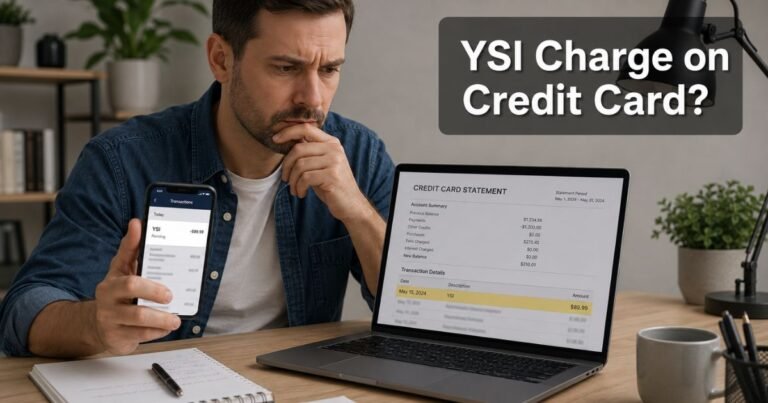
Apple Record Store Charge on Credit Card [Identified]


An Apple Record Store charge on credit card can look like you bought vinyl in another city. Most people never walked into a record shop. The line still posted.
That phrase is usually a bank category, not a storefront. It typically sits next to APPLE.COM/BILL. Apple charged your card for digital media, an app, or a subscription. You can match the amount in your Apple Account in a few minutes.
What Is an Apple Record Store Charge on Credit Card?
An Apple Record Store charge on credit card is typically an Apple Inc. payment that your issuer labeled with the Record Stores category.
Apple’s own help pages say apple.com/bill appears when you buy an app, music, movie, or other content. It also appears when a subscription renews or a family member buys something.
Your bank does not always print “App Store” or “Apple Music.” Card networks assign merchants a category code. Apple’s iTunes and media billing has long been grouped with record shops. So the statement may say RECORD STORE or RECORD SHOPS even when you bought a game item or iCloud storage.
This is not Apple Records, the Beatles label run by Apple Corps. That is a different company. A true neighborhood record store can also use the same category. Read the merchant name first. If you see APPLE.COM/BILL, start with Apple.
Apple may group several buys into one posted amount. Official billing help says your card can be charged at purchase or within a few days. One $24.97 line can be three small items plus tax.
Why the Words “Record Store” Appear
Banks have limited space. They often show Apple’s billing name plus their own category. APPLE.COM/BILL RECORD STORE is that mix.
The same Apple bill can cover music downloads, Apple Music, App Store apps, in-app purchases, movies, books, iCloud+, Apple TV+, Apple Arcade, Apple One, or AppleCare billed through your Apple Account. One user in Apple’s community even learned a Record Shops line was an AppleCare plan after support traced it.
Family Sharing can put a child’s or partner’s buy on the organizer’s card. You may never open the app that created the charge.
A pending $1.00 hold can appear when you add or update a card. That is typically an authorization, not a final purchase. It usually drops in a few days.
Common Reasons You See This Charge
A forgotten song, album, or ringtone is the simple case. Apple still sells tracks and albums through its media stores.
A monthly music plan is another frequent match. Apple told 9to5Mac in July 2026 that U.S. Apple Music Individual would be $11.99 a month, with Family and Student plans also higher. Prices and tax vary, so use your receipt, not a remembered number.
App Store and in-app buys confuse people who “only use Apple Music.” Games, photo apps, and kids’ titles often bill through the same Apple pipeline. The bank still prints Record Store.
Subscriptions renew until you cancel. iCloud+, Apple One, and third-party apps sold through Apple can all land on the same descriptor. Check Subscriptions, not only Purchase History.
If the amount is missing from every Apple Account tied to the card, treat lookalike fraud as possible. Scammers sometimes copy a famous brand name. Apple community advisors say to compare reportaproblem.apple.com first, then call the issuer if Apple has no record.
How to Match the Charge
Write down the date and the exact amount, including tax.
Go to reportaproblem.apple.com and sign in. Tap the purchase date to open the full receipt. Apple says you can switch to a family member’s account if Purchase Sharing is on.
On iPhone or iPad, open Settings, tap your name, then Media & Purchases. Choose View Account, then Purchase History. Change the date range if the buy is older than the default window.
On a Mac, open the App Store or Music account page and find Purchase History. Search your email for “Your receipt from Apple” and the dollar amount.
Check every Apple Account that ever stored the card. An old iCloud login can hide a $0.99 song or a $10.99 app.
If the posted total is larger than any one item, add same-day purchases. Apple groups them on purpose.
How to Cancel Related Apple Subscriptions
Cancel inside Apple if Apple billed you. Do not rely on the bank to end a plan you still authorized.
On iPhone, go to Settings, tap your name, then Subscriptions. Open the plan you do not want and cancel. Do this before the next renewal date.
You can also use Apple’s official cancel-subscription support page. Family organizers should review each member’s subscriptions if Purchase Sharing is on.
Canceling a subscription typically stops future renewals. You usually keep access until the period you already paid for ends. Apple does not promise a refund for time already used.
Remove the card from the Apple Account if you want a hard stop. Change the password and turn on two-factor authentication.
What to Do If You Do Not Recognize It
Stay calm and match the receipt first. Most Record Store lines are real Apple billing with a confusing category.
If reportaproblem.apple.com shows the item, you can request a refund there when Apple offers that option. Approval is not guaranteed. Follow the on-screen result.
If nothing matches any Apple Account, contact Apple Support through getsupport.apple.com. Ask for help with an apple.com/bill charge. Have the date, amount, and last four card digits ready.
Then call your card issuer if Apple has no record. For credit cards, the Fair Credit Billing Act generally lets you dispute billing errors and unauthorized charges. You typically have 60 days from the statement date that first showed the charge.
Federal rules also cap most unauthorized credit card liability at $50, and many issuers offer $0 fraud liability. Your bank’s process may vary.
Ignore anyone who calls and asks for Apple ID codes, gift cards, or remote access. Use numbers you start from Apple’s site or the back of your card.
How to Contact Apple
The official first stop is reportaproblem.apple.com. That page shows purchases and refund requests for the signed-in Apple Account.
Apple’s statement-help article is “If you see apple.com/bill on your billing statement.” Use that checklist before you assume fraud.
Apple Support is available at getsupport.apple.com. A widely published U.S. support number is 1-800-275-2273. Confirm hours and options on Apple’s site when you can.
If the line is APPLE STORE plus a store number, that is typically a retail location, not digital media. Ask Apple Retail or check the bag receipt.
FAQs About Apple Record Store Charge on Credit Card
Q: Is an Apple Record Store charge on credit card a vinyl shop?
Usually no, when the merchant also says APPLE.COM/BILL. That combination typically means Apple digital billing. A local record shop can use the same category if the merchant name is not Apple. Read both the name and the category.
Q: Why doesn’t the charge show in Purchase History?
Apple may have grouped several items under one total. You may be signed into the wrong Apple Account. A family member may have used Purchase Sharing. If every account is empty, the charge may not be from Apple.
Q: Can Apple Music or a game show up as Record Store?
Yes. Banks often keep the old Record Stores category for Apple media billing. The receipt on reportaproblem.apple.com lists the real product name.
Q: How do I stop future Apple Record Store charges?
Cancel the matching subscription in your Apple Account. Turn off Purchase Sharing if you do not want family buys on your card. Remove stored cards you no longer use. Watch the next statement to confirm the renewal stopped.
Conclusion
An Apple Record Store charge on credit card typically means Apple billed you through apple.com/bill, and your bank printed a Record Stores category. Open reportaproblem.apple.com and Purchase History to see the song, app, or plan behind the amount.
Cancel any subscription you do not want in Apple Account settings. If Apple has no matching receipt, contact Apple Support and your card issuer. A short review of every Apple login now can spare you the same surprise next month.
Disclaimer: This article is for general information only. It is not financial, legal, or tax advice. Apple descriptors, prices, refunds, and bank dispute rules vary by account and issuer. Verify any charge, cancellation, or refund question with Apple or your card issuer.