
Metropolis Parking Nashville Charge on Credit Card?

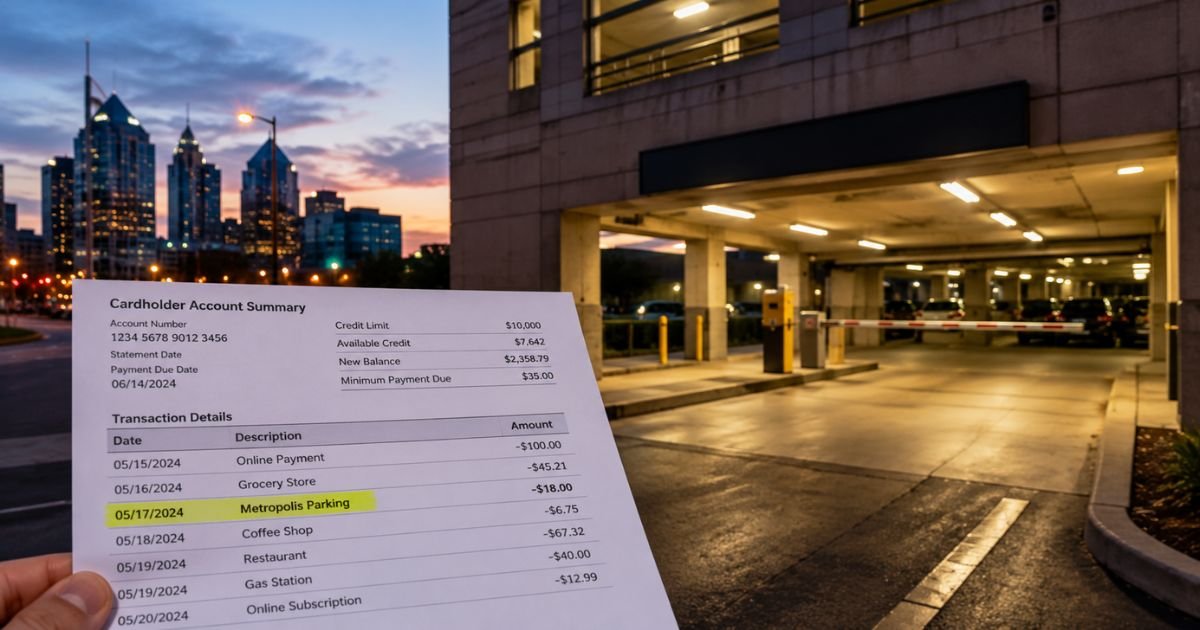
Finding an unfamiliar charge labeled “Metropolis Parking,” “Metropolis,” or something with “Nashville TN” on your credit card can raise questions. You’re not the only one looking it up.
Metropolis operates a large network of parking facilities that use license plate cameras and an app for automatic billing. The charge is almost always tied to a real parking session in Nashville or another city.
This guide explains exactly what the charge is, how billing works, why problems sometimes happen, and the practical steps to confirm or resolve it.
Quick Answer
A Metropolis Parking Nashville TN charge on credit card is payment for parking at a facility managed by Metropolis Technologies. The company uses license plate recognition so you drive in and out without tickets or kiosks. Your registered card is billed automatically after you leave. Check the Metropolis app for the matching visit if you don’t recognize the amount.
What Is Metropolis Parking?
Metropolis Technologies runs one of the largest parking networks in North America. After acquiring SP+, it manages thousands of locations across retail, hospitals, hotels, universities, event venues, and airports.
The system relies on cameras that read your license plate when you enter and exit. If your plate and a payment method are linked in the Metropolis app or website, the company calculates the time parked and charges the card on file. No paper ticket or payment machine is needed at most sites.
In Nashville, Metropolis operates or powers payment at many downtown, midtown, and venue-area garages and lots. Drivers often encounter the system near entertainment districts, medical centers, and hotel parking.
Why the Charge Appears on Your Statement
The charge posts after your vehicle exits a Metropolis location. Typical statement descriptors include variations of:
- Metropolis Parking
- Metropolis
- Metropolis + location details (sometimes showing Nashville or TN)
You may also see pending authorizations that later settle for the final amount.
Billing is automatic once the system matches your plate to an account. If you used the app, scanned a QR code, or had a previous visit that kept your plate on file, the charge can appear even if you don’t remember registering.
Monthly subscription parkers see recurring charges. One-time visitors are billed per session based on the posted rates for that facility.
How the Parking and Payment Process Works
- You add your license plate and credit or debit card in the Metropolis app or at app.metropolis.io.
- Cameras detect your plate on entry and start the session.
- On exit, cameras record the departure time.
- The system calculates the fee and charges the card on file.
- You receive a digital receipt by email or in the app.
Rates vary by location, time of day, and demand. Some facilities post rates clearly; others rely on the app or signs that direct you to check online.
If the exit is not detected correctly (dirty plate, camera issue, or rapid multi-vehicle exit), the session can stay open. That sometimes leads to higher-than-expected charges or unpaid parking notices with added fees.
Common Reasons for Confusion or Higher Charges
Many people report unexpected amounts for short stays. Frequent causes include:
- Session not closing properly, so the system continues counting hours or days.
- Failure to register the correct plate or payment method.
- Using a different vehicle or a rental without updating the account.
- Event or surge pricing that is higher than everyday rates.
- Unpaid notices that add a separate notice fee (often $50-plus) if the original session is not settled.
Consumer reviews and Better Business Bureau complaints frequently mention difficulty reaching a human agent and reliance on chatbots. Nashville drivers have shared similar experiences on local forums.
What to Do If You Don’t Recognize the Charge
Start with these steps:
- Open the Metropolis app or go to app.metropolis.io and sign in with the phone number linked to your account. Review recent visits, dates, locations, and amounts.
- Check your email for digital receipts from Metropolis.
- If the charge matches a visit, no further action is needed.
- If it does not match or the amount seems wrong, contact support promptly.
Support options:
- Help Center and chat: metropolis.io/support
- Email: help@metropolis.io
- Parking notices: payments.metropolis.io (enter the notice number or search by license plate)
When you write, include the charge date, amount, last four digits of the card, license plate, and any receipt or photo evidence. Keep records of all communication.
If the company does not resolve the issue and you believe the charge is incorrect or unauthorized, dispute it with your credit card issuer. Most issuers have zero-liability policies for unauthorized transactions, but time limits apply (often 60 days from the statement date).
Tips to Avoid Future Problems
- Confirm your license plate is entered exactly as it appears, including any state.
- Check rates in the app before parking when possible.
- After exiting, open the app to verify the session closed and the correct amount posted.
- Remove old payment methods or plates you no longer use.
- For one-time visits, consider paying at a kiosk or attendant if available instead of relying solely on the plate-read system.
- Enable transaction alerts from your bank so you see Metropolis charges immediately.
FAQs About Metropolis Parking Nashville Charge on Credit Card
Q: Is Metropolis Parking a legitimate company?
Yes. Metropolis Technologies is a real parking technology and operations company based in Santa Monica, California. It manages thousands of locations across the United States, including many in Nashville. The charges themselves are legitimate parking fees. Consumer complaints usually center on billing accuracy, high notice fees, and support responsiveness rather than the company being fraudulent.
Q: Why did I get charged more than the posted rate or for extra days?
The most common reason is a missed exit detection. If the camera does not clearly read your plate when you leave, the system may keep the session open and continue adding time. Contact support with the exact times you entered and exited and any evidence (receipts, photos, or GPS records) to request a correction.
Q: How do I pay or dispute an unpaid parking notice?
Go to payments.metropolis.io and enter the notice number from the letter or email, or search by license plate. You can pay the amount due or start a dispute through that portal. Follow up by email at help@metropolis.io if you need a human review.
Q: Can I remove my credit card so Metropolis cannot charge me again?
Yes. Log into your Metropolis account, go to payment methods, and remove or update the card. Note that any open parking sessions or unpaid notices may still need to be settled.
Conclusion
A Metropolis Parking Nashville TN charge on credit card is payment for using one of the company’s license-plate-based parking facilities. The system is designed for convenience, drive in, park, drive out, and the card on file is billed automatically.
Most charges match real visits. When the amount looks wrong, check the app first, then contact Metropolis support with details. Keeping your plate and payment information accurate and reviewing sessions right after parking reduces the chance of surprises.
Understanding how the system works helps you manage these charges confidently the next time you park in Nashville or elsewhere.
Disclaimer: This article is for general informational purposes only and reflects publicly available information about Metropolis Technologies as of the latest available data. Parking rates, billing practices, support processes, and policies can change. Always verify current details directly with Metropolis or your card issuer. This is not financial, legal, or consumer-protection advice.


