
Amazon Mark Charge on Credit Card [Identified]

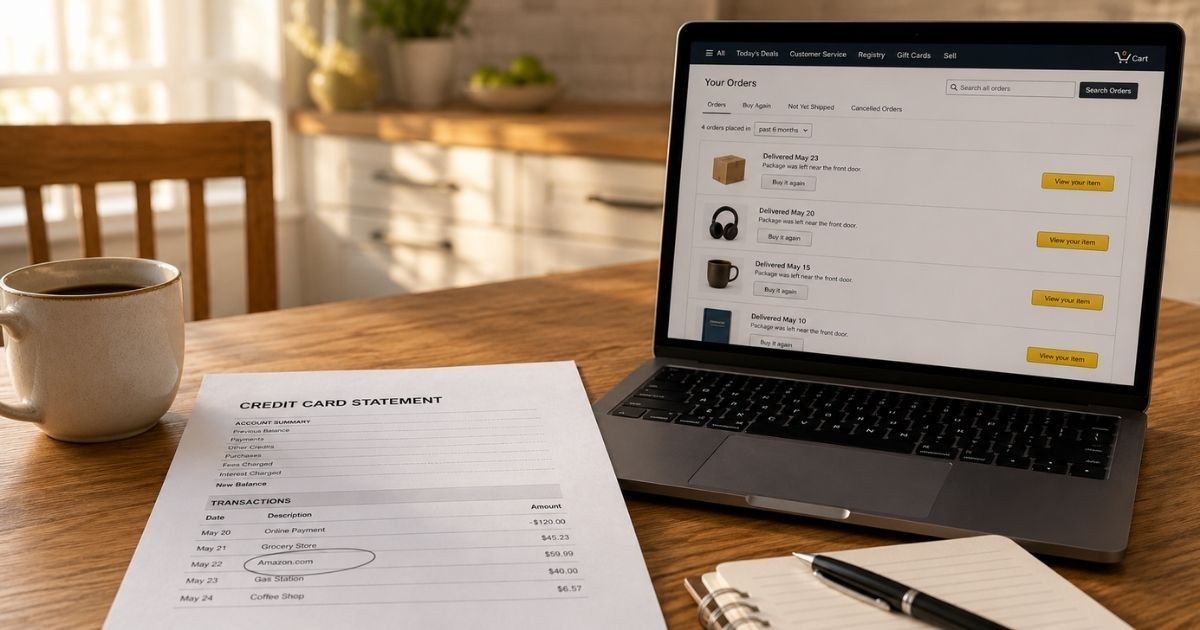
An Amazon Mark charge on credit card can look odd if you expected to see “Amazon.com.” You are not alone. Many banks shorten Amazon’s billing name, so the same purchase can appear as Amazon Mark, AMZN Mktp US, or Amazon Marketplace.
The good news is that this label typically points back to Amazon, not a random new merchant. You can usually match the amount in your Amazon account in a few minutes.
What Is an Amazon Mark Charge on Credit Card?
An Amazon Mark charge on credit card is typically a payment processed by Amazon.com, Inc. or Amazon Payments. Card networks limit how much text a merchant can print on a statement. Banks then truncate that text even more.
“MARK” is generally a shortened form of Marketplace. Official Amazon help lists close cousins of this label, including AMZN Mktp US and AMAZON MKTPLACE PMTS. Those descriptors usually cover an Amazon.com purchase, whether Amazon sold the item or a third-party seller did.
You may also see a string of letters and numbers after the name, such as AMAZON MARK*A1B2C3D4E. That code is typically Amazon’s internal order reference. It is not a separate company. Give that code to Amazon support if you need help finding the exact transaction.
This is usually not AWS cloud billing, and it is not a brand called “Amazon Mark.” Treat lookalike names carefully, then confirm the amount inside your own Amazon account.
Why the Name Looks Different From Amazon.com
Amazon uses several billing descriptors. Your issuer chooses how much of that text to show. One bank may print AMZN Mktp US. Another may print AMAZON MARK. A third may print Amazon.com or AMZN.COM/BILL.
The same order can even split across two lines. Amazon generally charges when each shipment leaves, not when you click Buy Now. One cart can create two or three posted charges a few days apart.
Pending authorizations can add more confusion. When you place an order, Amazon asks your bank to hold funds. That hold is not the final charge. Some banks still list it as if it already posted. It typically drops or converts after the item ships.
Common Reasons You See This Charge
The most common reason is a regular Amazon order. That includes items sold by Amazon and items sold by marketplace sellers. The payment still runs through Amazon’s checkout.
A household purchase is another frequent cause. A spouse, child, roommate, or shared Amazon Household member may have used a saved card. Gift orders can do the same thing. You paid, but the box went to someone else.
Recurring Amazon services can also appear under a short Amazon name. Amazon Prime is a typical example. Amazon currently lists Prime at $14.99 a month or $139 a year, plus tax in some states. Other plans exist for young adults and eligible assistance programs. Prices can change, so check your own membership page.
Digital buys are easy to miss because nothing ships. Kindle books, app downloads, video rentals, and add-on channels often post as Amazon Digital Svcs or a similar Amazon label. Some issuers still shorten those lines in a way that looks like Amazon Mark.
Amazon Pay is a less obvious option. That service lets you use your Amazon login on some outside sites. Amazon’s help page lists descriptors such as amzn.com/pmts and Amazon.com*PMT SVC. If the amount does not match an Amazon.com order, check Amazon Pay as well.
How to Match the Charge to Your Amazon Account
Start with the date and the exact dollar amount. Write those two details down before you log in.
Then open Your Transactions in your Amazon account. Amazon’s official Identify an Amazon Charge page points you there. Compare the posted amount and date with the list. Also open Your Orders, including cancelled and hidden orders.
If the charge looks like a membership, open Your Memberships and Subscriptions. Check Prime, Prime Video channels, Kindle Unlimited, Music, and any trial that flipped to paid. Digital orders have their own history, so review that list too.
Match split shipments item by item. Amazon may bill $12.49 on Tuesday and $31.08 on Thursday for one checkout. Those two lines can both be valid.
If you still see nothing, look at other Amazon accounts tied to the same card. A second profile, an old email, or a family account can hide the order in plain sight.
How to Cancel Amazon Subscriptions and Prime
Cancel inside Amazon first. Do not rely on your bank to stop a membership you still authorized.
For Prime, go to Manage Your Prime Membership. Choose the option to end membership and follow the prompts. Amazon says you can cancel before the renewal date to avoid the next charge. Refund rules depend on whether you used Prime benefits during the current period.
For other plans, open Your Memberships and Subscriptions. Select Manage Subscription, then cancel under the advanced controls. This typically covers digital add-ons billed through Amazon.
Subscribe & Save is separate. Open Your Subscribe & Save items and cancel the specific product schedule. Ending Prime does not always end every add-on channel, so review the full list.
If you signed up for Prime through another company or an app store, Amazon may tell you to cancel there instead. Follow the path shown on your membership page.
What to Do If You Do Not Recognize the Charge
Stay calm and work in order. Most unfamiliar Amazon lines are forgotten orders, shared accounts, or pending holds.
Change your Amazon password and turn on two-step verification. Review saved addresses and payment methods. Remove any card you no longer want on file.
If the charge is unauthorized, contact Amazon Customer Service through the official website or app. Ask them to locate the transaction by date, amount, and any reference code on your statement.
If Amazon cannot explain it, call your card issuer. For credit cards, the Fair Credit Billing Act generally lets you dispute billing errors and unauthorized charges. You typically have 60 days from the statement date that first showed the charge.
Federal rules also cap most unauthorized credit card liability at $50, and many issuers offer $0 fraud liability. Your bank’s process may vary.
Do not share one-time passwords, gift card codes, or remote-access codes with anyone who calls you. Amazon says real agents will not ask for those details by phone.
How to Contact Amazon
The safest path is Amazon’s Customer Service page after you sign in. You can start a chat or request a callback. That route keeps you on Amazon’s own site.
A widely published U.S. customer service number is 1-888-280-4331. Some Amazon Pay statement lines also show 866-749-7545. Use numbers you confirm on Amazon’s site when you can.
Amazon’s U.S. headquarters is listed at 410 Terry Avenue North, Seattle, WA 98109. Mail is rarely the fastest way to fix a posted charge.
Have this information ready: the charge date, the amount, the last four digits of the card, and any code after Amazon Mark.
FAQs About Amazon Mark Charge on Credit Card
Q: Is an Amazon Mark charge on credit card a scam?
Usually no. It typically belongs to Amazon billing for a purchase, shipment, or subscription. Confirm the amount in Your Transactions first. Treat unexpected calls that demand payment or codes as a scam, even if the caller uses Amazon’s name.
Q: Why did I get two Amazon Mark charges on the same day?
Amazon generally bills when each part of an order ships. One checkout can create two posted charges. A pending authorization can also sit next to the final charge for a short time. Compare both amounts with the shipments in Your Orders.
Q: Can Prime show up as Amazon Mark instead of Amazon Prime?
It can, depending on your issuer. Amazon’s own help page lists Prime under names like AMAZON PRIME and AMZ*Prime Shipping Club. Some banks still shorten related Amazon billing. Check Manage Your Prime Membership if the amount matches your plan.
Q: How do I stop future Amazon Mark charges?
Remove the card from Amazon Wallet if you do not want it used. Cancel Prime and other plans in Your Memberships and Subscriptions. Turn off Subscribe & Save items you no longer want. Watch the next statement to confirm the renewals stopped.
Conclusion
An Amazon Mark charge on credit card is typically Amazon billing for a marketplace order, a direct Amazon.com purchase, or a related service. Match the date and amount in Your Transactions, Your Orders, and Your Memberships and Subscriptions before you dispute anything.
If the line still does not belong to you, contact Amazon through its official help pages, then follow up with your card issuer. A short review of saved cards and shared accounts now can spare you the same surprise next month.
Disclaimer: This article is for general information only. It is not financial, legal, or tax advice. Amazon descriptors, prices, refunds, and bank dispute rules vary by account and issuer. Verify any charge, cancellation, or refund question with Amazon or your card issuer.


