FACEBK Charge on Credit Card [Identified]


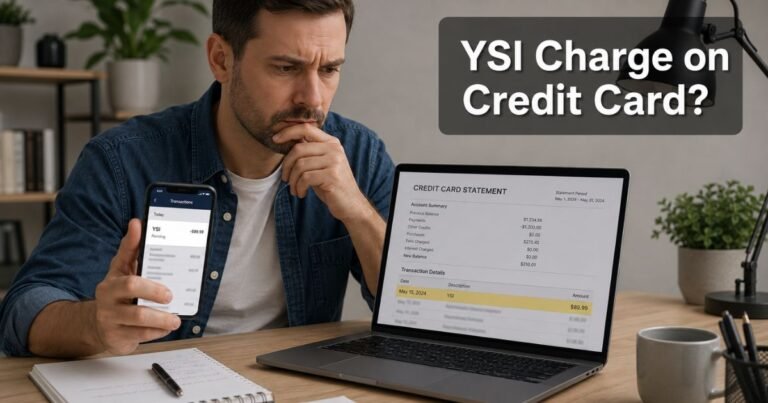
A FACEBK charge on credit card can look like a typo. Banks shorten Facebook to FACEBK to fit the statement line. That label usually belongs to Meta, the company behind Facebook and Instagram.
It does not mean Facebook started charging you just to keep a personal profile. Meta’s terms say the main apps are free unless a paid feature is involved. The line is typically ads, a digital purchase, or a card check.
What Is a FACEBK Charge on a Credit Card?
FACEBK is Meta’s shortened billing name. Official Ads Manager help says many ad charges start with FACEBK* or FACEBOOK INC. A 10-character reference number usually follows.
That code is the key. You can match it in Meta Ads Manager under Billing and payments, then Payment activity. Your bank may cut the code short. Meta says you can ask the issuer for the full number.
Other FACEBK lines are not always ads. Facebook help for games notes pending or failed purchases may show as FACEBK *PAYMENT or FACEBK VIRTUAL GOODS. Meta Pay and other in-app payments can use similar wording.
Why You See FACEBK Instead of Facebook
Card networks limit how much text a merchant can print. FACEBK is the truncated form of Facebook. Some issuers add Menlo Park, CA, which is Meta’s headquarters city. That city tag is a billing location, not proof you traveled there.
A FACEBK charge can come from more than one Meta product.
| What you may see | What it typically means |
|---|---|
| FACEBK* plus a short code | Often a Meta ads payment. Match the code in Ads Manager |
| FACEBOOK INC. plus a code | Same idea, with the legal company name |
| FACEBK *PAYMENT | Often a Meta Pay or in-app payment, or a pending try |
| FACEBK VIRTUAL GOODS | Official game help lists this for some pending authorizations |
| FACEBOOK ADS | Official wording Meta uses for some direct-debit ad billing |
| METAPAY or META PAY | Related Meta Pay label. Check Orders and payments too |
Amounts vary. A boost or first billing threshold can be small. Ongoing ads can post several times in one month when spend hits a threshold. A tiny recent charge is often a card check.
How to Confirm the Charge
Start with the exact statement text. Write down the date, amount, and any code after FACEBK*.
For possible ads:
- Open Ads Manager on a computer.
- Go to Billing and payments.
- Open Payment activity and set the same date range.
- Look in the Payment method column for the 10-character reference.
- Compare that code and amount with your card line.
Meta says only some transaction types show that reference. Credit card payments generally do.
Then check personal payments:
- On facebook.com, open Menu, then Orders and payments, then Activity.
- Review Meta Pay activity if that section appears in Settings.
- Search email for Meta or Facebook receipts from the same day.
- Ask anyone who can access your Facebook, Instagram, or Business Manager account.
A household member may have boosted a post. A coworker may have used a shared ad account. Those charges still print as FACEBK.
Small Holds and Pending FACEBK Lines
Meta’s ad-billing help says a recent small charge is likely a temporary authorization to validate the card. Meta says those holds are voided right away. They should drop off in 3 to 5 business days. If the hold stays after that, Meta tells you to ask your bank why it did not clear.
Facebook’s game-payment help describes another pending pattern. Failed or unfinished charges may sit as pending or processing. Those lines often say FACEBK *PAYMENT or FACEBK VIRTUAL GOODS. Official help says they can take 7 to 9 business days to disappear.
Do not treat every pending FACEBK line as a finished purchase. Watch whether it posts or drops.
How to Stop Future FACEBK Charges
Stopping ads is different from removing a personal payment method.
If the charge is ad spend:
- Pause or turn off every active campaign in Ads Manager.
- Pay any open balance with Pay now if Meta shows one.
- Wait up to 48 hours after ads are paused. Official help says event tracking can lag.
- Go to Billing and payments, then Payment settings.
- Open Options next to the card and choose Remove.
You generally need admin rights on that ad account. You also generally cannot remove the only card while a balance is still due.
If the charge is a personal purchase, open Orders and payments or payment settings on Facebook. Remove the saved card there too. A card stored for games can also appear as an ad-account method.
Turning off notifications does not stop billing. Deleting the app does not stop an ad account that still has the card on file.
What If You Do Not Recognize the FACEBK Charge?
An unfamiliar code is not automatic theft. Shared pages and old boosts are common. Account takeovers and unauthorized ads do happen.
If the amount is missing from every Meta account tied to the card:
- Change your Facebook and Instagram passwords.
- Turn on two-factor authentication.
- Review Business Manager users and remove people you do not know.
- Pause ads and remove the payment method if you can log in.
- Report the payment in Orders and payments. Open the transaction, choose Get Help with this Payment, then Contact Us.
- Use Meta’s unrecognized-charge help page if you cannot find the item in Activity.
- Call the number on the back of your card if the charge is still unauthorized.
Official consumer help is facebook.com/help/218846068134280. Ad-account billing questions belong in the Meta Business Help Center, not only the personal app.
Do not share codes from texts that claim to be Facebook Billing. Use logged-in help pages. Refunds are not automatic. Meta reviews some cases in product support. Your issuer can review a dispute on its own timeline.
Lookalikes to Separate From FACEBK
Related Meta labels can sit next to FACEBK on the same statement.
- FACEBOOK INC. is the same company with a longer legal name.
- METAPAY is Meta Pay. Check personal payment activity, not only Ads Manager.
- INSTAGRAM shop or badge charges may use a different short name.
- A third-party “boost” tool is not FACEBK unless Meta processed the card.
If the line has no FACEBK, FACEBOOK, or META text, it may be a different merchant. Match that name on its own.
FAQs About FACEBK Charge on Credit Card
Q: Is a FACEBK charge a scam?
Not by itself. Meta officially uses FACEBK* and FACEBOOK INC. on ad statements. A real Meta charge can still be one you forgot or did not authorize. Match the reference code first. Then report it in Facebook or to your issuer if it does not belong to you.
Q: Does Facebook charge me just for having an account?
Meta’s terms say it does not charge you to use the main products unless a paid feature is involved. FACEBK usually means ads, a digital purchase, a donation, or a card verification hold. Check Ads Manager and Orders and payments before you assume a hidden membership.
Q: How do I match FACEBK* to my ads?
Open Ads Manager on a desktop. Go to Billing and payments, then Payment activity. Official help says the statement line starts with FACEBK* or FACEBOOK INC. plus a 10-character reference. Compare that code, date, and amount with your card.
Q: How do I stop FACEBK charges from ads?
Pause the campaigns. Pay any open balance. Wait up to 48 hours, then remove the card in Payment settings. Official help says you need the right admin permissions and no leftover balance. Also remove the same card from personal payment settings if it is stored there.
Conclusion
A FACEBK charge on credit card typically means Meta billed a card saved to Facebook, Instagram, or Ads Manager. The most documented match is FACEBK* or FACEBOOK INC. plus a reference code for ads. Other lines can be Meta Pay, games, or a short card hold.
Match the code in Payment activity or Orders and payments. Pause ads and remove the card if you want billing to stop. If no Meta account shows the amount, secure the account and contact your issuer.
Disclaimer: This article is for general information only. It is not financial, legal, or consumer-rights advice. Billing names, refund rules, and dispute windows vary by Meta product and card issuer. Confirm account-specific questions in Meta’s logged-in help tools or with your bank.