YouTube Mountain View Charge on Credit Card [Identified]


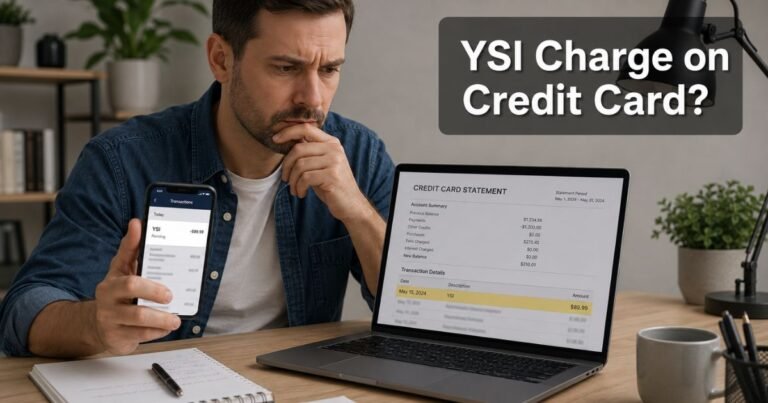
A YouTube Mountain View charge on credit card can look like a store in California. You may only see YouTube and a city name. That mix often feels off if you watch for free.
In most cases, Mountain View is Google’s headquarters city. Check your Google payments before you assume fraud.
What Is a YouTube Mountain View Charge on Credit Card?
A YouTube Mountain View charge on credit card typically comes from Google billing for a YouTube product. YouTube Help says YouTube purchases generally appear as GOOGLE*YouTube plus the service name. Banks often add Mountain View, CA because Google is based there.
This line can be YouTube Premium, YouTube Music Premium, YouTube TV, a channel membership, a movie rental, or a Primetime add-on. The city tag does not mean you visited an office.
Google’s campus address is 1600 Amphitheatre Parkway, Mountain View, CA. Some statements print that street instead of the word YouTube. Open Google Pay activity to see the real product name.
YouTube Help also says that if the charge is not in a GOOGLE*YouTube format, it did not come from YouTube. In that case, ask your issuer what merchant code they received.
This is not Amazon Prime. Prime Video and YouTube are different companies.
How this charge may appear on your statement
Banks shorten names in different ways. The same plan can look different from one card to the next.
You may see lines such as:
| Statement text you may see | What it typically points to |
|---|---|
| GOOGLE *YouTube MOUNTAIN VIEW CA | YouTube billed by Google |
| GOOGLE *YouTube TV | YouTube TV live-TV plan |
| GOOGLE *YT PRIMETIME MOUNTAIN VIEW CA | Primetime Channels, not the base TV plan |
| GOOGLE *YouTube Videos | A movie or show purchase |
| GOOGLE *GOOGLE | Sometimes used for YouTube Premium on Google’s own list |
| 1600 AMPHITHEATRE PKWY MOUNTAIN VIEW CA | Google HQ address on a Google bill |
You may also see g.co/helppay. That is Google’s short help tag, not a second company.
A PRE-AUTH or PENDING line can be an authorization hold. YouTube Help says YouTube may hold an amount close to your monthly bill to test the card. Holds are not the final charge.
Common reasons you may see this charge
The most common source is YouTube Premium. A trial that ended can start paid billing. Family-plan upgrades also raise the next bill.
YouTube TV is a live-TV plan. It costs more than Premium. Extra channels and NFL Sunday Ticket can post as a second line, including YT PRIMETIME.
Channel memberships bill monthly to support one creator. Those small charges are easy to forget.
A child or roommate may have used a signed-in TV or phone. YouTube Help tells you to ask family before you file a fraud report.
Tax changes can nudge the total a few cents. YouTube Help notes that tax follows local rules and can shift.
You may have more than one Google account. A work Gmail and a personal Gmail can each carry a plan on the same card.
How to verify the charge
Open pay.google.com or payments.google.com. Sign in and check Activity. Match the date and amount. The receipt names the product.
Then open myaccount.google.com/subscriptions. Look at every Google plan on that login.
On YouTube, go to youtube.com/paid_memberships and youtube.com/purchases. YouTube Help points to those hubs for memberships and purchase history.
Repeat the checks on every Google account that might use the card. Include old phones and a Family Link profile.
Search email for payments-noreply@google.com. The receipt is often clearer than the bank line.
Do not use a link from a text that claims your YouTube bill is overdue. Open support.google.com/youtube yourself.
How to cancel and stop future charges
Cancel each plan where it was purchased.
For YouTube Premium or YouTube Music billed by Google, open Paid memberships on YouTube. Choose the plan and follow Cancel. YouTube Help says benefits generally last until the end of the period you already paid. You usually do not get a refund for unused days.
For a channel membership, YouTube Help says to go to youtube.com/paid_memberships, select Manage membership, then Deactivate and End membership.
If you joined in the iPhone app, cancel in your Apple Account subscriptions. If you joined through Google Play, cancel in Play Store Payments and subscriptions.
YouTube TV and Primetime add-ons need their own cancel steps in the same membership hubs. Turning off Premium does not cancel TV.
After you cancel, save the confirmation email. YouTube Help says you should see a notice in the app and mail from an @youtube.com address.
Refunds are limited. YouTube says you can ask support if features do not work. Prepaid annual plans follow different rules. Do not assume a full refund.
What to do if you do not recognize the charge
Stay calm and finish every Google account check first. Many surprise Mountain View lines are a trial, a family plan, or a TV add-on.
If Activity shows no match, YouTube Help says you can report an unauthorized YouTube digital purchase within 120 days. Use official YouTube Help to start that claim. Keep the claim ID from the email.
Then call the number on the back of your card. Tell your issuer you have an unrecognized YouTube Mountain View charge. Ask about a dispute. Issuer rules vary.
Watch for copycat texts. A message that says “YouTube Mountain View” and then asks you to pay a new site is a common scam pattern. Hang up.
If the card may have been copied, ask your issuer to replace it. Remove the card from Google Pay wallet settings after you cancel.
Similar names and lookalikes
GOOGLE *SERVICES can be YouTube TV or another Google product. Open Activity. Do not guess from the four words.
Google One, Google Play apps, and Google Ads also print Mountain View. Those are not YouTube even when the city matches.
Amazon Prime, Hulu, and cable-bundle YouTube TV sold by a phone company may bill under those brands instead. Cancel with that partner.
g.co/helppay is a Google help shortcut. Type it in a browser yourself. Do not call a number from a pop-up ad.
FAQs About YouTube Mountain View Charge on Credit Card
Q: Is a YouTube Mountain View charge on credit card always YouTube Premium?
No. Premium is common, but YouTube TV, Primetime Channels, memberships, and movie buys use similar wording. Google Pay Activity names the product.
Q: Why does the statement say Mountain View, California?
That is Google’s headquarters city. Card networks often print the company city, not your living room. You did not have to travel there.
Q: I canceled YouTube. Why did another charge post?
Another plan may still be active. TV, Primetime, and channel memberships bill separately. Apple or Google Play billed plans must be canceled on those platforms. A hold from the last cycle can also settle after you cancel.
Q: How do I report a charge I did not make?
Confirm it looks like GOOGLE*YouTube. Check family and every Google login. Then use YouTube Help to report an unauthorized digital charge within 120 days, and call your card issuer.
Conclusion
A YouTube Mountain View charge on credit card typically is Google billing for a YouTube plan or purchase. Mountain View is the company city, not a mystery store.
Match the line in Google Pay Activity and youtube.com/paid_memberships. Cancel each membership where you signed up. If no Google account fits the charge, report it to YouTube and your issuer the same day.
Disclaimer: This article is for general information only. It is not financial or legal advice. Plan prices, taxes, refunds, and dispute rights vary by product, signup store, and card issuer. Verify any charge, cancellation, or claim with Google, YouTube, Apple, or your bank using your own statement and account details.