How to Cancel Finelo Subscription [Step by Step]


Want to cancel your Finelo subscription? You’re not alone. Many people sign up for Finelo’s investing and trading courses and later decide the ongoing fee no longer fits their needs. The cancellation process is straightforward once you know the right path.
Finelo subscriptions are often managed through a related Coursiv account system. This guide walks you through the exact steps for the website, iPhone, and Android so you can stop auto-renewals quickly. You’ll also learn what happens after you cancel and how to get help if the button is missing.
Quick Answer
Log into your Finelo or Coursiv account, go to Profile → Settings → Manage Subscription, and click Cancel Subscription. If you subscribed through the App Store or Google Play, cancel directly in those platform settings instead. Access continues until the end of your current billing period. Contact support@finelo.com if you run into trouble.
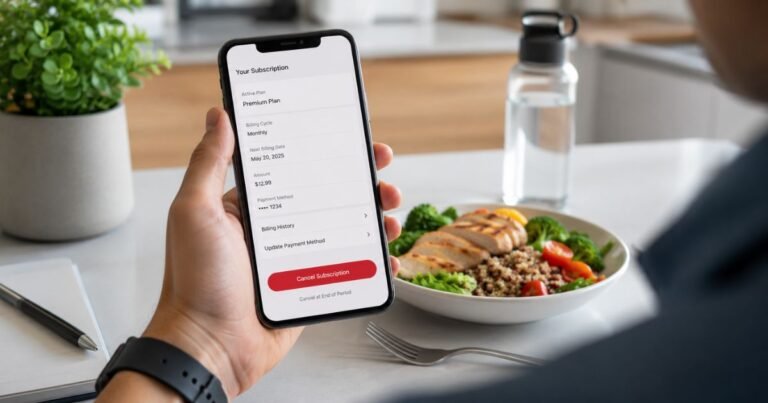
How to Cancel Finelo Subscription
How to Cancel Finelo Subscription on the Website
This is the most common and reliable method if you signed up on the Finelo site or through a web offer.
- Go to the Finelo or Coursiv login page and sign in with the email or account you used.
- Click your Profile icon.
- Select Settings.
- Tap or click Manage Subscription.
- Click Cancel Subscription.
- Follow any confirmation prompts.
You should see a confirmation message or receive an email. Keep a screenshot for your records.
Tip: Use a computer browser if the mobile site feels limited. The full Manage Subscription option is clearer on desktop.
How to Cancel on iPhone (App Store Purchases)
If you subscribed inside the Finelo app on iPhone, Apple controls the billing.
- Open the Settings app on your iPhone.
- Tap your name at the top.
- Tap Subscriptions.
- Find and select Finelo (or Coursiv if that is how it appears).
- Tap Cancel Subscription.
- Confirm the cancellation.
If you subscribed on the website but use the iPhone app, the subscription will not appear in Apple Settings. In that case, cancel through the website steps above (Profile → Settings → Manage Subscription).
How to Cancel on Android (Google Play)
- Open the Google Play Store app.
- Tap your profile picture in the top right.
- Select Payments & subscriptions, then Subscriptions.
- Find Finelo or Coursiv.
- Tap Cancel subscription and confirm.
You can also start from the Finelo app if it offers a Manage Subscription link that redirects to Google Play.
What Happens After You Cancel
Your access to Finelo courses and materials usually continues until the end of the current billing period. After that date:
- Automatic renewals stop.
- You will not be charged again.
- Premium features may lock.
Cancel at least 24 hours before the renewal date to avoid the next charge. Finelo (and related platforms) typically do not issue automatic pro-rated refunds for unused time.
Common Problems and How to Fix Them
I can’t find the Manage Subscription option.
Make sure you are logged into the correct account. Try both the Finelo and Coursiv login pages if one does not work. Clear your browser cache or switch devices. Some users report the option only appears after the trial converts to paid.
The subscription does not show in Apple or Google settings.
This usually means you subscribed on the website. Cancel through the Profile → Settings → Manage Subscription path instead.
I still got charged after canceling.
Check the exact renewal date. Charges for the current period are normal. If a new charge appears after the end date, email support@finelo.com with your cancellation confirmation and the charge details. You can also dispute the charge with your bank or card issuer if needed.
I want a refund.
Email support@finelo.com with your account email, transaction details, and reason for the request. Refunds are reviewed according to their policy and are not guaranteed in every case.
I can’t log in.
Use the password reset option. If that fails, contact support with the email tied to the subscription and any payment receipts.
Helpful Tips Before You Cancel
- Note your next billing date so you know when access ends.
- Download or save any course materials you want to keep while you still have access.
- Take screenshots of the cancellation confirmation and any billing history.
- If you only need short-term access, cancel early in the cycle to limit further charges.
- Check your bank or PayPal statements for the exact descriptor used by Finelo so you can monitor for unexpected charges.
You can often resubscribe later if you change your mind.
Contacting Finelo Support
If the in-account steps do not work:
- Email support@finelo.com
- Check the official support center at support.finelo.com
- Phone numbers listed on Finelo sites include +1 (775) 363-6463 and similar support lines
Provide your account email, the last four digits of the payment method, and screenshots when you reach out. This speeds up help with cancellation or billing questions.
FAQs About How to Cancel Finelo Subscription
Q: Will I lose access to Finelo courses right away?
No. You typically keep access until the end of the current billing period. After that date, paid features end.
Q: Can I cancel Finelo during a free trial?
Yes. Use the same Manage Subscription steps (or Apple/Google settings) before the trial converts to a paid plan. Cancel at least 24 hours early to avoid the first charge.
Q: Why does it say Coursiv when I try to cancel Finelo?
Finelo is closely connected to the Coursiv platform for account and billing management. Logging into the related Coursiv account is the normal way to cancel many Finelo subscriptions.
Q: What if I can’t cancel through the account or app stores?
Email support@finelo.com with your details and request cancellation. As a backup, contact your bank or card issuer to stop future payments and request a chargeback if the charge was unauthorized.
Conclusion
Canceling your Finelo subscription is doable in just a few steps. Log into your account, go to Profile → Settings → Manage Subscription, and click Cancel Subscription. If you paid through Apple or Google Play, cancel directly in those settings instead. Access continues until the end of the paid period, and future charges stop.
Take a screenshot of the confirmation and note the final date. Once that’s done, you’ll have full control of your Finelo membership again.
Disclaimer: This guide is based on available Finelo and related Coursiv support information as of mid-2026. Account interfaces, billing systems, and policies can change. Always verify the latest steps inside your own account or at support.finelo.com. This article is independent and not affiliated with Finelo or Coursiv.