
How to Cancel Tractive Subscription? [Step by Step]

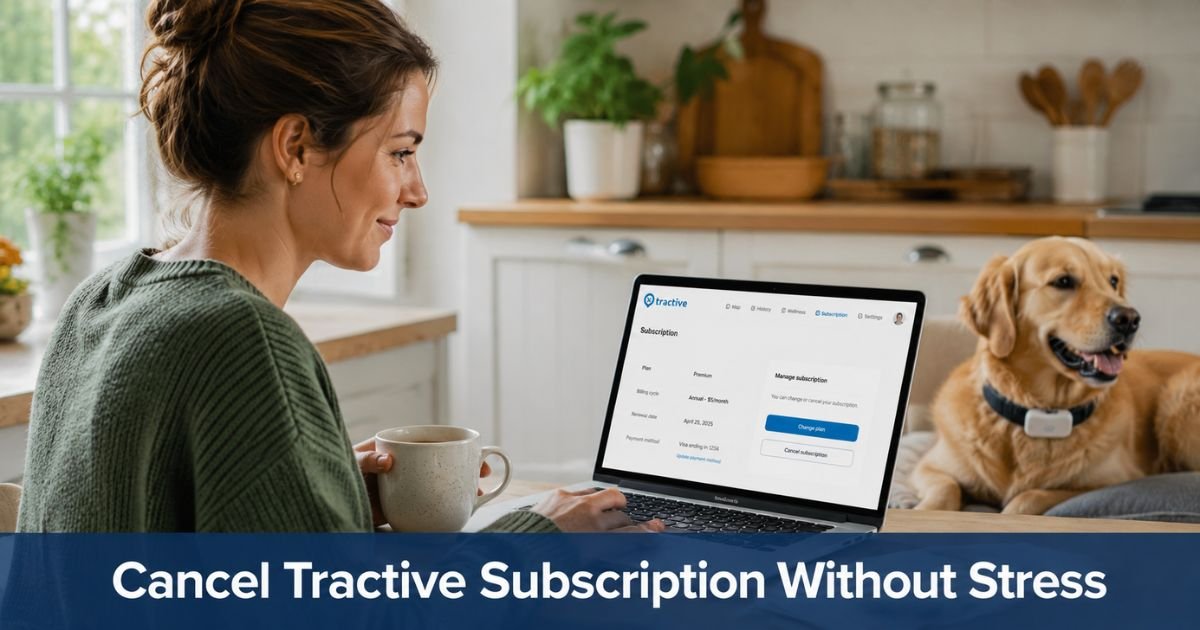
If your furry family member no longer needs round-the-clock location tracking or you simply want to reduce monthly expenses, figuring out how to cancel Tractive subscription does not have to be complicated.
Many pet parents sign up during the puppy or kitten stage when peace of mind feels essential, then later decide the ongoing cost no longer fits their situation.
The process is handled through your online account and can be completed in just a few minutes. This guide explains exactly what happens when you cancel, walks you through the official steps, and covers your options if you might want tracking again later.
You will keep full access to live tracking and all features until the end of the billing period you already paid for.
Understanding Tractive Subscription Plans
Tractive offers several plan lengths, including monthly, one-year, two-year, and five-year options. Longer plans usually come at a discounted rate. These subscriptions power real-time GPS tracking, location history, escape alerts, and health insights for your dog or cat.
You manage everything from one central place. Whether you chose a short or long plan, you can cancel at any time. The key difference lies in what happens after the current paid period ends.
What Happens When You Cancel Tractive Subscription
Canceling stops future automatic renewals. Your tracker and app continue working normally with every feature until the exact end of your current billing cycle. After that date, the tracker deactivates and you lose access to live tracking and history.
You can always reactivate the same device later by starting a new subscription. There is no penalty for canceling, and you are free to give the tracker and any remaining paid time to someone else if you no longer need it.
Important note on refunds: Tractive offers a 30-day money-back guarantee on purchases made directly through tractive.com. This covers both the tracker and subscription. After 30 days, refunds are generally not available, especially on discounted longer-term plans.
Pause Instead of Cancel: A Flexible Option
Before fully canceling, consider pausing your subscription. Pausing temporarily stops billing while keeping your plan ready to restart quickly.
This works well if your pet will be indoors more during certain seasons or if you simply want a break without losing your setup.
You can pause and resume directly from the same account page. Your subscription automatically restarts on the date you choose, or you can resume instantly whenever you need tracking again.
How to Cancel Tractive Subscription: Step-by-Step
Follow these steps using a web browser on your computer or phone.
- Go to my.tractive.com and log in with the email and password associated with your Tractive account.
- Select the tracker you want to manage from your list of devices.
- Locate the Subscription Plan section for that tracker.
- Click or tap Cancel Subscription Plan.
- If your plan is currently paused, resume it first, then repeat the cancel steps.
- Confirm your choice and review the end date shown on screen.
- Check your email for a confirmation message that includes your final access date.
The change takes effect at the end of your current billing period. No further action is needed on your part.
If You Recently Purchased: Use the 30-Day Guarantee
If you bought your Tractive tracker and subscription directly from tractive.com within the last 30 days, you qualify for a full refund of both the device and any subscription fees.
Contact Tractive support through the help center or your account to start the return process. Keep your order number and original packaging ready.
Pro Tip: Before you cancel, take a screenshot of your current plan details and the exact end date. Also export any important location history or health reports you want to keep, since access ends when the paid period does.
Troubleshooting Common Problems
Sometimes the cancel option does not appear right away. Try these quick fixes:
- Make sure you are logged into the correct Tractive account (the one tied to the tracker).
- Refresh the page or try a different browser.
- Check whether the subscription is currently paused; you must resume it before canceling.
- Look for any active free trial period that has not yet converted to a paid plan.
- If the button still does not appear, reach out to Tractive support through the help center chat or email for assistance.
Common Mistake: Many pet owners assume the tracker will keep working in a limited mode after cancellation. In reality, once the paid period ends the device deactivates completely until you start a new subscription. Planning ahead helps avoid surprises.
Quick Comparison: Pausing vs. Canceling
| Option | Best For | What Happens to Tracking | Billing After Action | Easy to Restart Later? |
|---|---|---|---|---|
| Pause | Short breaks or seasonal use | Stops during pause, resumes later | Stops during pause | Yes, one click |
| Cancel | No longer need tracking | Full features until period ends | Stops permanently | Yes, new subscription |
After You Cancel
You will receive a confirmation email with your final access date. Continue using the app and tracker normally until then. Once the period ends, the device goes inactive, but your account and data stay safe if you ever want to reactivate.
Many families cancel once their pet becomes more reliable off-leash or when they move to a more secure property. Others pause during winter months when walks are shorter. Both choices put you back in control of your pet-care budget.
FAQs About How to Cancel Tractive Subscription
Q: What happens to my Tractive tracker after I cancel the subscription?
Your tracker stays fully active with live GPS tracking, alerts, and history until the very end of your current paid billing period. After that date it deactivates automatically. You can reactivate it anytime with a new subscription.
Q: Can I get a refund when I cancel Tractive?
You receive a full refund for both the tracker and subscription if you cancel within 30 days of purchasing directly from tractive.com. After 30 days, refunds are generally not available, especially on discounted annual or multi-year plans.
Q: Is it better to pause or cancel my Tractive subscription?
Pause if you think you might need tracking again soon. It stops billing temporarily and lets you restart with one tap. Cancel if you are sure you no longer want the service. Your tracker remains active until the end of the paid period either way.
Conclusion
Taking a few minutes to manage your Tractive subscription today can bring real relief to your monthly budget. Log into my.tractive.com, review your current plan, and decide whether pausing or canceling fits your situation best.
You stay in control, and you can always bring tracking back later if your pet’s needs change. Many owners feel better once recurring charges match their actual lifestyle.
Disclaimer: This content is for informational and educational purposes only and does not constitute professional, financial, legal, or medical advice. The information provided may not apply to your specific situation. Always consult a qualified professional for personalized guidance.





