How to Cancel Jerkmate Subscription in 2026? [Step by Step]

Ever hopped on Jerkmate for a quick look around, added your card to unlock the full experience, and then watched monthly charges keep hitting your statement? If those recurring Jerkmate bills are cramping your budget, you’re definitely not the only one wondering how to cancel Jerkmate subscription right now.
The good news is the process is straightforward once you know where to click. Whether you have a Premium membership or recurring token packs, you can stop the billing through your account settings or a quick email.
You’ll get the exact steps that work in 2026, what to expect after you cancel, and smart tips to request a refund if you qualify.
What Is Jerkmate and Why People Cancel
Jerkmate is a popular live cam and chat platform where you can connect with models in real time. It offers a free basic membership forever, plus paid Premium options and Gold tokens for private shows, tips, and extras. Many users sign up during a free trial or one-time promo and forget the automatic renewal kicks in.
Common reasons folks want to cancel Jerkmate subscription include unexpected recurring charges, deciding the paid features aren’t worth it long-term, or simply wanting to tighten their budget. Whatever your reason, canceling is easy and keeps you in full control.
How to Cancel Jerkmate Subscription Step by Step
The fastest way is directly inside your Jerkmate account. Here’s exactly what to do:
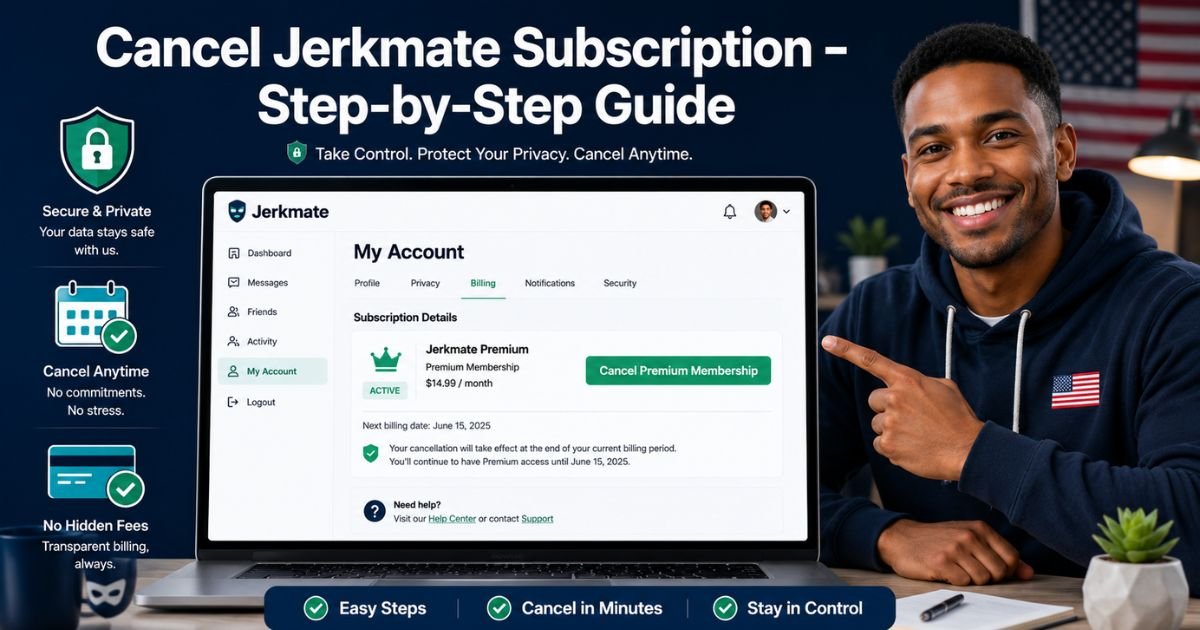
- Go to jerkmate.com or jerkmatelive.com and log in with your usual email and password.
- Click your profile icon or name in the top right, then select My Account.
- Look for the Billing or Subscriptions section.
- Find your Premium membership or active plan and click the Cancel Subscription option.
- Confirm your choice and note the end date.
You’ll get an on-screen confirmation and an email from support. Your access continues until the current 30-day period ends, no sudden cutoff.
Mobile Tip
If you’re on your phone, the steps work the same in a browser. The site is fully mobile-friendly, so you don’t need a computer.
Cancel Jerkmate Subscription by Email
Can’t find the button or prefer a paper trail? Email works great too:
Send a message to supportteam@jerkmatelive.com.
Include these details for fastest service:
- Your login name (username)
- Your full name
- The last 4 digits of the card you used
Keep the subject line clear like “Cancel My Jerkmate Premium Subscription Immediately.” Support usually replies within a few business days with confirmation.
Pro Tip: Screenshot every confirmation screen and email you receive. Store them in a folder called “Subscriptions Canceled” so you have quick proof if any questions come up later.
What Happens After You Cancel Jerkmate Subscription
Cancellation is simple and fair. Your Premium membership stops renewing, but you keep full access until the end of your current 30-day billing cycle.
After that date, you’ll drop back to the free membership with basic browsing and public shows. Any unused Gold tokens stay in your account (they don’t auto-renew anyway). Deleting the app or clearing your browser does nothing, always cancel through the account or email first.
Common Mistake: A lot of people just delete their account thinking it stops all charges. It doesn’t! You must cancel the subscription separately through Billing settings or support, or the recurring billing can continue.
Jerkmate Membership Options at a Glance
Here’s a quick breakdown to help you see exactly what you’re stopping:
| Membership Type | Cost Structure | Billing Cycle | Main Features | Auto-Renews? |
|---|---|---|---|---|
| Free Account | $0 | Never | Browse cams, public shows | No |
| Premium | Varies (one-time auth) | 30 days | Full access, higher limits | Yes |
| Gold Tokens | Pay-per-use ($1 each) | One-time | Private shows, tips, extras | No |
Exact Premium pricing can change with promos. Always check your My Account page for your specific rate.
Real-Life Example: How Alex Got Control Back
Take Alex, a 28-year-old graphic designer from Chicago. He signed up for Jerkmate during a quiet evening and loved the interactive shows. A couple months later he noticed $29.99 hitting his card every 30 days.
He tried deleting the bookmark but the charges kept coming. Following the steps above, Alex logged in, went straight to Billing, and canceled in under two minutes.
He also emailed support for good measure and received confirmation the same day. No more surprise bills, and he still had access for the rest of the month.
Alex’s story shows you really can fix this quickly, no drama required.
How to Request a Refund After Canceling
Canceling stops future charges, but what about money you’ve already paid? Jerkmate’s policy is generally no refunds for used services, but exceptions happen.
Reach out to supportteam@jerkmatelive.com right after canceling and politely explain your situation. Include your username, order details, and reason. Many users report success getting recent charges reversed if they act fast and haven’t used much of the paid period.
Keep records of everything you send and receive.
Tips to Avoid Future Subscription Surprises
You don’t want to deal with this again, right? Build these easy habits now:
- Review your bank or credit card statements once a month.
- Set a phone reminder a few days before any trial or renewal date.
- Use a password manager to save all confirmation emails in one secure spot.
- When you sign up for anything new, immediately note the cancel steps in your notes app.
These tiny checks keep your wallet happy and your inbox clean.
FAQs About How to Cancel Jerkmate subscription
Q: How long does it take for Jerkmate subscription to stop after I cancel?
Your Premium membership stops renewing right away, but you keep full access until the end of your current 30-day period. You’ll get an email with the exact end date so there are no surprises.
Q: Can I cancel Jerkmate subscription directly from the app or website?
Yes, the easiest way is logging into your account on the website, going to My Account > Billing, and clicking cancel. If the button isn’t showing, email supportteam@jerkmatelive.com with your details for instant help.
Q: Will I get a refund if I cancel my Jerkmate subscription right now?
It depends on timing and usage. While refunds aren’t guaranteed, contacting supportteam@jerkmatelive.com quickly with your login info often leads to a partial or full refund for recent charges. Be polite and include all required details for the best results.
Conclusion
Canceling your Jerkmate subscription is quick and straightforward when you use the My Account Billing section or send that simple email to support.
You keep access until your current period ends, future charges stop automatically, and you can reach out for a refund if it makes sense for your situation.
Take five minutes right now, log in, and get it handled, you’ll feel so much lighter. If you ever spot another unwanted charge down the road, just come back to this guide.
Disclaimer: This content is for informational and educational purposes only and does not constitute professional, financial, legal, or medical advice. The information provided may not apply to your specific situation. Always consult a qualified professional for personalized guidance.