
Paddle Charge on Credit Card [Identified]

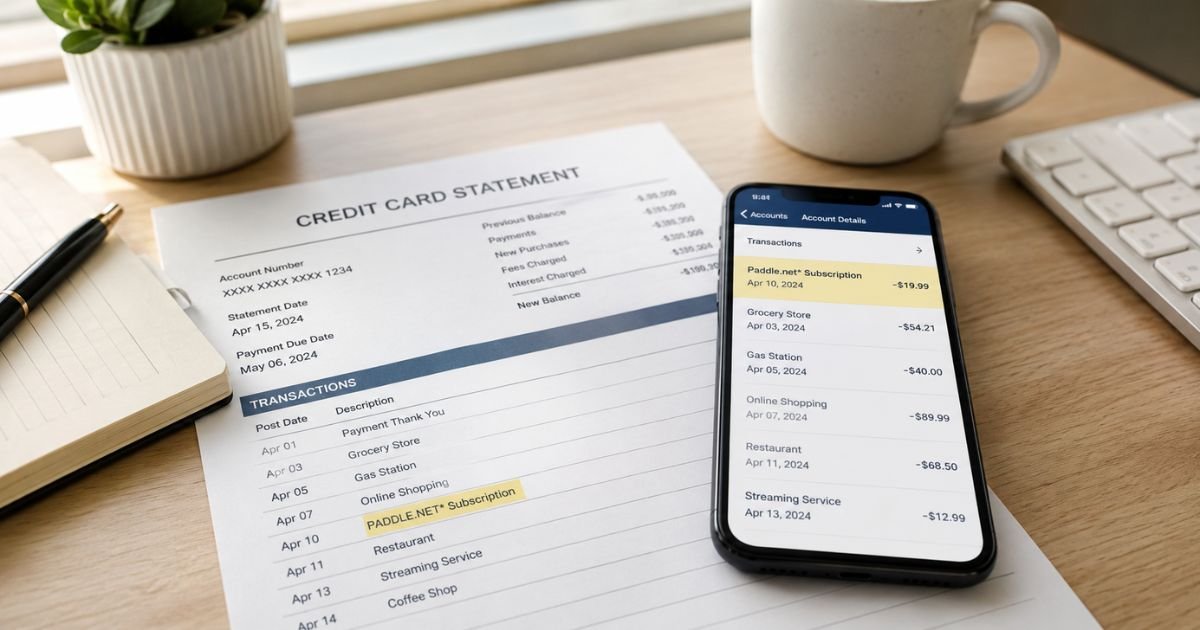
You open your credit card statement and spot a charge from Paddle, Paddle.com, or Paddle.net. You don’t remember buying anything with that name. Your first thought might be “Is this a scam?” or “Did someone steal my card details?”
You’re not alone. Thousands of people search for “Paddle charge on credit card” every month because the company name looks unfamiliar.
The good news is that most of these charges are legitimate. Paddle acts as the payment processor (and legal seller) for many software and app companies.
In this guide you’ll learn exactly what a Paddle charge means, how to find out which product it belongs to, how to cancel unwanted subscriptions, and what to do if the charge looks wrong.
Quick Answer
A Paddle charge on credit card almost always comes from a software or app subscription you bought. Paddle is a legitimate Merchant of Record that handles payments for thousands of digital products. Visit paddle.net, enter your email or the last four digits of your card, and you’ll see the exact product and how to cancel or request a refund.
What Is Paddle and Why Does It Appear on Your Statement?
Paddle is a UK-based company that works as a Merchant of Record for software makers. When you buy an app, SaaS tool, or digital product that uses Paddle, the charge shows up under Paddle’s name instead of the app’s name.
This is common practice. Many indie developers and smaller software companies use Paddle so they don’t have to handle sales tax, VAT, fraud protection, and international payments themselves. Paddle collects the money, takes care of the taxes, and then pays the software company.
You’ll usually see the charge listed as:
- Paddle.com
- Paddle.net
- PADDLE.NET * [product name]
- Paddle.com Market
The exact wording depends on your bank.
Why You Might Not Recognize the Charge
Several everyday situations lead to a surprise Paddle charge:
- You signed up for a free trial of an app and forgot to cancel before it turned into a paid subscription.
- A family member used your card to buy software.
- You bought a one-time license or annual plan months ago and the renewal just hit.
- The product name on the statement is missing or abbreviated, so it only says “Paddle.”
Popular products that often use Paddle include Alfred (Mac productivity app), AdGuard, certain MacPaw tools (CleanMyMac and others), GoodNotes, and many smaller SaaS tools and indie software.
How to Identify Exactly What the Paddle Charge Is For
The fastest way is to use Paddle’s own lookup tool.
- Go to paddle.net.
- Choose the option for “I’m not sure why Paddle has charged me” or “Find your purchase.”
- Enter the amount, approximate date, and the last four digits of the card that was charged. Some flows also ask for the email used at checkout.
- The system will show the product name, purchase date, and renewal details.
You can also search your email inbox for messages from “Paddle” or the product name. Receipts almost always contain a link that takes you straight to your order.
If you still can’t find it, contact Paddle support through the same site. They can look up the transaction using the details you provide.
How to Cancel a Paddle Subscription
Canceling is straightforward once you locate the order:
- Visit paddle.net and open the support chat or “Cancel subscription” option.
- Provide your email or the transaction details so the system finds the right subscription.
- Follow the prompts to cancel. You’ll usually get an email confirmation.
If you still have the original purchase email, click the “Manage subscription” or “View your order” link inside it. That often takes you directly to the cancellation page.
Important tip: Canceling stops future charges, but it does not automatically refund past payments. You’ll need to request a refund separately if you qualify.
How to Request a Refund
Paddle’s refund policy follows standard consumer rules (and local laws where you live). In many cases you can request a refund through the same paddle.net chat or form if the purchase is recent or if you never used the product.
Steps:
- Locate the transaction on paddle.net.
- Choose the refund option and explain why you’re requesting it.
- Wait for Paddle (or the software company) to review it.
Some products have their own stricter refund windows (for example, 14 or 30 days). If Paddle directs you to the original software company, follow their process instead.
What If the Charge Looks Fraudulent?
Most Paddle charges are real, but problems do happen. In June 2025 the U.S. Federal Trade Commission announced that Paddle paid a $5 million settlement related to processing payments for certain deceptive tech-support schemes and for not always clearly disclosing automatic renewals.
As part of that settlement Paddle agreed to stronger rules: clearer subscription disclosures, better merchant screening, and easier cancellation.
If you truly never authorized the charge:
- First try the paddle.net lookup tool.
- If nothing appears or the product looks suspicious, dispute the charge with your bank or credit card company.
- Also report it through Paddle’s support so they can investigate.
Acting quickly improves your chances of getting the money back.
Common Mistakes People Make With Paddle Charges
- Waiting too long to check. Many people only notice the charge after several renewals have gone through.
- Assuming the charge is fake and immediately canceling the card without investigating. That can leave a real subscription still active on another payment method.
- Contacting only the software company and not Paddle. Because Paddle is the Merchant of Record, they often handle billing questions faster.
- Ignoring the confirmation emails. Those emails contain the easiest cancellation links.
Practical Tips to Avoid Surprise Charges in the Future
- Use a dedicated virtual or secondary card for free trials and software subscriptions.
- Set calendar reminders a few days before any trial ends.
- Keep a simple list of your active subscriptions (or use a password manager that tracks them).
- Check your statements every month instead of waiting for the annual summary.
FAQs About Paddle Charge on Credit Card
Q: Is Paddle a legitimate company?
Yes. Paddle is a real Merchant of Record used by thousands of software companies worldwide. The charge itself is almost always legitimate even if the product name is unfamiliar.
Q: Can I stop future Paddle charges without canceling the subscription through them?
No. Contacting your bank to block the merchant may work temporarily, but the subscription can remain active and the software company may try other payment methods or send invoices. Always cancel through paddle.net or the product’s own portal first.
Q: Why does the charge sometimes include tax or appear higher than expected?
Paddle calculates and collects sales tax or VAT based on your location. The amount you see includes those taxes when required by law.
Q: What should I do if paddle.net can’t find my transaction?
Double-check the last four digits, the exact amount, and the date range. If it still doesn’t appear, contact your bank for a copy of the authorization details and then email Paddle support with that information.
Conclusion
A Paddle charge on credit card is usually tied to a real software or app purchase handled by a legitimate payment company. The name looks strange because Paddle sits between you and the actual product maker.
By visiting paddle.net you can quickly identify the product, cancel any unwanted subscriptions, and request a refund when you’re eligible. Checking your statements regularly and using the tools Paddle provides keeps these charges from becoming a bigger headache.
Take a few minutes today to look up any Paddle transactions you don’t recognize. Most people resolve the issue in under ten minutes once they know where to go.
Disclaimer: This article is for informational purposes only and does not constitute legal, financial, or professional advice. Policies and procedures can change. Always verify details directly with Paddle, your bank, and the software company involved.


