
How to Cancel Substack Subscription in 2026? [Step by Step]

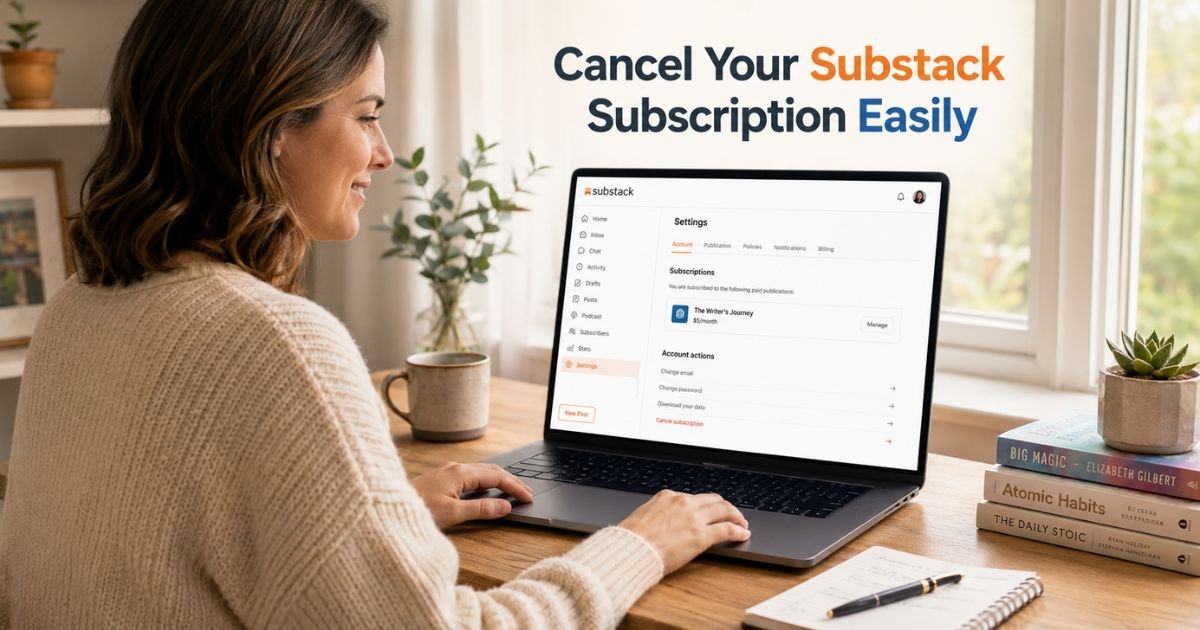
Have you ever glanced at your bank statement and wondered why you’re still paying for that Substack newsletter you stopped reading months ago?
You’re definitely not alone. Plenty of readers sign up during a burst of excitement, then life gets busy and those monthly charges keep rolling in.
The good news is that learning how to cancel Substack subscription is much simpler than most people expect. Whether you want to stop a paid subscription or just clean up your inbox, the process takes only a few minutes when you know the right steps.
Why Readers Decide to Cancel Their Substack Subscriptions
People cancel for all kinds of good reasons. Maybe the content no longer fits your interests, your budget tightened, or you simply want fewer emails each week. Whatever your situation, canceling gives you peace of mind and keeps your spending aligned with what you actually value.
Here are some common situations that lead readers to cancel:
- The writer shifted topics and the newsletter no longer feels relevant
- You found similar (or better) free content elsewhere
- You want to reduce recurring charges and simplify your finances
- You’re taking a break from certain topics for a while
Canceling a paid Substack subscription does not delete your account or affect other newsletters you follow. It simply stops future billing for that specific publication while letting you keep any free content the writer shares.
How to Cancel Your Substack Subscription on the Web
This is the most reliable method and works for almost everyone. Substack designed the process to be straightforward once you reach the right page.
Follow these steps:
- Log into your Substack account at substack.com or open the website in your browser.
- Click your profile picture in the top right corner and select Settings.
- Under the Subscriptions section, find the paid publication you want to cancel and click on it.
- Scroll down to the Account actions area.
- Click the link that says “To cancel your paid subscription, click here.”
- On the next screen, choose Cancel Subscription and confirm your choice.
That’s it. Your subscription will remain active until the end of your current billing period. After that date, you won’t be charged again and you’ll automatically become a free subscriber to that publication.
Pro Tip: Before you cancel, check your next billing date in the same settings screen. This small step helps you time the cancellation perfectly and avoid paying for an extra month you won’t use.
Canceling a Substack Subscription on Mobile
You can cancel on your phone too, but use a web browser rather than the Substack app for the smoothest experience.
Open Safari, Chrome, or your preferred browser and go to substack.com. Log in, then follow the exact same steps listed above for the web version. The interface works well on mobile screens.
If you originally subscribed through an in-app purchase on iOS or Android, you may need to cancel directly through Apple App Store or Google Play Store settings instead. In that case, search for “Subscriptions” in your phone’s settings app and locate the Substack entry there.
What Happens After You Cancel a Paid Substack Subscription
Your access does not disappear the moment you cancel. You keep full paid benefits until the end of the billing cycle you already paid for. After that, you simply move to the free tier for that newsletter.
You can resubscribe anytime in the future if you change your mind. Your reading history and any comments usually stay connected to your account.
Pause vs Cancel: Which Option Fits You Best?
Substack sometimes gives you the choice to pause instead of canceling completely. Pausing can be a smart middle ground when you’re unsure.
Here’s a quick comparison to help you decide:
Pause vs Cancel Your Substack Subscription
| Feature | Pause Subscription | Cancel Subscription |
|---|---|---|
| Future payments | Temporarily stopped | Stop at end of current billing period |
| Access to paid content | Usually continues during pause | Full access until period ends, then free |
| How easy to restart | Usually one click to resume | Requires resubscribing |
| Best when | You want a short break but may return | You’re ready to stop for good |
| Billing cycle impact | Pauses the clock | Ends billing permanently |
If pause appears as an option during your cancellation flow, it’s worth considering. Many readers use it during vacations or busy seasons.
Common Mistake: A lot of people try to cancel by clicking the unsubscribe link at the bottom of an email. That only works for free subscriptions. For paid ones, you must go through your account settings on the website. Using the email link won’t stop your billing.
Troubleshooting: What If Something Goes Wrong?
Most cancellations go smoothly, but here are a few fixes for common hiccups:
- Can’t find the publication? Make sure you’re logged into the correct email address.
- No “cancel” link visible? Double-check that you selected a paid subscription (free ones have different options).
- Subscribed through Apple or Google? Cancel directly in your app store settings.
- Still seeing charges after canceling? Wait until the end of the billing period and check your email for a confirmation.
If you run into a stubborn issue, Substack support usually responds quickly through the help form in your settings.
How to Unsubscribe from Free Substack Newsletters
Not every subscription costs money. If you just want to stop receiving free emails from a publication, the process is even simpler.
Scroll to the bottom of any email from that writer and click Unsubscribe. Or go to Settings > Subscriptions, select the publication, and turn off notifications. You’ll stop getting emails while still being able to visit the site if you want.
FAQs About How to Cancel Substack Subscription
Q: How long does it take for a Substack subscription to fully cancel?
Your paid access continues until the end of your current billing period. After that date, billing stops automatically and you move to the free tier. You’ll usually receive a confirmation email right after you complete the cancellation steps.
Q: Can I get a refund if I cancel my Substack subscription early?
Substack generally does not offer automatic refunds for partial periods. Your access simply continues until the end of the time you already paid for. Some individual writers may offer refunds at their discretion, but you would need to contact them directly through their publication page.
Q: What happens if I cancel a Substack subscription I signed up for on the iPhone app?
You can still cancel through the website using the steps in this guide. If the subscription was processed as an Apple in-app purchase, you may also need to cancel it in your Apple ID subscriptions settings to fully stop future billing from Apple.
Conclusion
Canceling your Substack subscription is a quick, low-stress process once you know where to click. You keep access until the end of your paid period, you can always come back later, and you stay in full control of what you pay for.
The biggest takeaways are simple: always cancel through your account settings on the web, understand that changes take effect at the end of your billing cycle, and consider pausing first if you might return soon.
Now that you have the steps, take a few minutes today to review your current subscriptions. Clean up the ones that no longer serve you and enjoy a lighter inbox and a happier budget.
Disclaimer: This content is for informational and educational purposes only and does not constitute professional, financial, legal, or medical advice. The information provided may not apply to your specific situation. Always consult a qualified professional for personalized guidance.


