How to Cancel Bullymake Subscription in 2026? [Step by Step]

Ever opened your bank statement and spotted that recurring Bullymake charge you no longer want? You signed up for the tough-chewer toy box because your bully breed dog loved the durable toys and treats, but now life has changed and you need to pause the deliveries.
You are definitely not alone. Thousands of dog parents decide it is time to cancel Bullymake subscription every month. The good news is the process is straightforward once you know the right steps.
You will discover exactly how to cancel Bullymake subscription through your online account, live chat, or email. We will walk you through every option, share what happens after you cancel, and give you tips to avoid any extra fees.
Why People Choose to Cancel Bullymake Subscription
Bullymake sends a fresh box of heavy-duty chew toys and treats every month, perfect for power chewers like pit bulls, mastiffs, and other bully breeds.
Many families start loving the convenience, but later realize they have plenty of toys already, their dog’s preferences changed, or they simply want to cut monthly costs.
Canceling gives you flexibility. You can disable auto-renewal, pause deliveries, or fully stop without losing the toys you already paid for. Knowing your options makes the whole thing quick and stress-free.
How to Cancel Bullymake Subscription in Your Account
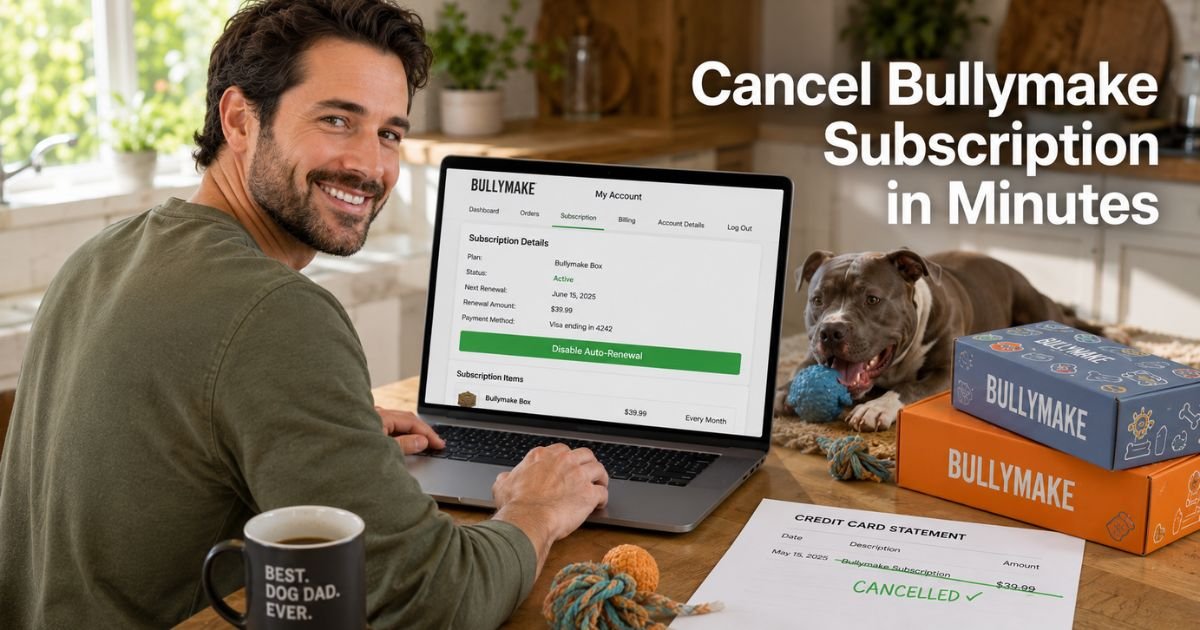
The fastest way for most people is right inside your Bullymake account. Here is exactly what to do:
- Go to bullymake.com and log into your My Account.
- Click the Subscription tab.
- Scroll all the way to the bottom of the page.
- Click Disable Auto-Renewal (or the cancel subscription option if shown).
- Confirm your choice and you are done.
Your current plan will finish out, so you will still get any remaining boxes you already paid for. After that, no more shipments arrive and billing stops automatically.
Pro Tip: Screenshot the confirmation screen right after you disable auto-renewal and save the email you receive. It becomes your easy proof if you ever need to contact support later.
Canceling Bullymake Subscription by Live Chat or Email
If the account portal does not show the option or you prefer help from a real person, reach out directly:
- Live Chat: Click the chat bubble in the bottom right corner of the Bullymake website. It is available Monday through Saturday from 4 AM to 12 AM CST and Sunday from 4 AM to 12 AM CST.
- Email: Send a clear message to customercare@bullymake.com with your account email, order details, and the word “cancel” in the subject line.
Support usually responds quickly and can guide you through any early cancellation fees if your plan still has a commitment period.
Real-World Example: How Mike Canceled His Bullymake Subscription
Take Mike, a 32-year-old dad from Texas with a super-chewer American Bully named Duke. He loved how the boxes kept Duke entertained for hours, but after six months Duke had more toys than he could chew and the budget felt tight.
Mike logged into his account, went to the Subscription tab, scrolled down, and disabled auto-renewal in under four minutes. He still received the last box he paid for and never got charged again. “It was way simpler than I expected,” Mike said.
“Duke kept his favorites and we saved money without any drama.” Mike’s story shows that even if you are not super techy, you can handle canceling Bullymake subscription quickly.
Cancellation Methods at a Glance
Here is a handy table comparing the different ways to cancel Bullymake subscription:
| Method | Best For | Time Needed | What You Need | Notes |
|---|---|---|---|---|
| My Account Portal | Fastest self-service | 2-5 minutes | Login credentials | Scroll to bottom of Subscription tab |
| Live Chat | Quick personal help | 5-10 minutes | Open website | Bottom-right bubble |
| Email Support | Written record | 1-2 business days | Account email and order details | customercare@bullymake.com |
| Disable Auto-Renewal | Monthly or post-commitment | Instant | Account access | Keeps remaining boxes |
This quick reference helps you pick the easiest path for your situation.
What Happens After You Cancel Bullymake Subscription?
Once you disable auto-renewal or confirm cancellation, you keep every toy and treat from the boxes you already paid for. No more shipments arrive after your current plan ends, and future charges stop automatically.
If you are still in a multi-month commitment (like a 3-month or 6-month plan), an early cancellation fee may apply. After the commitment period, you can cancel anytime with no extra fees. Your purchase stays final, so there are no refunds for unshipped boxes in the middle of a term.
Common Mistake: Only emailing to cancel without first checking your account portal. Many people waste time waiting for a reply when they could have disabled auto-renewal themselves in minutes.
Troubleshooting Common Issues
Can not find the Subscription tab? Make sure you are logged in with the exact email from your order confirmation. Try the direct link: bullymake.com/customer_authentication/login?return_to=%2Fapps%2Fsubscriptions%2Fmanage.
Still stuck or unsure about fees?
Open live chat or email customercare@bullymake.com right away. The team can check your specific plan and walk you through canceling Bullymake subscription on the spot.
Cancel Bullymake Subscription and Keep Your Dog Happy
After you cancel you do not have to give up on tough toys. You can always order single boxes or shop their one-time selections whenever you want. Many families cancel Bullymake subscription happily and still treat their dogs to the best chews without the monthly commitment.
FAQs About How to Cancel Bullymake Subscription
Q: How long does it take to cancel Bullymake subscription through the account portal?
Disabling auto-renewal usually happens instantly once you confirm in the Subscription tab. You will still receive any remaining boxes you already paid for, and future billing stops automatically after your current plan ends.
Q: Can I get a refund after I cancel my Bullymake subscription?
Bullymake does not issue refunds for unshipped boxes in the middle of a subscription term. Your purchase is final, but you keep everything that has already shipped or is in process.
Q: What if I am still in a multi-month Bullymake plan commitment?
You can still cancel, but an early cancellation fee may apply before your commitment ends. Contact customercare@bullymake.com or live chat for exact details on your plan so you know what to expect.
Conclusion
Canceling your Bullymake subscription is quick and simple when you use the account portal, live chat, or email. You stay in charge of your spending, keep the toys your dog already loves, and avoid any surprise charges down the road.
Remember to log into your My Account first, scroll to that disable button, or reach out to support if you need help. You now have everything you need to take action confidently today. Your dog will still have plenty of fun, and your wallet will thank you.
Disclaimer: This content is for informational and educational purposes only and does not constitute professional, financial, legal, or medical advice. The information provided may not apply to your specific situation. Always consult a qualified professional for personalized guidance.