
Air Medias Charge on Credit Card [Identified]

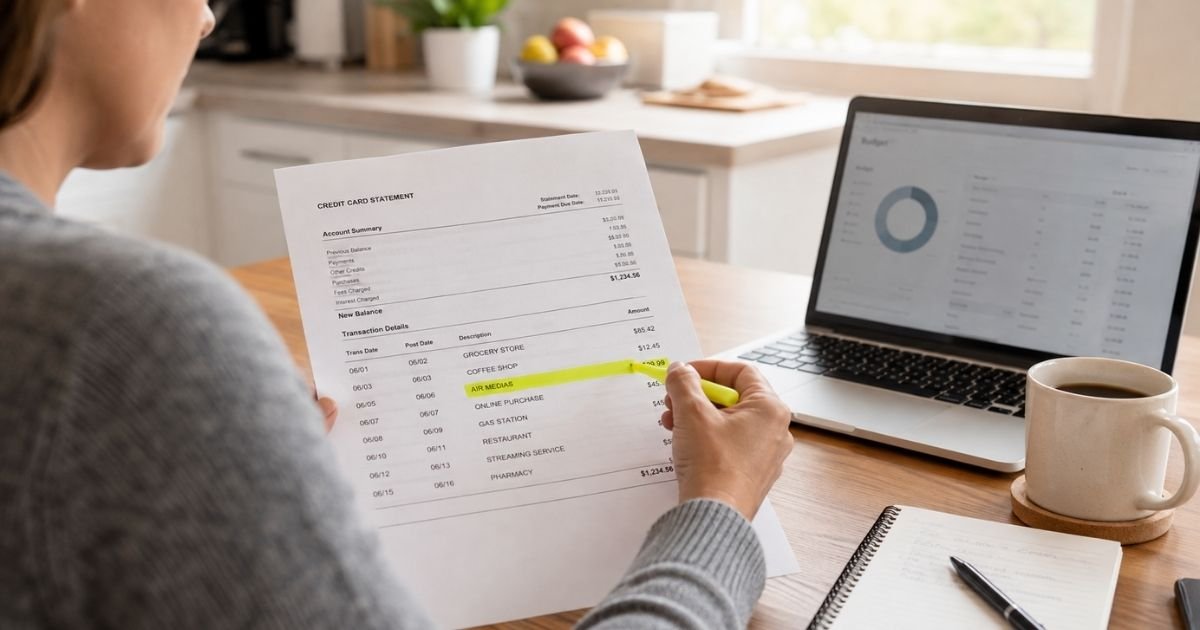
You open your statement and see Air Medias. You do not remember a store by that name. That can feel confusing, but the line often points to a site you already know.
An Air Medias charge on credit card typically comes from a purchase or subscription on MYM. MYM is a fan subscription platform. The company name on the bill is usually not the site name you typed in your browser.
What Is an Air Medias Charge on Credit Card?
Air Medias is generally the billing name for MYM. MYM’s own support pages say all transactions made on MYM will appear as AIR MEDIAS on your bank statement or PayPal account.
AIR MEDIAS is a French company that operates the MYM platform at mym.fans. Company records list the firm as AIR MEDIAS SAS in Paris. You may also see close spellings such as Air Media, Air Medias Internet, or Air Medias Lyon.
The charge can be a one-time tip, a private media purchase, or a monthly creator subscription. Amounts vary by creator and product, so your statement total is the best guide.
Why You Might See This Charge
You may have subscribed to a creator on MYM. MYM support says subscriptions are generally monthly and auto-renew unless you turn renewal off.
You might also have bought a one-time item, such as a private message or live access. Those purchases can post under the same Air Medias name even if they are not a monthly plan.
A confirmation email usually follows each MYM payment. If that note went to spam, the statement line can look random weeks later.
Someone who shares your card could have used the site. Ask household members before you assume fraud.
How to Confirm an Air Medias Charge
Search your email for MYM, mym.fans, and Air Medias. Check spam and promotions folders. Look for a payment confirmation that matches the date and amount.
Log in at mym.fans if you still have the account. MYM support says you can open your account and go to My purchase history to see each charge. That list typically shows the amount and the related creator.
Match the statement date to a signup, tip, or renewal. If you used PayPal, check PayPal activity too. MYM says PayPal payments can also show as AIR MEDIAS.
How to Cancel an Air Medias Subscription
Cancel inside your MYM account. MYM support says subscriptions renew automatically each month until you turn renewal off.
Go to My account, then My subscriptions. Find the creator you no longer want to pay. Open that creator and click Cancel subscription.
MYM says the plan generally stays active until the end of the period you already paid. It also says to turn renewal off at least 24 hours before the anniversary date. If you cancel after that date, the next month may still bill.
Cancel each creator one by one if you have more than one plan. Save a screenshot of the cancel screen in case another charge posts.
How to Request a Refund
MYM’s sale terms generally treat subscriptions and renewals as nonrefundable once the period has started. The company also says those purchases are not subject to a standard withdrawal right after you access the content.
That does not mean you should stay silent if the charge looks wrong. Start with purchase history so you know what posted. Then open a support request through the official MYM help center.
For a claim that a stolen card was used on MYM, the company’s unauthorized-payment page asks for a signed complaint, a theft report, and confirmation that you blocked the card. It says a sworn statement alone is not accepted. Without those documents, MYM says it cannot process that type of refund.
Do not assume every request is approved. Timing and results may vary. Keep copies of what you send.
What to Do If You Do Not Recognize the Charge
Write down the exact wording, date, and amount. Search your email and MYM purchase history. Ask anyone who shares the card.
If you find an account you forgot, cancel the subscriptions first. Then decide whether you also want support to review a refund.
If you cannot log in and nobody in the house recognizes the charge, contact MYM support and your card issuer. For many credit card billing errors, you typically need to notify your issuer in writing within 60 days of the statement that shows the charge.
How to Dispute an Air Medias Charge
Try MYM first when you can reach the account. Issuers often ask whether you already contacted the merchant. Keep emails, screenshots, and dates.
Open a dispute in your card app or by phone if the charge is unauthorized, billing continued after you canceled, or you cannot get a useful reply. Explain the facts in plain language. Outcomes may vary by issuer.
A dispute is a review, not a promised refund. Use it when you have a real problem. Watch the next statement to confirm recurring billing has stopped.
Official Contact Options
Use details published on MYM support pages, and recheck them before you write. Contact information can change.
| Method | Published details |
|---|---|
| Platform | mym.fans |
| Help center | support.mym.fans |
| Purchase history | Account, then My purchase history (mym.fans/app/invoices) |
| Cancel path | My account, then My subscriptions, then Cancel subscription |
| Company name on statements | AIR MEDIAS |
MYM support pages point you to an online request form if the help articles do not answer your question. That is generally safer than unofficial phone numbers you may see on third-party sites.
FAQs About Air Medias Charge on Credit Card
Q: Is an Air Medias charge a scam?
Not automatically. MYM officially says its charges appear as AIR MEDIAS. Still, any charge you cannot match deserves a closer look through purchase history, email, and your bank.
Q: Why doesn’t MYM appear on my statement?
The platform bills under its company name. MYM support states that transactions show as AIR MEDIAS on your bank statement or PayPal account. That is why the line can look unfamiliar.
Q: Will canceling get me a refund today?
Usually not for time already paid. MYM says a canceled plan generally stays active until the end of the paid period, and subscriptions are typically not refundable after access begins. Ask support if your case was unauthorized or a billing error.
Q: How do I stop future Air Medias charges?
Turn off each creator subscription in My subscriptions, at least 24 hours before renewal when you can. Then watch your next statement. If charges continue, contact MYM support and your card issuer.
Conclusion
An Air Medias charge on credit card usually points to a MYM purchase or creator subscription billed under the company name. Check purchase history, cancel in My subscriptions, and write official support if you need the charge reviewed.
If the line still does not make sense, your card issuer can help you review or dispute it. You have a path forward, and you do not have to guess alone.
Disclaimer: This article is for general information only. It is not financial, legal, or tax advice. Billing names, refund rules, and dispute timelines typically vary by merchant and card issuer. Verify current contact details on MYM’s official help pages. For account-specific questions, contact MYM support or your bank.


