Common Cap APY F1 Charge On Bank Statement [Identified]


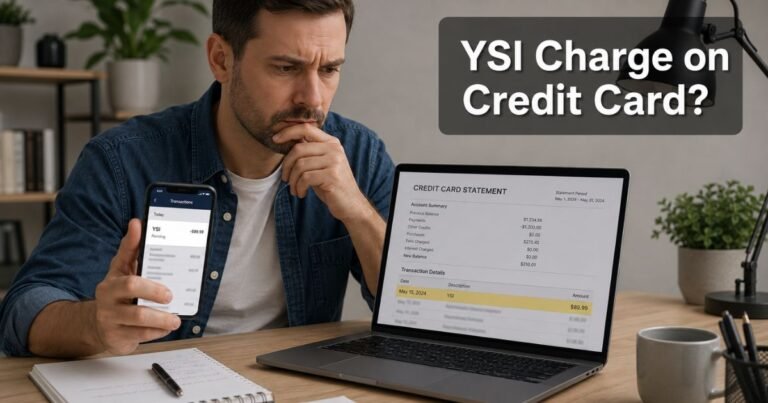
A Common Cap APY F1 charge can look alarming because the name is truncated and hard to read. You may see it on a bank statement and assume it is a mystery credit card purchase.
In most cases, it is not a store checkout charge. It is typically an automatic payment from your checking or savings account toward a store-branded credit card issued by Comenity Capital Bank.
What Is a Common Cap APY F1 Charge?
A Common Cap APY F1 charge on bank statement is generally an ACH debit. ACH is the bank network that moves money between accounts.
The label is often shortened to COMN CAP APY F1 or COMN CAP APY F1 AUTO PAY. COMN and CAP typically point to Comenity Capital Bank, which is part of Bread Financial.
APY in this line usually means AutoPay, not annual percentage yield. F1 appears to be an internal code for a specific card program. Community reports often link F1 to an Ulta Beauty card, but Comenity issues many retail cards, so you should confirm your own account.
| Statement wording | What it typically means |
|---|---|
| COMN / COMM / Common | Comenity |
| CAP | Comenity Capital Bank |
| APY | AutoPay, not savings interest |
| F1 | Internal card-program code |
| AUTO PAY, WEB, PPD, ACH | Bank transfer used to pay the card |
This charge usually shows up on the bank account you linked for payments. The original store purchase should appear separately on the Comenity card statement.
How the Charge Usually Appears
Issuers shorten merchant names to fit a statement line. That is why you may see Common Cap APY F1 instead of a store name you recognize.
Related lines can include COMN CAP APY F1 AUTO PAY, ACH COMN CAP APY F1, or a long reference number. Some older payments show COMENITY PAY plus a short store code and 800-395-5714.
The amount often matches a minimum payment, a statement balance, or a fixed AutoPay amount you chose. Recurring monthly amounts are a strong clue that AutoPay is on.
Why You Might See This Charge
The most common reason is simple. You opened a store card, linked a bank account, and enrolled in automatic payments.
You may also have made a one-time online or phone payment that posted with the same short label. A family member who is an authorized user may have set up payments on a shared card.
Comenity Capital Bank and Comenity Bank issue many co-brand and store cards. Public reports have tied similar descriptors to cards for retailers such as Ulta Beauty, BJ’s Wholesale Club, IKEA, J.Crew, Victoria’s Secret, Floor & Decor, and other brands.
The brand on your plastic may not match the words on your bank statement. That mismatch is common and does not, by itself, prove fraud.
How to Confirm the Charge
Start with the dollar amount and the date. Then look for a matching payment on a store card statement.
- Pull the last 60 days of bank activity and note every Common Cap APY F1 line.
- Search your email for words such as Comenity, Bread Financial, AutoPay, or the store where you applied for a card.
- Find your card’s Account Center through Bread Financial’s card search page at breadfinancial.com, or open the Bread Financial app.
- Compare the posted payment in Account Center with the bank debit.
- If you think the card is Ulta Beauty, Ulta lists Comenity Capital Bank as the issuer and points cardholders to its manage-account page.
Bread Financial’s help center says you should use the Account Center for your specific card. Call the Customer Care number on the back of your card or on your billing statement if you cannot sign in.
Official mail for Comenity Capital Bank is listed as P.O. Box 183003, Columbus, OH 43218-3003. Bread Financial also lists a credit-card phone payment number of 1-855-796-9632, with TDD/TTY 1-888-819-1918. A phone payment may carry a fee.
If the card is an Ulta Beauty Rewards Mastercard, Ulta lists 1-866-257-9195. For the Ulta Beauty Rewards Credit Card, Ulta lists 1-866-254-9971. The TDD/TTY number shown with those lines is 1-888-819-1918.
How to Stop AutoPay
Canceling AutoPay does not close the credit card. It only stops the bank from sending a scheduled payment.
Sign in to the correct Account Center or the Bread Financial app. Open payments or AutoPay settings and turn the schedule off. Save a confirmation screenshot.
You can also call the number on your card and ask a representative to cancel AutoPay. Ask when the last scheduled debit will run. ACH payments already in process may still post.
After you cancel, watch the next billing cycle. If a debit still appears, call the card issuer and your bank the same day.
Keep making manual payments if the card still has a balance. Stopping AutoPay does not pause interest, late fees, or the due date on the store card.
Related Labels and Lookalikes
Not every line with “Cap,” “APY,” or “F1” is the same charge. Read the full wording before you dispute it.
- COMN CAP APY F2 or another letter-number code: These are often similar Comenity AutoPay labels for a different store card.
- COMENITY PAY plus a two-letter code: This is another common Comenity payment label.
- Bread Savings APY: Comenity Capital Bank also offers Bread Savings deposit accounts. Those products advertise an annual percentage yield. That is a different product from a card AutoPay debit.
- Formula 1 or F1 streaming: A racing or media subscription can include “F1,” but it should not use the COMN CAP APY wording.
- Capital One interest or fees: Capital One is a different issuer. Its interest lines are not Comenity AutoPay.
Some unofficial pages claim Common Cap APY F1 is an inactivity fee or a savings-yield charge. That reading is not supported by Comenity or Bread Financial help pages. Treat those explanations as unverified.
If You Do Not Recognize the Charge
First rule out a forgotten store card. Many people apply at checkout, use the card once, and later forget the account.
If you have no Comenity or Bread Financial card tied to that bank account, treat the debit as unauthorized. Call your bank, ask to block future ACH debits from that originator, and file a dispute if the bank allows it.
Also call Comenity or Bread Financial using a number from an official site or from a card you actually have. Do not use a number from a random text, pop-up, or social post.
If someone used your linked bank account without permission, ask the issuer to review the card account too. Change online passwords and remove the bank account from any payment profile you no longer want connected.
FAQs About Common Cap APY F1 Charge On Bank Statement
Q: Is a Common Cap APY F1 charge a purchase at a store?
Usually no. It is typically the bank withdrawal used to pay a Comenity Capital Bank credit card. The store purchase should appear on the card account under the retailer’s name.
Q: Does APY mean I am being charged interest?
In this descriptor, APY generally stands for AutoPay. Annual percentage yield is a savings term. Credit cards usually show interest as APR or as an interest charge on the card statement, not as Common Cap APY F1 on your checking account.
Q: Which store card uses the F1 code?
F1 is an internal program code, not a public brand name. Consumer reports often associate F1 with an Ulta Beauty card issued by Comenity Capital Bank. That link is not an official published code list, so match the amount to your own card account.
Q: How do I keep this debit from coming back?
Turn off AutoPay in Account Center or the Bread Financial app, or ask Customer Care to cancel it. Remove the linked bank account if you no longer want automatic withdrawals. Then confirm that the next due date is paid another way.
Conclusion
A Common Cap APY F1 charge on a bank statement is typically a Comenity Capital Bank AutoPay debit for a store-branded card, not a random checkout. Match the amount to Account Center, then cancel AutoPay if you no longer want the withdrawal.
If the payment is not yours, contact the issuer and your bank promptly. Official help starts at breadfinancial.com and at the phone number on your card or statement.
Disclaimer: This article is for general information only. It is not financial, legal, or credit advice. Statement labels, fees, and AutoPay rules vary by issuer, bank, and card program. Verify any account-specific question with Comenity, Bread Financial, the retailer on your card, or your bank.