Have you ever signed up for what seemed like a great deal on the Blidz app, only to notice surprise charges hitting your card every month? You are not alone.
Thousands of shoppers download this popular social shopping app for its group discounts and daily deals, but many later want to cancel Blidz subscription when the membership no longer fits their budget or needs.
Whether you tried the free trial and got auto-charged or simply want to stop the recurring fees, canceling is straightforward once you know where to look.
You will learn the exact steps to cancel your Blidz Plus membership on your phone or computer, what happens afterward, and how to fix common problems that pop up.
Why People Cancel Their Blidz Subscription
Blidz is a fun social shopping app packed with group deals, flash sales, and the chance to earn rewards while you shop. The Blidz Plus membership promises even bigger savings and exclusive perks.
But life happens. Maybe your budget got tighter, you found better deals elsewhere, or the auto-renewal caught you off guard after the trial ended.
Many users report unexpected monthly charges around $24.99 or more, depending on the plan.
If you are seeing these on your statement and wondering what to do, you have come to the right place. Canceling your Blidz subscription is quick, and you keep any remaining benefits until your current billing period ends.
How to Cancel Blidz Subscription Step by Step
The good news is Blidz makes cancellation easy inside the app or on their website. You do not need to call anyone or hunt for hidden menus. Here are the exact steps that work in 2026.
Canceling Blidz Membership in the App (Most Popular Method)
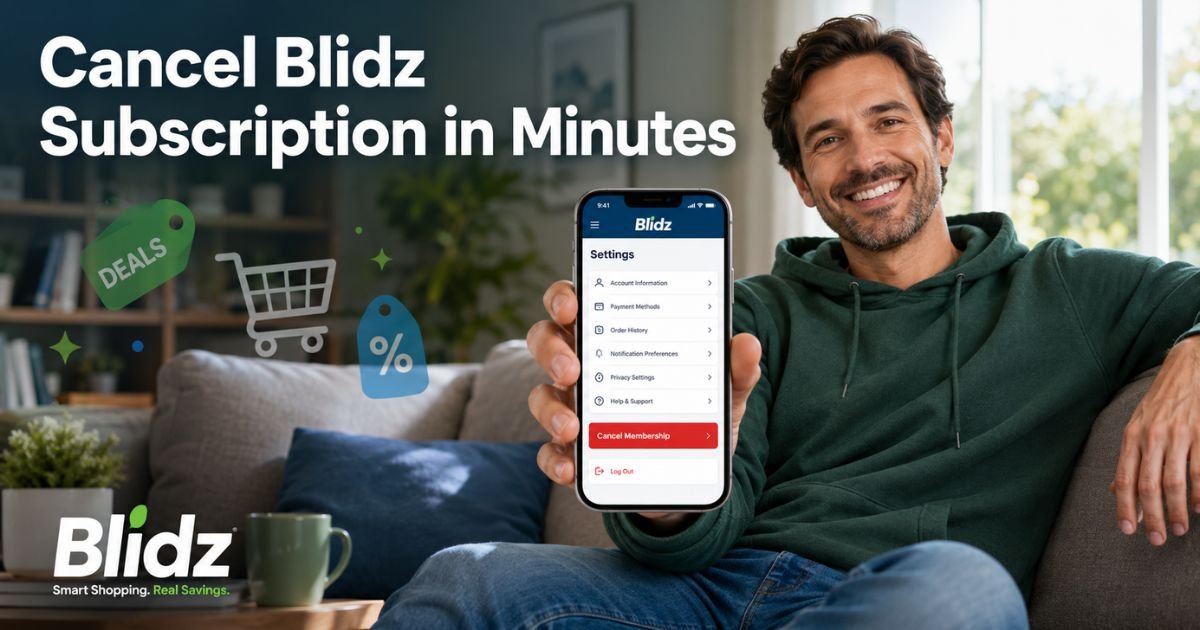
- Open the Blidz app on your iPhone or Android phone.
- Tap your Profile icon in the top left corner.
- Tap the Settings gear icon in the top right.
- Scroll down until you see your Membership Plan section.
- Tap Cancel Membership.
- Tap I confirm my cancellation to finish.
You will get a confirmation message right away. That is it. Your membership will stop renewing automatically.
Canceling on the Web
If you prefer using a computer:
- Go to blidz.com and log into your account.
- Click My Account in the top menu.
- Click Settings.
- Click Cancel Membership.
- Click I confirm my cancellation.
Same simple process, same fast results.
Pro Tip: After you cancel, take a quick screenshot of the confirmation screen or save the email Blidz sends you. It serves as proof if any questions come up later about charges.
What Happens After You Cancel Blidz Subscription
Once you confirm cancellation, your Blidz membership will not renew at the end of your current billing cycle. You will keep all member benefits (like extra discounts and priority support) until that period ends. No more automatic charges will hit your card.
Blidz uses Stripe to handle payments, so everything stays secure and transparent. If you signed up during a 1-day free trial and cancel before it ends, you usually avoid any charges at all.
Common Issues When Trying to Cancel Blidz Membership
Sometimes things do not go as smoothly as expected. Here are the most frequent problems users face and how to fix them fast.
- Verification code never arrives: Double-check your spam folder or try a different email address associated with your account.
- Login keeps failing: Clear your app cache or try logging in through the website instead.
- Cancel button is missing: Make sure you are logged into the exact account that has the active membership.
- Still seeing charges after canceling: Wait 24-48 hours for the system to update, then check your bank statement again.
If none of these work, reach out to support@blidz.com or call +1 (845) 299-8407 for personal help.
Common Mistake: Thinking that simply deleting the Blidz app or your account will stop the subscription. It will not. You must manually cancel the membership through the settings menu or the website. Otherwise, charges keep coming.
Quick Comparison: Blidz Membership Options
Before you cancel, it helps to understand what you are giving up. Here is a simple table of the main plans (based on current 2026 information):
| Plan | Billing Options | Typical Price | Key Benefits | Best For |
|---|---|---|---|---|
| Plus | Monthly / Annual | $24.99/mo | Extra discounts, faster payouts | Casual shoppers |
| Premium | Monthly / Annual | Higher tier | Priority support, bigger rewards | Frequent buyers |
| Ultra | Monthly / Annual | Highest | All perks plus exclusive deals | Power users |
If you are not using these perks regularly, canceling makes perfect sense for your wallet.
Troubleshooting Blidz Subscription Problems
Still stuck? Try these extra tips:
- Update the Blidz app to the latest version.
- Use a strong Wi-Fi connection instead of mobile data.
- Log out and back in to refresh your account.
- Check your email for any messages from Blidz about your membership.
Most users resolve issues within minutes using these steps. If charges continue after proper cancellation, contact your bank or credit card company to dispute them while you wait for Blidz support to respond.
Tips to Avoid Future Subscription Surprises
Once you cancel Blidz subscription, you can still enjoy the free version of the app. To stay safe moving forward:
- Review your bank statements monthly.
- Turn off auto-renew for any new trials you try.
- Keep confirmation emails organized in a folder.
These small habits save you time and money down the road.
Blidz Cancel Subscription: Everything You Need to Know
You now have the full picture on how to cancel Blidz subscription, what to expect afterward, and how to handle any hiccups. Remember, the process is designed to be user-friendly when you follow the official steps.
FAQs About Blidz Cancel Subscription
Q: What Happens If I Cancel Blidz Subscription During the Free Trial?
If you cancel during the 1-day free trial period, you will not be charged at all. Your access ends immediately, but you avoid any membership fees. Always confirm the trial end date in your account settings to be safe.
Q: Can I Get a Refund After Canceling My Blidz Membership?
Refunds for the initial membership fee may be available within 30 days under their money-back guarantee. Contact support@blidz.com with your account details. Later renewals are usually non-refundable, but Blidz often works with users on a case-by-case basis.
Q: Why Can’t I Find the Cancel Button in My Blidz App?
The cancel option only appears if you have an active paid membership. Make sure you are logged into the correct account. Try updating the app or switching to the website version if the button still does not show up.
Conclusion
Canceling your Blidz subscription does not have to be stressful. With the simple steps in this guide, you can stop recurring charges in just a few minutes and keep full control over your shopping budget. Remember to cancel before your next billing date, take screenshots for your records, and reach out to support if you hit any snags.
You deserve to shop on your terms without worrying about surprise fees. Go ahead and open the Blidz app right now, follow the steps, and enjoy the peace of mind that comes with a clean account. Happy saving.
Disclaimer: This content is for informational and educational purposes only and does not constitute professional, financial, legal, or medical advice. The information provided may not apply to your specific situation. Always consult a qualified professional for personalized guidance.