How to Cancel Wisp Subscription in 2026? [Step by Step]

You started your Wisp subscription for convenient birth control refills or quick UTI treatment, thinking it would make life easier. Now the automatic charges keep coming and you’re ready to pause things. Totally normal. Lots of women hit this exact spot.
If you’re here searching for a straightforward way to cancel your Wisp subscription, you’re in the right place. Whether it’s your monthly birth control, UTI prevention packs, or the Wisp+ membership, the process is clear once you know the rules.
You’ll discover exactly how to cancel Wisp subscription, the important 48-hour notice requirement, what happens to your next refill, refund options, and tips to keep your health routine on track without the surprise bills.
What Is Wisp and Why Do Women Subscribe?
Wisp (hellowisp.com) is a discreet telehealth service offering affordable prescriptions and treatments for women’s sexual and reproductive health.
Think birth control pills, emergency contraception, UTI antibiotics, BV and yeast infection treatments, and even menopause support.
They make it simple: you complete a quick online consult, get approved by a licensed practitioner, and receive your meds by mail. Subscriptions handle the refills automatically so you never run out.
It’s popular because it’s private, fast, and often cheaper than traditional pharmacy visits. But life changes. Maybe your needs shifted, your budget tightened, or you found a local option.
Whatever the reason, Wisp lets you cancel anytime, you just have to follow their timing rules.
Common Reasons Women Cancel Their Wisp Subscription
Before the steps, here’s why many readers decide to pause:
- Symptoms or needs changed
- Switched to a different provider or insurance-covered option
- Budget adjustments
- Taking a break from daily meds
- Simply wanting more flexibility
You’re making a smart choice by handling it the right way.
How to Cancel Wisp Subscription: Step-by-Step Guide
Wisp keeps the process straightforward through your patient portal or email. Here’s exactly how it works in 2026.
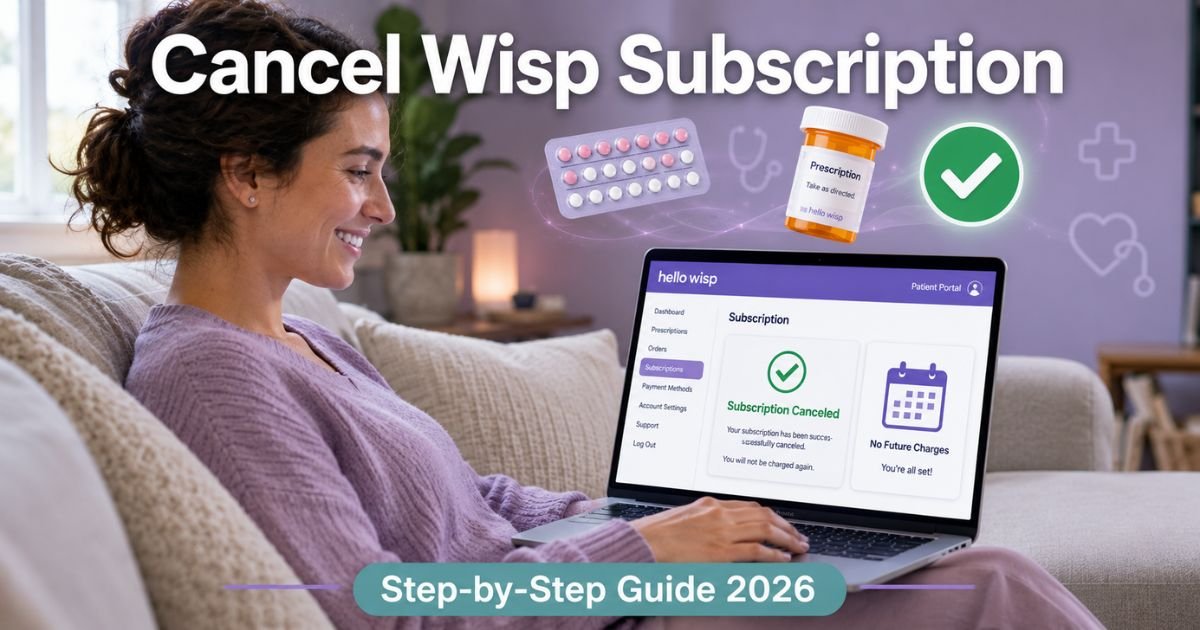
1. Log into your Wisp account
- Go to hellowisp.com/login
- Sign in with the email you used to create your account
2. Access the Subscriptions section
- Once logged in, head to the Subscriptions area in your patient portal
- Find your active plan (birth control refill, UTI pack, Wisp+ membership, etc.)
- Select the option to cancel subscription and follow the prompts
Most people finish right here in a couple of clicks.
3. Email support if you prefer or need help
Can’t find the button or want immediate confirmation?
Email support@hellowisp.com.
Use a clear subject line like “Cancel Wisp Subscription – [Your Email]”.
In the body, write something simple: “Hi team, I’d like to cancel my [Birth Control / UTI / Wisp+] subscription. My account email is [your email]. Thank you!”
Important timing rule: You must give them at least 48 hours notice before your next scheduled renewal date. That date shows clearly in your account under Subscriptions. Requests with less than 48 hours won’t be processed for that cycle.
Pro Tip: Check your renewal date in the portal first, then cancel with plenty of buffer time. This way you still get any refill you already paid for and avoid any last-minute charges.
Real-World Example
Take a 29-year-old graphic designer in Denver. She started her Wisp birth control subscription two years ago because the online consults were so easy. But after switching jobs with new insurance, she wanted to use her new plan instead.
She logged into her account, went straight to Subscriptions, and canceled in under two minutes. She still received the last pack she had already paid for, and the team sent a friendly confirmation email.
She saved $25 a month and now gets her pills through her new insurance. Simple switch that made a big difference in her budget.
What Happens After You Cancel Wisp Subscription
Here’s the clear part:
- You keep access to any refill or shipment already processed
- Future automatic renewals stop completely
- No more charges after the current cycle ends
- Your account stays active for future one-time orders if you ever need them
Wisp built the system to give you control while protecting your health needs.
How Refunds Work (or Don’t) on Wisp
Wisp’s general policy is that all sales are final, so they don’t offer refunds on completed shipments. However, they may make exceptions at their discretion for things like damaged products, out-of-stock items, or prescriptions that never reached your pharmacy.
If you have a specific issue, email support@hellowisp.com with your order details and photos if needed. They review each case individually, but don’t expect automatic refunds for standard cancellations.
Common Mistake: Waiting until the last minute to cancel. Because of the 48-hour notice rule, many women accidentally get charged for the next cycle if they email too close to renewal. Always check your renewal date first.
Wisp Subscription Options at a Glance
Not sure exactly what you’re canceling? Here’s a quick overview of common plans:
| Subscription Type | Typical Cost | What You Get | Renewal Cycle |
|---|---|---|---|
| Birth Control Refills | $20–$35/month | Monthly pill packs + consults | Monthly |
| UTI Prevention/Treatment | $25–$45 per pack | Antibiotics or daily prevention | As needed |
| Wisp+ Membership | Varies | Discounts + priority access | Monthly/Yearly |
| One-Time Treatments | One-time fee | BV, yeast, emergency contraception | No renewal |
Prices current as of 2026. Exact amounts appear in your account.
Tips to Manage Your Telehealth Subscriptions Smarter
Canceling your Wisp subscription is a great step toward better control. Try these three habits many women use:
- Note your renewal date in your phone calendar every time you start a new subscription.
- Use a free tracker like Rocket Money to see all recurring health charges in one place.
- Review your prescriptions every six months to make sure they still fit your needs.
You’ll feel more organized and save money almost immediately.
Troubleshooting Common Wisp Cancellation Issues
Can’t log in?
Use the “Forgot password” link or check your spam for the magic link.
Subscription not showing?
Make sure you’re in the correct patient portal section.
Still seeing charges?
Forward the receipt to support@hellowisp.com right away.
Need faster help?
Their team usually replies within 24–48 hours during business days.
Why Wisp Makes Cancellation Straightforward
Wisp focuses on making women’s health accessible and judgment-free. Their clear 48-hour rule and self-service portal show they respect your choices while keeping things safe and compliant.
FAQs About How to Cancel Wisp Subscription
Q: How long does it take to cancel Wisp subscription?
Most people finish in just a few minutes through the patient portal. If you email support@hellowisp.com, expect a confirmation within 24–48 hours as long as you gave the required 48-hour notice before renewal.
Q: Can I get a refund after canceling my Wisp subscription?
Generally no, because all sales are final. However, Wisp may offer refunds or replacements at their discretion for damaged, defective, or undelivered items. Email support@hellowisp.com with your details for review.
Q: What’s the 48-hour rule for canceling Wisp subscription?
You must submit your cancellation request at least 48 hours before your next scheduled renewal date to avoid being charged for the next cycle. The exact renewal date is listed in your account under Subscriptions.
Conclusion
Canceling your Wisp subscription is quick, private, and totally doable in minutes. Whether you use the patient portal or email support@hellowisp.com with the right notice, you’ll stop future charges while keeping anything you already paid for.
You now have the exact steps, timing rules, and practical tips to handle everything confidently. Go ahead and make that change.
If your needs change later, Wisp will still be there with the same easy, discreet service.
Disclaimer: This content is for informational and educational purposes only and does not constitute professional, financial, legal, or medical advice. The information provided may not apply to your specific situation. Always consult a qualified professional for personalized guidance.