
Splashin Premium Is Quietly Renewing — Cancel It in Minutes

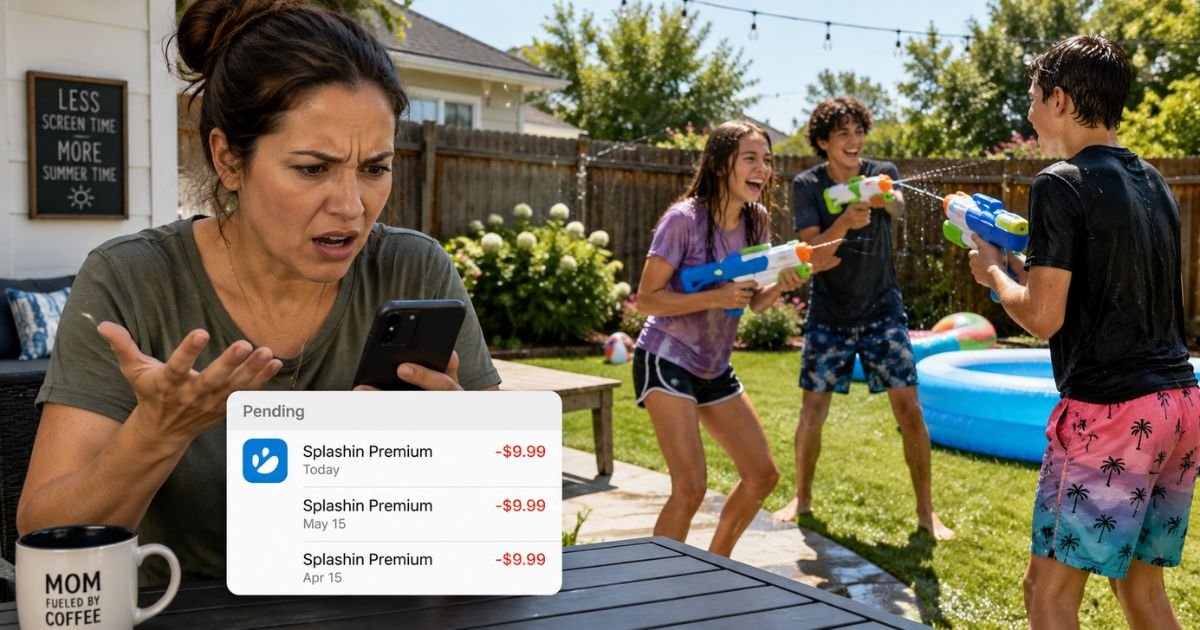
You handed your phone over for “just one tournament” with the neighborhood crew. Now your bank app shows another $11.99 charge labeled Splashin Premium — and it’s been happening every month since.
That quiet renewal is no accident. Splashin (the popular water-elimination app for Senior Assassin-style games) makes it ridiculously easy to tap into premium features like live maps and location tracking. Then the subscription locks in and keeps charging long after the fun ends.
This article gives you the exact steps to cancel right now, what to do if you’ve already been billed, and how to keep playing without paying another cent. Let’s fix this before the next charge hits.
What You’ll Learn in 60 Seconds
- The 3-tap process to cancel on iPhone or Android before your next billing date
- How to request a refund for recent charges through Apple or Google
- Why these charges sneak past so many parents and teens
- Free ways to keep the water wars going without premium
- What to do if the subscription doesn’t appear in your list
The Hidden Splashin Premium Trap No One Warns You About
Splashin itself is free to download. The money starts flowing the moment someone (often a kid on a family-shared Apple ID) taps “Premium” for that live map advantage during a big tournament. Plans range from a few dollars to over $25 a month, and they auto-renew through Apple or Google — not directly through the app.
Americans waste an average of $200 a year on unused subscriptions they forgot about or no longer need. Splashin Premium is a textbook case. One summer game turns into a silent monthly hit that shows up as a vague “Apple Services” or “Google Play” line item.
The worst part? Many players say the premium map feels like an unfair cheat code anyway. You pay extra so your kid can see exactly where their targets are hiding. The core game still works fine without it.
Why These Charges Catch Families Off Guard
Most people never open the app again after the tournament ends. The charge is small enough to ignore at first. Family sharing hides it under a parent’s Apple ID. Bank statements bury it among dozens of other micro-transactions.
Splashin recently added “improved guidance for subscription management” inside the app, but most users never look there. By the time you notice, two or three months have already gone by.
You’re not careless. The system is designed to make forgetting easy.
Cancel Your Splashin Subscription in Under 5 Minutes (Do This Now)
On iPhone or iPad
Open the Settings app.
Tap your name at the very top.
Tap Subscriptions.
Find Splashin or Splashin Premium in the list.
Tap it, then tap Cancel Subscription and confirm.
On Android
Open the Google Play Store app.
Tap your profile icon in the top right.
Tap Payments & subscriptions, then Subscriptions.
Select Splashin.
Tap Cancel subscription and follow the prompts.
Do this today — even if your next billing date is weeks away. Once canceled, you keep premium access until the end of the current period, then it simply stops.
Already Been Charged? Here’s Exactly What to Do
If the most recent charge was within the last 30–60 days, request a refund directly through Apple or Google. Both platforms make this surprisingly straightforward for accidental or unwanted subscriptions.
Still no luck? Message Splashin support on Instagram @splashinapp. Their team responds fast according to hundreds of player reviews — often within minutes during busy hours. Email team@splashin.app as backup (expect 48+ hours).
If the charge looks completely unauthorized, contact your bank or credit card company and dispute it as a billing error. Most families get resolution through the app stores first.
Keep Playing Splashin Without Paying a Dime
Canceling doesn’t delete your account or game history. You simply lose the live map and a few premium perks. Plenty of players stick with the free version and still have a blast organizing tournaments the old-fashioned way — no GPS spying required.
Want similar thrills without any app? Round up the crew for a classic water-gun battle in the backyard. No monthly fees. No location tracking. Just good old-fashioned chaos and way more laughs.
The bottom line: That recurring Splashin charge is 100% stoppable — and you now have the exact steps to kill it in the next two minutes. Don’t let another billing cycle sneak up while you’re busy living your life.
Head to our complete Splashin cancellation guide on CancelSubscription.net for the full walkthrough, refund templates, and to confirm everything is shut down for good.
FAQs About how to cancel splashin subscription
Q: Can I cancel Splashin Premium anytime?
A: Yes. You can cancel whenever you want. You’ll keep premium features until the end of the current billing period, then access drops back to the free version automatically. No penalties.
Q: Will canceling delete my account or tournament history?
A: No. Your account, friends list, and past games stay exactly where they are. Only the paid extras stop renewing.
Q: What if Splashin doesn’t show up in my subscriptions list?
A: Make sure you’re checking the correct Apple ID or Google account — especially with family sharing. If it’s still missing, message Splashin support on Instagram right away. They can confirm the subscription and walk you through removal.


