

You wrap up the newest patch or expansion and suddenly feel like you need a break from Eorzea. Or you check your statements and notice that recurring Square Enix charge and start wondering if the timing is right to pause.
Either way, figuring out how to cancel FF14 subscription can feel nerve-wracking when you worry about losing years of progress.
You want a simple, safe process that stops the billing without touching your characters or service account. This guide gives you the exact steps through Mog Station, explains what happens after you cancel, and highlights the one big mistake players make so you can avoid it completely.
Why Players Choose to Cancel Their FF14 Subscription
Life gets busy. New expansions, work projects, or even a different game can pull your attention away for a while. Some players cancel simply to save money during slower months while knowing they can return anytime.
Others finish a major story arc and want to step away on a high note. Whatever your reason, canceling your subscription stays completely reversible. Your characters and progress stay safe as long as you follow the correct path.
Take a 29-year-old office worker from Seattle. He finished the latest expansion and realized he needed a few months to focus on other hobbies. He canceled his FF14 subscription through Mog Station, kept playing until his paid time ran out, and logged back in months later with everything exactly where he left it.
How to Cancel FF14 Subscription Through Mog Station
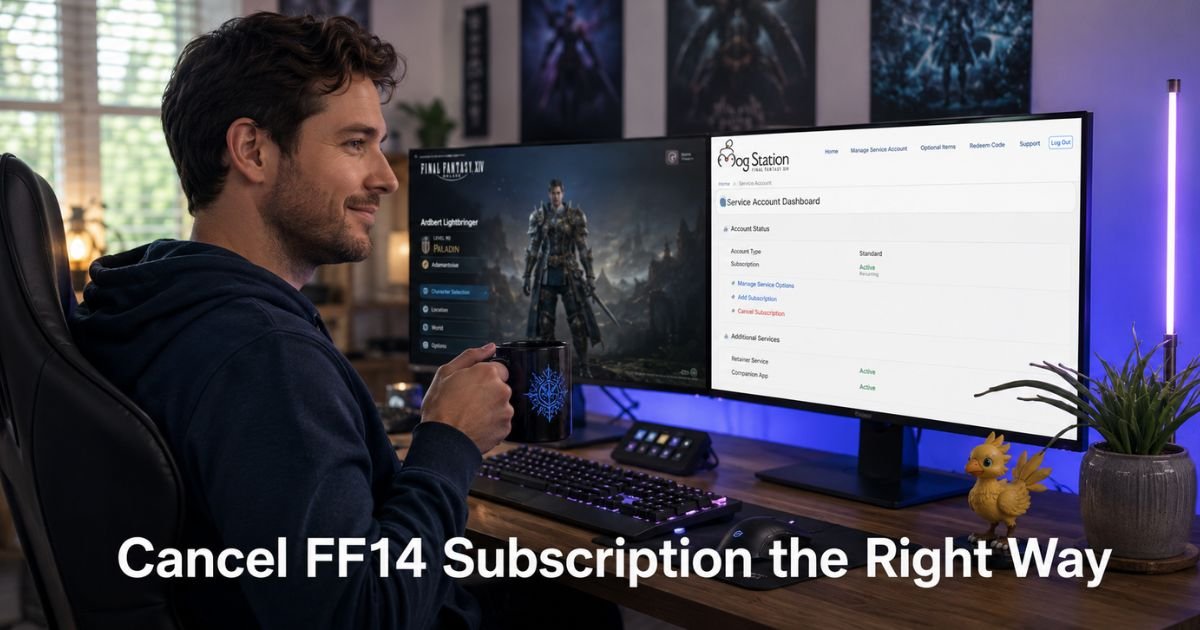
Mog Station is the main place most players manage their FFXIV subscription, whether they play on PC, Steam, or console. The process takes just a few minutes once you are logged in.
Follow these steps carefully:
- Go to www.mogstation.com and log in with the Square Enix account tied to your game.
- If you have more than one service account, select the correct one and click “Use This Service Account.”
- From the left menu, choose “Service Account Status.”
- Click “Cancel Subscription” and follow the on-screen instructions to confirm.
The system will show you your current billing date and remaining play time before you finish. You will also receive an email confirmation.
Once complete, recurring charges stop. You keep full access until the end of the time you already paid for.
What Happens After You Cancel Your FF14 Subscription
Your subscription stays active until the paid period ends. You can keep logging in, playing, and using all features during that window. After the period finishes, you simply cannot log in until you add more game time.
Your characters, items, housing, and progress remain untouched. Nothing gets deleted when you cancel recurring billing.
Optional retainer subscriptions work separately. If you want to stop those charges too, you must cancel them under the retainer options in Mog Station.
Pro Tip: Before you cancel, note your next billing date and set a quick phone reminder. That way you can decide later whether to resubscribe before your play time runs out. Reactivating later is as easy as logging back into Mog Station and adding game time.
Mog Station Options at a Glance
Here is a quick comparison to help you choose the right action every time.
Table: Correct vs Incorrect Cancellation Choices in Mog Station
| Option You Select | What It Actually Does | Safe for Your Characters? | Recommended Action |
|---|---|---|---|
| Cancel Subscription | Stops future recurring billing only | Yes | Use this one |
| Cancel Service Account | Permanently deletes your entire service account | No | Never use this |
Choosing the wrong option creates unnecessary stress and extra costs. The table above keeps things clear so you pick correctly on the first try.
Quick Notes for Steam, PlayStation, and Xbox Players
If you originally bought or subscribed through Steam, start by checking your Steam account subscriptions. In most cases you will still finish the cancellation inside Mog Station because that is where Square Enix manages recurring game time.
PlayStation and Xbox players usually link their console account to a Square Enix ID and handle everything through Mog Station as well. If you run into platform-specific billing, the support pages for your console will point you back to Mog Station.
When in doubt, log into Mog Station first. It shows every active subscription tied to your account in one place.
Common Mistake: Clicking “Cancel Service Account” instead of “Cancel Subscription.” This option permanently closes your service account, deletes your characters, and forces you to repurchase the game and expansions from scratch. Always double-check the button label before confirming.
Helpful Tips Before You Hit Cancel
Log in a day or two early so you are not rushing. Review any active optional services like retainers while you are there.
Download or screenshot any important character information or housing details if you like having backups. Most players never need them, but it brings extra peace of mind.
Remember that Square Enix sends email reminders before each billing cycle. Keep an eye on your inbox in case you change your mind and want to keep playing.
FAQs About How to Cancel FF14 Subscription
Q: How do I cancel my FF14 subscription without losing my characters?
Cancel only through the “Cancel Subscription” button in Mog Station under Service Account Status. Never choose “Cancel Service Account.” Your characters and progress stay completely safe as long as you pick the correct option and simply stop future billing.
Q: What happens if I cancel my FF14 subscription in the middle of the month?
You keep playing normally until the end of the time you already paid for. No prorated refund is issued, but you lose nothing during the remaining period. Recurring charges simply stop after that date.
Q: Can I cancel my FFXIV subscription if I play on Steam or PlayStation?
Yes. Most players on Steam and PlayStation still manage recurring payments through Mog Station linked to their Square Enix account. Check your platform store first, then log into Mog Station to complete the cancellation using the same steps.
Conclusion
Canceling your FF14 subscription comes down to using the right button in Mog Station, understanding that you keep playing until your paid time ends, and never touching the service account option. These three points protect everything you have built in Eorzea.
You now have a clear, safe path forward. If you are ready for a break or simply want to pause the charges, head to Mog Station today and follow the steps. You can always return whenever the adventure calls you back.
Disclaimer: This content is for informational and educational purposes only and does not constitute professional, financial, legal, or medical advice. The information provided may not apply to your specific situation. Always consult a qualified professional for personalized guidance.






