Echst.net Charge on Credit Card [Identified]


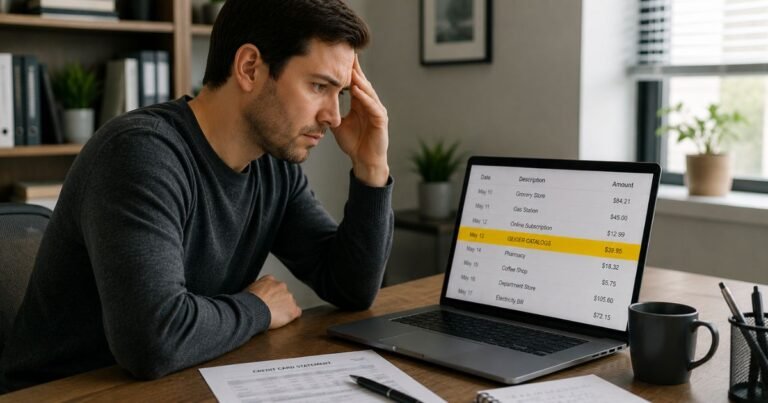
An Echst.net charge on credit card can look random. The name does not match a store you remember. That is common with third-party billing.
Most of the time, Echst.net processed a payment for another website. Official help says the line is usually from an online entertainment purchase. You can typically look it up, cancel a membership, or ask your issuer to review it.
What Is an Echst.net Charge on a Credit Card?
Echst.net is a billing descriptor, not a storefront you shop at in person. The company says it is an online payment provider for many merchants. It says it specializes in high-definition digital content.
The legal name on the official site footer is ICF Technology, Inc., a Nevada corporation. The listed U.S. address is 3909 S. Maryland Parkway, Suite 202, Las Vegas, NV 89119.
Some statement lines also show WA. That often tracks to processing or support routing, not the website you visited.
Official FAQ language is plain. Charges with “ECHST.NET” in the description are from an online purchase, usually from an entertainment website. The site also asks you to check with a family member or friend before you assume fraud.
Why the Name Looks Unfamiliar
Many entertainment sites use a billing partner so the statement does not show the site name. That is called discreet billing. Your issuer then prints the processor name.
Bang.com help is one verified example. If you joined Bang.com or another site in that network, the charge may appear as ECHST.NET instead of the site name. Bang says that is done for privacy.
Echst.net is not the same as OnlyFans billing. OnlyFans charges more often show as Fenix, OnlyFans.com, or a related Fenix label. Do not treat every adult-content rumor as a match. Read the exact words on your statement.
How the Charge May Appear
Issuers shorten names in different ways. You may see Echst.net with a phone number, a state code, or a prefix.
| What you may see | What it typically means |
|---|---|
| ECHST.NET | Main billing descriptor |
| ECHST.NET 866-452-5108 | Same processor plus the official U.S. support number |
| VDP-ECHST.NET or PUR/ECHST.NET | Card-network or bank prefix around the same name |
| ECHST.NET WA | Processor location code. Not always the purchase city |
| ICF Technology | Company behind the Echst.net billing site |
Amounts vary by merchant. Recurring charges often point to a membership. A small first charge can be a test, trial, or add-on. Official FAQ notes that a “free” account can still have purchases.
How to Identify Your Echst.net Charge
Start with your own records. Match the date and amount before you call anyone.
- Search email for receipts around that date. Look for membership, trial, or “billing” subject lines.
- Check spam and promotions folders. Confirmation mail is easy to miss.
- Ask anyone who shares the card, a stored wallet, or a household device.
- Log in to sites you used for video, cams, memberships, or digital content.
- Open echst.net and use the site’s lookup and live support tools if you still cannot place it.
Keep the last four digits of the card, the post date, and the exact amount nearby. Support generally needs those details to find the merchant.
How to Cancel an Echst.net Charge
Cancel the membership first if the charge is real. Closing the card later does not always stop a merchant from retrying another card on file.
Echst.net’s official FAQ says it can stop recurring memberships. It lists three contact paths:
- Call 1-866-452-5108
- Use live chat on echst.net
- Email support@echst.net
The company says a confirmation email goes out when an account is canceled. Check spam if you do not see it. Call, chat, or email support if the email never arrives.
If Bang.com (or a Bang network site) is the merchant, Bang help lists a site cancel path too:
- Log in to your Bang.com account.
- Open Account Settings, then My Profile.
- Under Subscription, choose Review.
- Under Status, choose Manage and follow the cancel steps.
Bang also says you can email support@bang.com or contact Echst.net and ask to cancel the ECHST.NET subscription. Use the merchant path and the billing path if one side cannot find the account.
Deleting an app or bookmark does not cancel billing. You generally have to stop the membership with the site or the biller.
What If You Do Not Recognize the Charge?
An unfamiliar name is not automatic proof of theft. Forgotten trials and household use are common. Unauthorized use is still possible.
If nobody in your home recognizes it, treat it as a possible unauthorized charge:
- Call or chat Echst.net with the date and amount. Ask which merchant and email sit on the account.
- Ask them to cancel any recurring membership tied to that card.
- Change passwords on email and any site that may have stored the card.
- Contact your card issuer. Ask about a dispute or a replacement card.
- Watch the next statement for a repeat post.
Do not share the full card number, CVV, or one-time passcodes with anyone who called you first. Use numbers from your card or from echst.net, not from a random text.
Refund rules are not published as a one-size promise on the official FAQ. Some people get a cancel confirmation only. Some issuers reverse a charge after a dispute. Outcomes vary by merchant, timing, and your bank’s process.
Lookalikes to Separate From Echst.net
Other billing names can sit next to adult or digital entertainment charges. They are not the same company.
- Epoch and Segpay are other billing partners Bang lists for discreet statements.
- MetaBilling appears in Bang help for some Videobox products, not as Echst.net.
- Fenix International, Fenix Intl, or OnlyFans.com typically point to OnlyFans, not Echst.net.
- ICF International is a different, well-known consulting firm. Do not mix it with ICF Technology, Inc.
If the line includes a different processor name, follow that name. Do not assume every entertainment charge runs through Echst.net.
FAQs About Echst.net Charge on Credit Card
Q: Is Echst.net a scam?
Echst.net says it is not a scam. It describes itself as a payment provider for online merchants, with a focus on high-definition digital content. A real biller can still post a charge you forgot or did not authorize. Verify the merchant, then cancel or dispute if needed.
Q: Why does my statement say Echst.net instead of the website?
The website likely used a third-party biller. Your bank then prints the biller name. Bang.com help says some network subscriptions show as ECHST.NET on purpose for discreet billing. Other entertainment sites may use the same processor.
Q: How do I contact Echst.net about a charge?
The official site lists 24/7 support. The number repeated on the FAQ is 1-866-452-5108. Email is support@echst.net. You can also use live chat and the lookup tool at echst.net. Have the charge date, amount, and last four card digits ready.
Q: I signed up for a free account. Why was I charged?
Echst.net’s FAQ says a free account can still have purchases. A trial, tip, unlock, upgrade, or add-on may bill separately. Ask support which product posted. If you want no future bills, cancel the membership and confirm in writing or by email.
Conclusion
An Echst.net charge on credit card typically means a billing company processed an online entertainment purchase for another site. Match the date and amount, check email and household use, then use echst.net support or the original site to cancel if it is a membership.
If the charge still does not belong to you, cancel any found membership and call your issuer. Acting on the first unnoticed renewal is usually easier than waiting for the next cycle.
Disclaimer: This article is for general information only. It is not financial, legal, or consumer-rights advice. Billing names, refund rules, and dispute windows vary by merchant and card issuer. Confirm account-specific questions with Echst.net, the original website, or your bank.