
Parchment Univ Docs Charge on Credit Card [Identified]

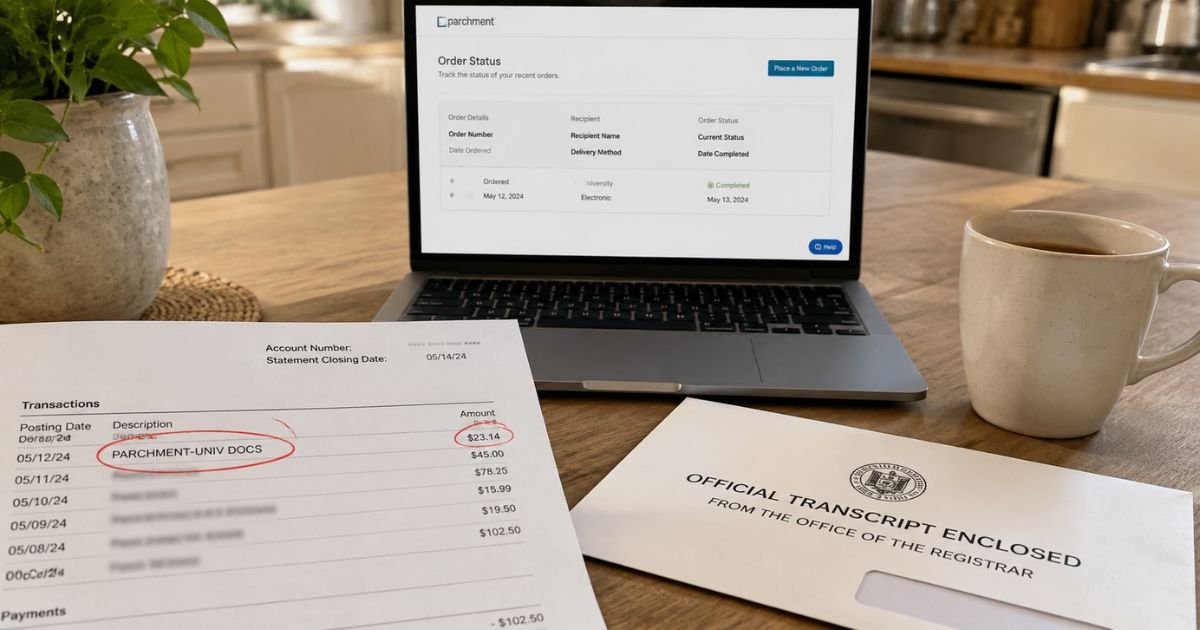
If a Parchment Univ Docs charge showed up on your credit card, you are not alone. The name looks official, but it does not name your school. That mismatch is why the line feels random.
In most cases this is a one-time payment for an academic record order. It is usually not a monthly subscription. Still, you should match the amount to a real order before you ignore it.
What a Parchment Univ Docs Charge Usually Means
A Parchment Univ Docs charge on credit card typically maps to Parchment, the credential service at parchment.com. Parchment now operates as an Instructure company. Schools use it so students and alumni can request official transcripts, diplomas, certificates, and similar records.
The company lists its office at 7001 N. Scottsdale Road, Suite 1050, Scottsdale, AZ 85253. That Arizona location is why many statements also show AZ.
The number 480-719-1646 often appears next to the name. That number is widely listed as Parchment’s Scottsdale office line. It is not proof by itself that you placed the order.
Parchment generally processes the card payment. Your school still owns the record and decides whether the document can go out.
How the charge may appear on your statement
Issuers shorten merchant names in different ways. You may see wording like this:
- PARCHMENT-UNIV DOCS
- PARCHMENT-UNIV DOCS 480-719-1646 AZ
- CHKCARD or CHECKCARD PARCHMENT-UNIV DOCS
- POS PURCHASE PARCHMENT-UNIV DOCS
- PENDING PARCHMENT-UNIV DOCS
- POS REFUND PARCHMENT-UNIV DOCS
- DEBIT CARD PURCHASE PARCHMENT-UNIV DOCS 7372
A “pending” line is often a temporary hold, not the final settled charge. A refund line can appear if an order was canceled or adjusted.
Why you may see this charge
The most common reason is a document you ordered yourself. A parent, employer, or background-check company may also place a third-party order when the school allows it.
Typical triggers include:
- An official college or university transcript
- A high school transcript sent to a college or employer
- A replacement diploma or certificate
- Enrollment or degree verification
- Extra copies sent to more than one address
- Rush or FedEx shipping added at checkout
- A second attempt after a checkout error, which can create a duplicate charge
Fees are not the same at every school. Electronic copies are often cheaper than mailed copies. Overnight shipping can raise the total a lot. Sales tax may apply in some cases. The checkout screen should have shown the exact total before you paid.
| What you ordered | How it usually arrives | What to expect on cost |
|---|---|---|
| Electronic transcript | Secure email or digital download | Often the lowest school fee |
| Paper transcript, standard mail | USPS | Higher than electronic, plus postage |
| Paper transcript, overnight | FedEx or similar | Can jump by tens of dollars |
| Replacement diploma | Mail, and sometimes pickup | Varies widely by school |
| Extra destination | Another email or mailing address | Often a separate line item |
Those ranges are only a guide. Your school sets the price you actually paid.
How to confirm the charge is yours
Start with email, not the bank app. Search your inbox and spam for “Parchment,” “transcript,” “diploma,” or “Document ID.” Parchment generally sends order emails with a Document ID, sometimes called a DID.
Then check the account:
- Sign in at parchment.com.
- Open the Orders tab.
- Match the date and amount to the card charge.
- Note the school name, destination, and current status.
If you used a school website link, you still created or used a Parchment learner account. Try every email address you used in school. A family member may have used your card for their own order.
Also check whether a hold-for-grades or hold-for-degree option was selected. Some school FAQs say a pre-authorization appears first. The final charge may post later, after delivery.
Other school pages say a hold-for-grades or hold-for-degree order can be charged in full right away even though the document ships later. Policies vary by school.
How billing and holds typically work
Parchment’s learner payment help says credential fees are charged to the card you enter at checkout. A temporary pre-authorization may reduce your available credit for several days.
School help pages often say that hold can last about 7 to 14 days, and sometimes longer, depending on your bank.
That pending amount is not always a second real charge. Watch whether it drops off and a similar settled charge replaces it. If two settled charges match two order numbers, you likely placed two orders.
Parchment does not typically store a monthly membership for transcript ordering. Repeat charges usually mean another document request, a resend that was not free, or a duplicate checkout.
How to cancel an order or ask about a refund
You generally cannot cancel from your account by yourself. Official learner help says only your sending school or Parchment Support can cancel an order.
Act quickly. Orders that have already been processed and sent usually cannot be stopped.
To request a cancel:
- Contact the registrar or records office at the school that holds the file.
- Or open a Parchment Support request through the Learner Help Center and include your name, email, and Document ID.
Official payment help draws a clear line on money back:
- A refund may be issued if the order is canceled and that school cannot fulfill any new request for you. One example is “no enrollment record.”
- A credit may be issued if the order is canceled but you still need a new request from the same school. One example is a financial hold that must be cleared first.
- Refunds are described as available only for orders that cannot be fulfilled, and only within 90 days of the original charge.
- Third-party organization (TPO) orders are generally not eligible for a refund or credit under Parchment’s TPO policy.
Refund timing is typically described as about 5 to 7 business days after approval, depending on your bank. Completed orders that simply arrived late by USPS or missed a FedEx overnight window are generally not refunded for that reason alone.
Official policy also says Parchment does not refund or credit mail the USPS returns as undeliverable. A new paid request is usually required.
If an electronic transcript was delivered, official resend rules may let the same destination receive another copy at no extra charge within a limited window, often 30 days. Ask Support whether your order qualifies before you pay again.
For a damaged printed diploma issued through Parchment Award Diploma Services, official help points to diplomaprints@parchment.com. Include your name, Document ID, and delivery address.
Parchment Support aims to reply within 48 hours, Monday through Friday, 8:00 a.m. to 8:00 p.m. Eastern Time. Questions about grades or the wording on the transcript belong with the school. Parchment says it delivers what the school uploads.
Helpful official pages:
- parchment.com
- Learner Help Center at instructure.my.site.com/learnerhelpcenter
- Privacy questions: privacy@parchment.com
- Mail: 7001 N. Scottsdale Road, Suite 1050, Scottsdale, AZ 85253
Lookalikes and when to treat it as fraud
Most Parchment Univ Docs charges are real school-document orders. A few lookalikes still cause mix-ups.
This line is not the old stationery brand some charge-ID sites describe. It is also not Parchment Global Publishing, a different book-publishing business. A site using a similar “parchment schools” name is not the same as parchment.com.
Treat the charge as possible fraud if all of these are true:
- You have no Parchment emails.
- No account under any of your emails shows the amount.
- No family member used the card.
- The amount keeps retrying after you already paid once.
In that case, contact Parchment Support and your card issuer. Ask the issuer about a dispute if the merchant cannot match the charge to an order. Keep screenshots of your empty order history.
FAQs About Parchment Univ Docs Charge on Credit Card
Q: What does Parchment Univ Docs mean on my credit card statement?
It is typically Parchment’s billing name for an academic document order. The “Univ Docs” wording points to university or school records, such as a transcript or diploma. Confirm the match in your Parchment Orders tab or order email.
Q: Is a Parchment Univ Docs charge a recurring subscription?
Usually no. Most people pay per document, per destination. A second charge in the same month is more often another copy, rush shipping, a hold that later settled, or a duplicate checkout after an error page. Check each Document ID before you assume it will bill every month.
Q: How much should a Parchment transcript cost?
There is no single national price. Schools set their own fees, and delivery method changes the total. Some colleges list electronic transcripts of only a few dollars. Printed overnight copies can cost much more. Use the amount on your Parchment receipt, not a generic online range.
Q: Can I get a refund if I ordered the wrong school or address?
Maybe, but only if the order has not already gone out and the official refund rules apply. Destination details generally cannot be edited after checkout. Official help says you cancel the unprocessed order, if the school or Support will cancel it, then place a new order. Third-party orders follow a stricter no-refund policy.
Conclusion
A Parchment Univ Docs charge on credit card most often means Parchment processed a transcript, diploma, or similar school-record order. Log in at parchment.com, match the Document ID, and read the order status before you panic.
If the amount is not in any account tied to your card, contact Parchment Support and your issuer the same day.
Disclaimer: This article is for general information only. It is not financial, legal, or school-records advice. Parchment, Instructure, and card-issuer rules can change, and each school sets its own fees and hold policies. Verify your order, refund options, and dispute rights with Parchment, your school, or your bank.


