
Effecto Charge on Credit Card [Identified]

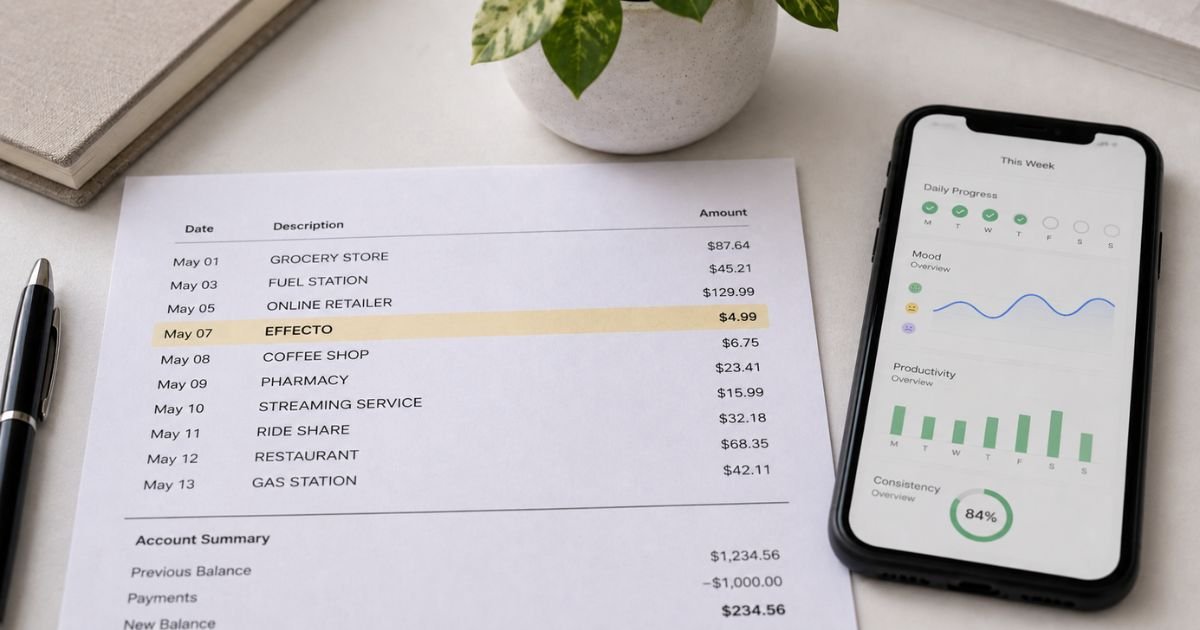
Seeing an Effecto charge on credit card can feel confusing if you do not remember signing up for anything. Unfamiliar charges are often legitimate and linked to a digital subscription. This guide explains what the charge typically means, how to check it, and the practical steps you can take.
What Is the Effecto Charge on Credit Card?
The Effecto charge on credit card generally comes from Effecto, a mobile app available at effecto.app. The app is a personalized habit-tracking and productivity tool.
It helps users monitor daily actions, mood, focus, symptoms, and overall well-being. Many people use it for ADHD symptom tracking, mental health insights, or building routines.
Effecto offers paid subscription plans. Charges often appear after a free trial or introductory period ends and the plan auto-renews. The merchant name on statements is typically “Effecto” or a close variation.
Subscriptions can be purchased through the Effecto website, the Apple App Store, or Google Play. Billing methods differ depending on where you signed up.
Why You Might See This Charge
The most common reason is an active subscription that renewed. Plans often start with a short trial or lower introductory price, then convert to a regular recurring fee.
Reported plan prices include options around $29.99 for three months or higher annual amounts. Some users report unexpected amounts after the initial period.
You may have signed up through a social media ad, an app store listing, or the Effecto website. If the subscription was created on the website rather than through Apple or Google, it may not appear in your phone’s regular subscription list.
Digital services like this frequently use auto-renewal. The charge continues until the plan is properly canceled.
How to Verify the Charge
Search your email (including spam) for messages from Effecto, effecto.app, or help@effecto.app. Look for order confirmations, trial start notices, or renewal receipts that match the date and amount on your statement.
Check your Apple ID or Google Play account under Subscriptions. If the charge does not appear there, the subscription was likely purchased directly through the Effecto website.
Log into the Effecto app or website with the email you used to sign up. Review any account or billing section for active plans. Note the exact amount, date, and any order number before contacting support.
How to Contact Effecto
The primary support email is help@effecto.app. You can also use the contact form on effecto.app.
Include your account email, the charge date and amount, and a clear request (for example, “Please cancel my subscription and confirm in writing”). Attach any order confirmation if you have it.
Response times can vary. Keep a record of every email you send and any replies you receive.
How to Cancel an Effecto Subscription
Cancellation depends on how you subscribed.
If you signed up through the Apple App Store, go to your iPhone or iPad Settings, tap your name, then Subscriptions, find Effecto, and cancel.
If you signed up through Google Play, open the Google Play Store app, go to Payments & subscriptions, then Subscriptions, find Effecto, and cancel.
If you subscribed on the Effecto website, use the Manage Subscription page. Enter the email you registered with, then enter the 4-digit security code sent to that email.
Once inside, you can view or cancel the plan. You can also email help@effecto.app with a clear cancellation request and the same email address used for the account.
Cancel at least 48 hours before the next renewal date when possible. After canceling, monitor your next statement to confirm billing has stopped.
What to Do If You Do Not Recognize the Charge
Contact Effecto support first with the details of the charge and request cancellation plus any available refund. The company states a general no-refund policy except for proven faulty products within 14 days of purchase. Personalized services are typically not eligible for refunds.
App Store or Google Play purchases must usually be handled through Apple or Google support.
If you cannot resolve the issue with Effecto or the charge appears unauthorized, call the number on the back of your credit or debit card. Report that you do not recognize the Effecto charge and request a dispute.
Under federal rules you generally have protections for unauthorized or incorrect charges if you act within the required time frames (often 60 days from the statement date for credit cards).
Your issuer may issue a temporary credit while investigating. Provide any emails or screenshots showing cancellation attempts.
Common Issues Reported by Cardholders
Many users report unexpected charges after a free trial or introductory plan ended.
Some say the subscription did not appear in their phone’s subscription list because it was billed through the website. Others describe difficulty getting refunds or clear cancellation confirmations.
These reports appear on review sites and complaint databases. Experiences vary, and not every charge is problematic. Still, it is wise to verify quickly and keep records.
Pro Tip: Search your email for “Effecto” right away and save any order or trial confirmation. Having the original signup email makes cancellation and disputes much easier.
Steps Summary Table
| Situation | Recommended First Step | Next Action if Unresolved |
|---|---|---|
| Recognize a trial or subscription | Check email and cancel via app store or Manage page | Email help@effecto.app for confirmation |
| Charge not in App Store/Google Play | Use website Manage Subscription or email support | Request written cancellation |
| Do not recognize the charge | Email help@effecto.app with details | Dispute with your card issuer |
| Need a refund | Contact Effecto within 14 days if product is faulty | Escalate to bank dispute if denied |
Common Mistakes: Assuming deleting the app cancels the subscription. It does not. Waiting until after the renewal date to cancel. Contacting only the app store when the charge was processed through the website.
FAQs About Effecto Charge on Credit Card
Q: Is the Effecto charge a scam?
Not typically. Effecto is a real habit-tracking and productivity app. However, many users report unexpected recurring charges after trials. Verify the charge and cancel promptly if you do not want the service.
Q: How do I cancel an Effecto subscription?
Cancel through your Apple or Google subscriptions if you signed up there. If you subscribed on the website, use the Manage Subscription page with your email and security code, or email help@effecto.app with a clear cancellation request.
Q: What email should I contact about an Effecto charge?
The support email is help@effecto.app. Include your account email, charge details, and a specific request to cancel or investigate the billing.
Q: Can I get a refund for an Effecto charge?
Effecto generally follows a no-refund policy except for proven faulty products reported within 14 days. Personalized services are usually not refundable. App Store or Google Play purchases should be directed to those platforms. If the charge is unauthorized, dispute it with your card issuer.
Conclusion
An Effecto charge on credit card most often relates to a subscription for the Effecto habit-tracking and productivity app. Check your email and subscription lists first, then cancel through the correct channel (app store or website manage page). Contact help@effecto.app if needed.
If the charge remains unexplained or continues after cancellation, dispute it promptly with your bank. Acting quickly and keeping records gives you the best chance of a clear resolution.
Disclaimer: This article is for informational purposes only and is not financial, legal, or professional advice. Policies, billing practices, and dispute rights can vary by company and card issuer. Always verify details directly with Effecto or your bank for questions specific to your account.


